
When a job posting explicitly asks for an application by email, the email message becomes part of the application package. The goal is simple: send the right materials to the right address with the subject line the employer requested. A polished message cannot compensate for a missing attachment or an incorrect recipient. This guide covers email-only submission instructions; it is not permission to bypass a portal when the employer requires the portal instead.
Save the job posting before drafting your message. Extract four requirements: exact email address, subject line or reference code, documents requested, and deadline. Verify the recipient through the employer’s official site or the credible posting. If the posting names an online application portal but you found an email address elsewhere, do not substitute one method for another without the employer’s guidance. The best application is the one that follows the real instructions accurately. Our walkthrough on how to write a job application email that follows the posting sets out each step.
Translate the Posting Into an Attachment List
A role may require a resume only, a resume plus cover letter, or a portfolio and writing sample as well. One Penn-hosted employer listing requires a cover letter, resume, and samples with a specific subject line. Another Penn-hosted posting asks for an emailed resume, cover letter, and writing sample or portfolio. These are concrete examples of different employer requirements, not a universal list that every applicant should send.
Create a two-column check: ‘Employer requests’ and ‘Attached in this message.’ Mark every item only after the correct version is physically attached. Avoid adding an irrelevant portfolio merely because you have one. Keep files readable, free of private material not requested, and labeled clearly. Some employers ask for one combined attachment; others require separate files. Follow the posting rather than assuming one arrangement is always more professional.

Write the Subject Line Exactly When Specified
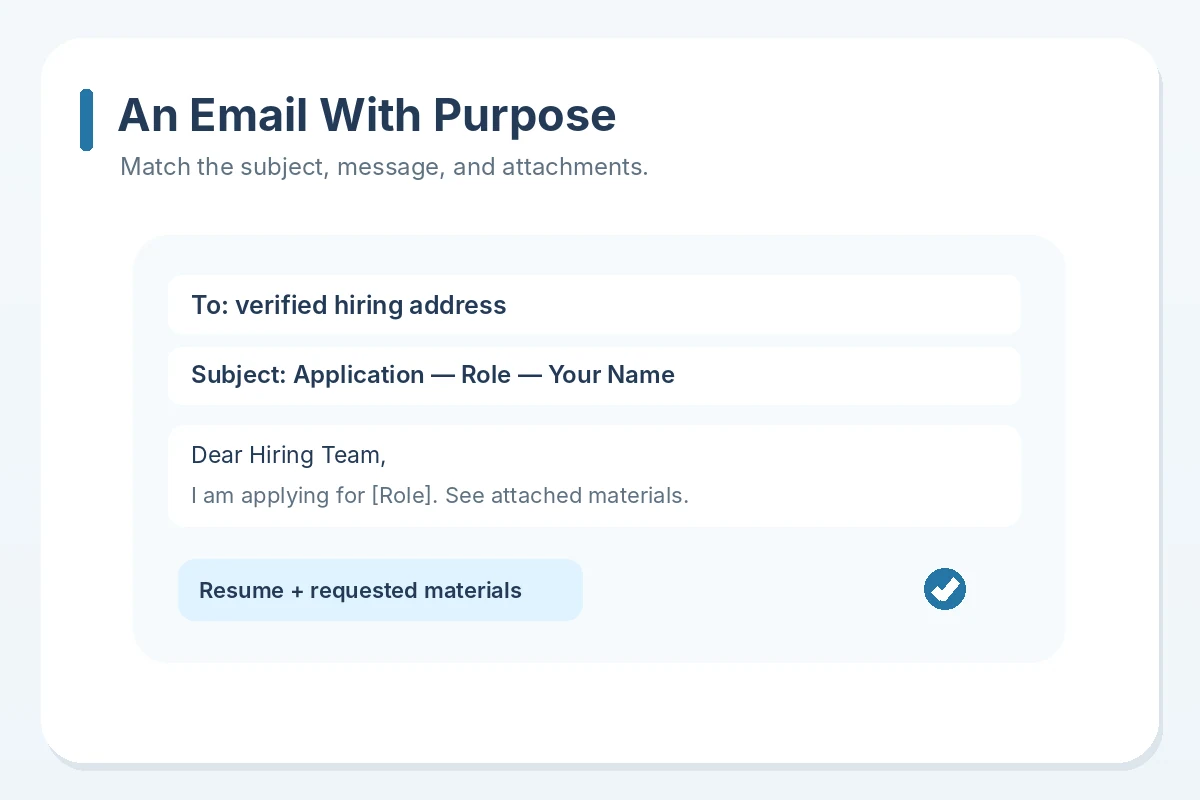
If the employer provides a subject-line format, copy its functional elements exactly and fill in your real name or job reference where requested. If there is no specified format, use a clear subject such as ‘Application: [Role] — [Your Name].’ Do not claim urgency, write in all caps, or use a flashy promise. A subject should help the recipient identify the opening and route the message to the correct person or folder.
Hypothetical example: a posting asks for ‘[Role] — [Applicant Name]’ in the subject. Your subject should match that structure and the real role, not become ‘Please hire me ASAP!’ If the posting specifies a requisition code, preserve its characters carefully. Do not copy a reference from another job. A generic subject may still arrive, but it creates avoidable ambiguity if a recruiting team manages several positions.
Keep the Email Body Brief and Relevant
A good application email can be a short introduction, a statement of the position you are applying for, one specific qualification that you can substantiate, a note identifying the attachments, and a courteous closing. If a separate cover letter is required, do not paste an entire duplicate letter into the email body unless the instructions ask for it. The message is the packaging, not an additional essay about everything you have ever done.
Hypothetical email: ‘Subject: Application — [Position] — [Name]. Dear Hiring Team, I am applying for the [Position] listed on [verified site]. My experience with [actual relevant task] aligns with the role’s stated requirements. I have attached my resume and the requested [document]. Thank you for considering my application. Sincerely, [Name], [contact].’ Replace the brackets with facts, or remove a claim that you cannot support. This example is not a real candidate’s result. For a step-by-step method, see how to submit a resume through an online job application portal.
Check Attachments by Opening Them
Do not rely on the file icon alone. Open the exact resume and other attachments before sending to check readable text, correct versions, dates, and whether a cover letter still names a different company. If the employer specifies a format or file size, use it. If there is no rule, commonly readable documents are often practical, but do not assume a particular file type will be accepted. Avoid password-protected attachments unless the employer tells you how to use them.
A useful last-pass matrix is: file type, job-specific version, readability, and necessity. For instance, sending a work sample that contains a former employer’s confidential information is never justified merely because a portfolio was requested. Create an anonymized or publicly shareable example when permitted, or ask about acceptable alternatives. Remove tracking data and sensitive identifiers where appropriate. The recipient should receive enough information to evaluate your application, not your private financial records.
Verify the Recipient and Respect Sensitive Data
The FTC warns that fake recruiters can use convincing addresses, company names, or attachments to collect private information. Independently confirm the job and the destination. Watch for look-alike domains, a sender asking you to switch from official email to private chat, or a demand for bank details before a legitimate hiring conversation. Your verified recipient should come from the job posting or employer’s official channel, not a stranger’s forwarded screenshot.
When a recruiter contacts you unexpectedly, validate the opportunity before sending a resume or anything more sensitive. Some employers use external recruiting vendors, so a different domain is a reason to verify, not automatic evidence of fraud. Avoid paying to submit an application or ordering equipment from an unfamiliar link. Document where you confirmed the posting and who supplied the instructions. Treat a request for sensitive identity documents as a separate process requiring careful verification. For a step-by-step method, see how to complete a job application PDF and check it before sending.
Confirm Delivery and Track the Next Step
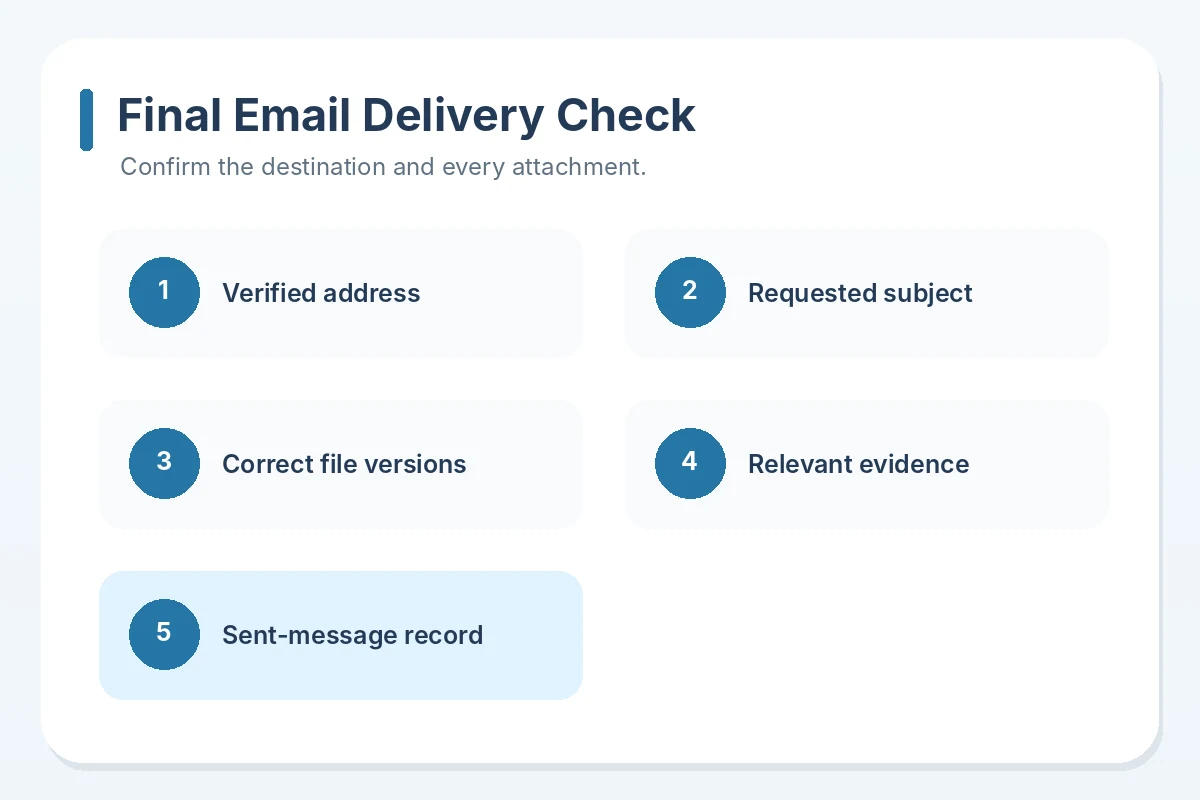
Before pressing Send, compare the address, subject, attachment list, deadline, and role one final time. After sending, keep a copy in Sent with the documents you actually attached. An email in your Sent folder proves you attempted transmission from your account, not that the hiring team read it. If an error or bounce message arrives, verify the address and retry through the employer’s approved route, rather than spraying duplicates to unrelated employees.
For tracking, save the posting URL, application date, role, attachments, and any confirmation. If the posting gives a response schedule or requests no follow-up, honor that guidance. Otherwise, a brief professional inquiry can be appropriate after a reasonable interval, but do not promise yourself a specific timeline. Continue applying elsewhere while you wait. Acknowledgment of receipt is different from consideration, and consideration is different from an interview offer.
How We Research This Guidance
We reviewed platform or product documentation and professional career resources for this specific question, distinguishing source-backed interface behavior from recommendations that may vary by employer. The workflow examples are explicitly hypothetical; they do not describe a real person’s application or hiring outcome. We did not access a reader’s private application, confirm an employer’s unpublished process, or guarantee selection. JobAsk’s affiliate disclosure explains commercial relationships; this guide makes no affiliate claim.
Primary references reviewed on October 23, 2026: source 1, source 2, source 3, source 4. Verify the particular employer’s most recent instructions before sharing personal information.
Related Guides
- Internal Job Application Email: Check Eligibility and Explain Your Fit
- Part-Time Job Application Email: Show Your Shift Availability Clearly
- Job Application Email With No Experience: Use Real Project Evidence
- Teacher Job Application Email: Match the Assignment and Required Credentials
- Interview Thank-You Email Subject Lines: Name the Role and Keep the Thread Clear
Follow the posting. When it requests a separate attachment, attach it; otherwise use a short message and clarify ambiguous instructions.
Use a descriptive subject with the role and your name, without urgency claims or unnecessary decoration.
No. It documents that you sent the message, not that the recipient opened or evaluated it.
Send only requested or relevant materials, and never include confidential information without authorization.
Check the employer’s correction instructions and, if appropriate, send one brief corrective email identifying the missing item.