
When a job posting specifically invites applications by email, send a concise message that identifies the exact role, gives one truthful reason you fit, and makes the required attachments easy to find. If the posting requires an online portal instead, follow that instruction; an unsolicited email may not count as an application. This guide supplies two original, explicitly hypothetical examples plus a pre-send verification workflow, rather than repeating a full cover-letter writing guide.
Confirm whether the employer accepts applications by email
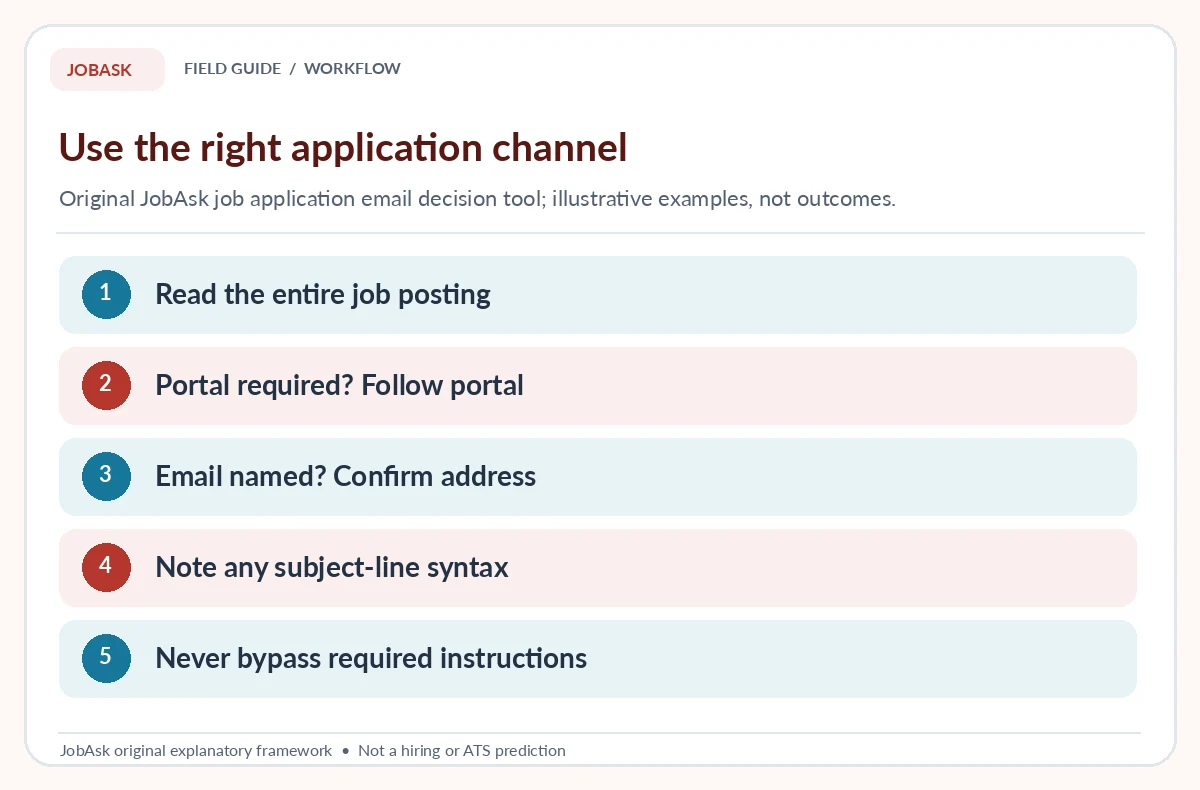
Read the actual posting from start to finish. The University of San Francisco’s career guidance distinguishes emailing an attachment, using an email body and submitting through an online application. That distinction matters: a recruiter’s visible email address does not automatically make it the approved application route. If the employer says “apply on our careers site,” use that portal and the specified documents. If the employer gives a recruiting email and precise subject format, follow it carefully. Do not send personal documents to an address obtained only through an unexpected recruiting message.
Make a small intake note containing employer name, official application link, exact role title, any requisition code, recipient, format requirements and closing date as shown in the listing. A fictional candidate applying for an “Operations Assistant” post might note that the employer specifically requests a PDF resume sent to a named recruiting mailbox. This is only an example, not a real opening or address. If the instructions are ambiguous, use a verified company contact to request clarification rather than inventing a preferred process. Save the employer’s original wording for later review.
Write an email subject that identifies the role
The subject line should help the recipient recognize the application. If a posting gives a required format, use it exactly, including a reference number or requested identifier. Otherwise, a plain construction such as “Application — Operations Assistant — Taylor Morgan” communicates the purpose without exaggeration. University of San Francisco recommends a subject line combining candidate name, application and position title. Avoid gimmicks such as “HIRE ME TODAY” or vague subjects such as “Interested” that obscure the position. Do not state a requisition number you have not verified.
Check the spelling and capitalization of the actual role and employer. A code transposed by one digit can complicate routing, and a stale subject copied from another application looks careless. If the company recruits for several locations, add location only when relevant to its instructions. A hypothetical example could be “Taylor Morgan — Program Assistant — Job Ref PA-12,” but the code is entirely fictional and must not be reused as a real reference. Keep the subject concise; the message body can supply contextual evidence without turning the subject into a paragraph.
Make the opening and evidence line specific
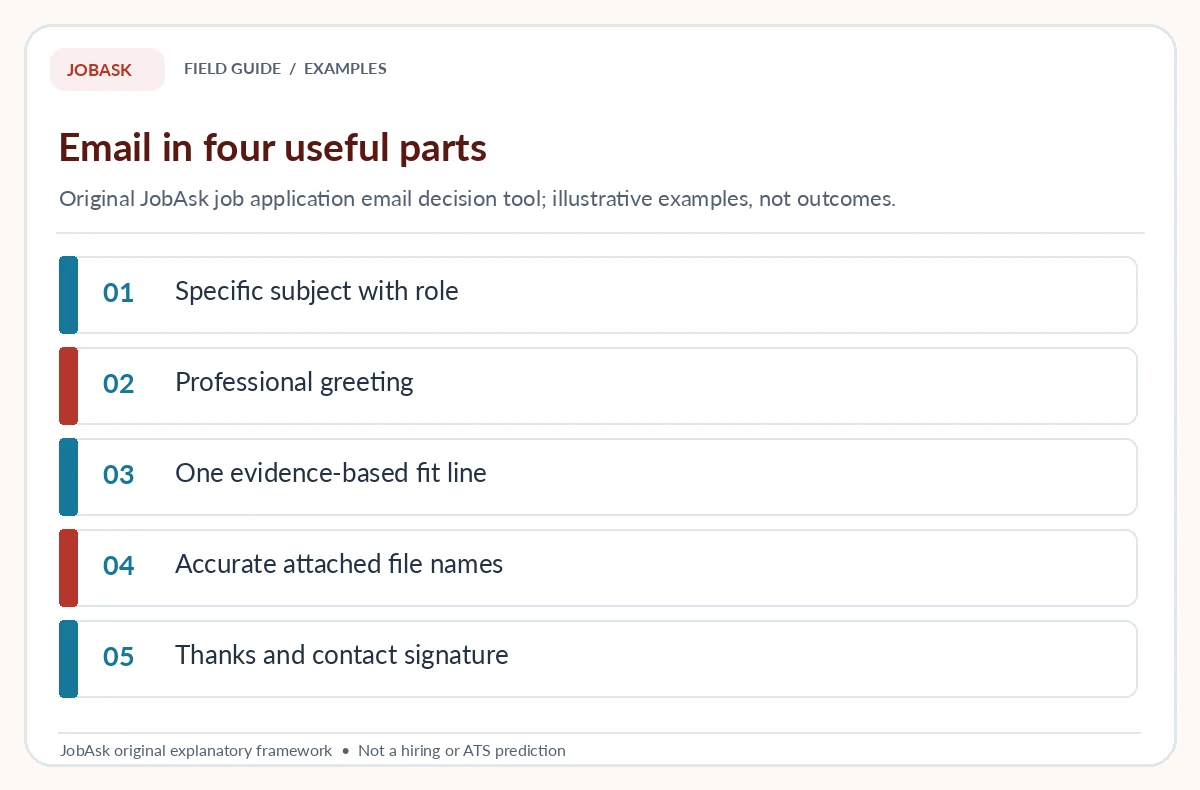
Begin with a greeting that matches the information you actually have. Use the recipient’s verified name if available; otherwise, “Hello Hiring Team” is usually clearer than guessing a manager’s identity or honorific. State the exact job being applied for and where you encountered the verified listing if useful. Then add one short sentence that links your authentic experience to a main responsibility. A job email is not an entire autobiography and should not duplicate a long cover letter word for word. The stronger approach is an evidence bridge to the attached documents.
Imagine a fictional candidate whose volunteer coordination work included shift planning and participant emails. A relevant opening might read: “I am applying for the Operations Assistant role listed on your careers page. In a volunteer program, I maintained weekly schedules and prepared approved participant updates, experience relevant to the coordination duties described.” That is a sample sentence, not permission to claim volunteer work you did not perform. Substitute your real evidence and verify its scope. If you have no direct work history, a legitimate class project or internship task may still be relevant when labeled honestly.
Choose attachments according to actual instructions
The posting, not a generic blog, determines which documents to send and in what format. Some employers request a resume only; others ask for a cover letter, references, portfolio links or a named file type. Attach what the employer asks for and avoid sending unrelated personal records. Penn State Behrend models a short email that refers to an attached resume and cover letter. Where PDF is permitted, check that the rendered file opens properly and that text remains readable. When an employer specifies another format, follow that requirement instead of assuming PDF is always superior.
Give files clear names such as “TaylorMorgan_Resume.pdf” only as a hypothetical pattern. Before sending, open each attachment and confirm it is the latest role-specific version, has correct contact details, and does not contain comments or tracked edits. If you provide a link instead of an attachment, ensure the employer explicitly permits it and the recipient can access the intended document without seeing unrelated private files. Avoid sharing identity numbers, bank records or sensitive documents at the initial application stage merely because an unverified email requests them.
| Application instruction | Correct response | Avoid |
|---|---|---|
| Employer asks for email + PDF resume | Short message, named file, correct subject | Unrequested extra documents |
| Employer requires portal | Submit inside portal | Emailing someone instead |
| Unsolicited recruiter asks for bank ID | Verify company independently | Sharing sensitive details |
Study two complete hypothetical email examples
Example A, with requested attachments, is fictional: “Subject: Application — Office Coordinator — Riley Chen. Hello Hiring Team, I am applying for the Office Coordinator role listed on your careers site. In a campus program, I maintained the volunteer roster and prepared weekly event confirmations, which relates to the scheduling responsibilities described. I have attached the resume and cover letter requested in the listing. Thank you for your consideration. Riley Chen | [appropriate contact details].” Its structure is subject, role, relevant fact, attachment note and polite close; it does not include a fabricated vacancy.
Example B, when the employer explicitly asks for the short application in the email body, is also fictional: “Subject: Program Assistant Application — Jordan Ellis. Hello Recruiting Team, Please consider my application for the Program Assistant position listed on your site. During an academic project, I documented incoming requests and coordinated follow-up with a four-person team. I would be glad to discuss how that experience relates to your posting. Thank you, Jordan Ellis.” Use the wording only to understand structure. Do not copy a made-up team size, credential or sender identity into an authentic application.
Check recipient, attachments and timing before sending
Run the pre-send checklist as if you were opening the email for the first time. Is the recipient an official address verified through the employer? Did you follow the specified channel and subject format? Is the company and role correct in both the message and attachments? Do the files open, and are their names professional? Have you added a working, appropriate reply address? Has the posting listed restrictions on format, portfolios or reference numbers? Read the message once aloud to catch awkward phrasing that spell-check misses. Our application message guide goes into more detail.
Record the send date, exact recipient, role and the filenames in your private application tracker. Email clients sometimes queue messages, bounce them or fail on attachments, so a message in “sent” is not proof that a recruiter read it or that the employer accepted the application. If an automatic acknowledgement appears, retain it without treating it as an interview promise. If the employer gives a follow-up schedule, respect it. Repeated follow-up messages to multiple company addresses can be counterproductive and may violate the application process.

Handle no response or a changed posting appropriately
If the employer does not respond, check the original listing for an indicated process or timeline before following up. An example of an appropriate brief inquiry, when a legitimate contact channel is provided, is: “I submitted my application for the Program Assistant role on [actual date] and wanted to confirm it was received. Thank you for your time.” It should not claim a deadline, referral or prior conversation that never happened. Keep a respectful interval and stop if the organization asks applicants not to contact them. There is no universal rule that a second email must receive an answer.
If a purported recruiter replies with a payment request, bank-transfer instruction, unexplained document demand or a different job title, do not assume it is routine onboarding. FTC guidance shows that copied real ads and fake employer identities exist. Revisit the official channel using contact details you found independently before sharing anything sensitive. This article supports clear correspondence and safer submission; it does not verify a particular hiring team, guarantee delivery or provide legal advice about employment records. Your most reliable guide remains the actual, authenticated application instructions.
How We Research and Limits of This Guide
We separated a job application email from JobAsk’s cover-letter opening, ending, short-letter and online-application guides. We checked university career-center instructions about communication channels, subject lines and attachments, plus FTC employer-verification guidance. All recipient names, position codes, examples and contact patterns are fictional.
Sources reviewed October 19, 2026: University of San Francisco advises following application instructions, naming the role in the subject, and using attachments appropriately. Penn State Behrend gives a professional email format for submitting an application with attached resume and letter. FTC recommends independently verifying advertised employer and application channels.
Affiliate disclosure: No paid email-writing tool, tracking service or recruiting agency has been represented as a JobAsk affiliate. Read the JobAsk affiliate disclosure for the site-wide policy.
Related Job Search Guides
- Internship Application Email: Match the Posting, Coursework, and Attachments
- Follow-Up Email After a Job Application: Check Status Without Pestering
- Withdraw a Job Application by Email: A Clear Message Before an Offer
- Apprenticeship Application Email: Verify the Sponsor and Ask About Entry Steps
- How to Follow Up After an Online Job Application
No. Follow the employer’s stated channel unless it explicitly offers email as an alternative.
Use the requested format, or a concise combination of application, exact position title and your name.
Follow the posting. When attachments are requested, the email body can briefly introduce you and name the attached documents.
Long enough to identify the role, present one relevant truthful qualification and confirm attachments. Concision is more useful than a fixed word count.
No. Keep your record and check acknowledgements or published procedures. Delivery and hiring outcomes are not guaranteed.