
For a video interview, prepare both the conversation and the connection. Confirm whether the interview is a live call or recorded responses, test the actual platform, and practice explaining relevant work with concrete evidence. A well-lit room cannot replace a good answer, and a practiced answer cannot help if your microphone is muted. The original two-format checklist below addresses both. All interview prompts and candidate stories are illustrative, not reports of employer practices or hiring outcomes.
First identify the exact video interview format
A live video interview involves real-time discussion with an interviewer or panel. An asynchronous recorded interview may present questions for you to answer on video, sometimes with timing or retake rules. University of Toronto’s career guidance distinguishes these formats, which call for different preparation. Read the employer’s real instructions to learn the scheduled time, time zone, platform, required account, permitted devices and any recording restrictions. Do not assume a familiar brand of software will be used, and do not assume you can replay a response unless the platform or employer explicitly says so.
Make a format note before practicing. For a live interview, prepare concise examples and questions to ask another person. For recorded prompts, understand how the system starts and ends each answer and whether there are practice sessions. Some platforms may allow reasonable accommodations; use the organization’s stated process to request an adjustment when needed rather than guessing a technical workaround. The purpose is to respect the rules and be prepared, not to game an unpublished video analysis system or claim an automated personality score determines outcomes.
Set up sound, light and a distraction-limited space
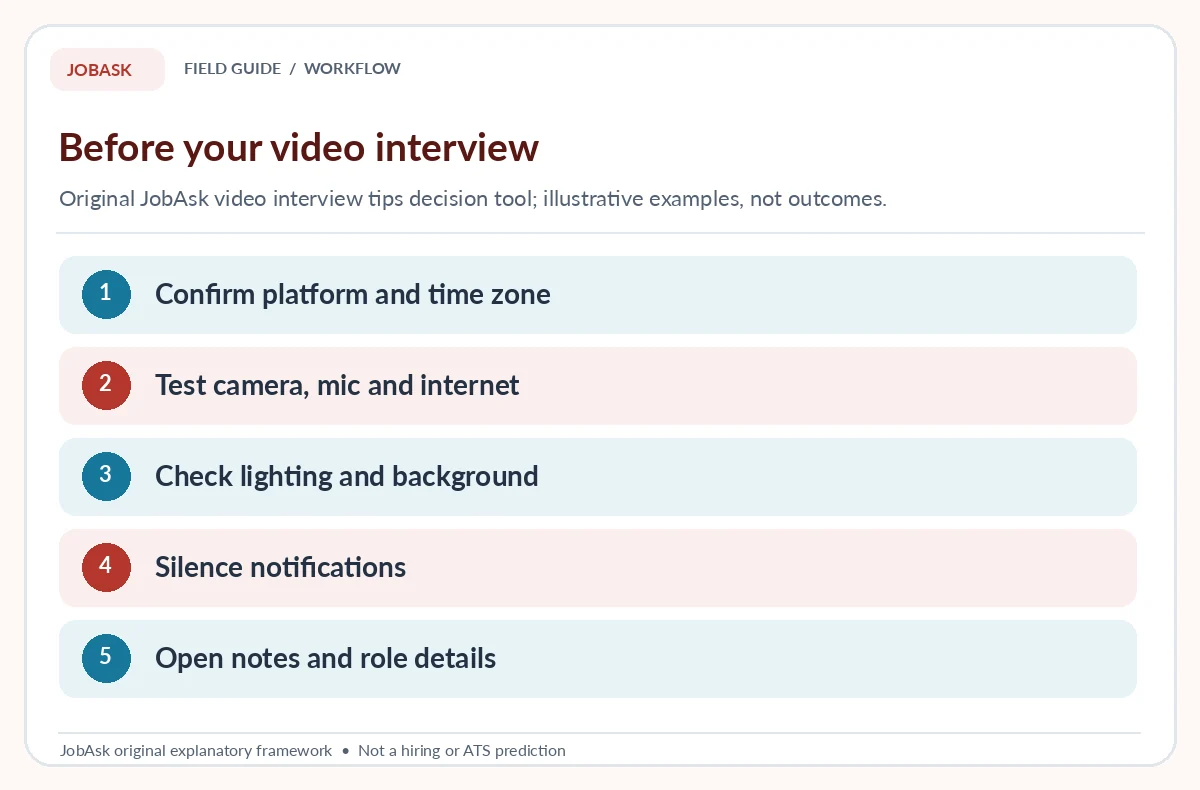
Georgia Tech and MIT advise testing your audio, camera and environment in advance. Position the camera at a comfortable height, face a light source where possible and choose a background that does not reveal private documents or distract from the conversation. Test how your microphone handles your natural speaking volume, not only whether a green input indicator moves. Close noisy programs and switch off desktop alerts. If you share space, let other people know that you need a period without interruption. You do not need expensive equipment if a simple setup is working clearly.
Run a short practice call using the same device and application where possible. Look for backlighting that makes your face difficult to see, echoes that obscure words and an unstable connection. A fictional candidate who works in a shared apartment might use a quiet library interview room if available; another might arrange a simple neutral wall and headphones. These are possibilities, not assumptions about access to facilities. Avoid displaying household names, confidential work files or other sensitive details in your camera frame. Small practical adjustments usually matter more than decorative virtual backgrounds.
Rehearse the opening and question structure
Before the interview, research the employer and the specific duties described in the role. Prepare a short explanation of your relevant background that links one or two real experiences to those duties. Have several first-hand examples available: a problem you solved, a collaboration you contributed to, a task you learned and a decision you made. A concise answer identifies context, action and observed outcome; it does not need to recite a memorized script. For detailed STAR guidance, use JobAsk’s separate STAR interview method article rather than repeating the whole technique here.
Record a private practice response if you are comfortable doing so, then listen for clarity, pace and unsupported assertions. A hypothetical response might describe organizing a study-group schedule and sending changes to members. It should not be presented as a paid management role. If you glance at brief notes, keep them as prompts rather than reading a full prepared speech while ignoring the interviewer. For live conversations, pause briefly after the other person stops talking to allow for connection lag. Ask for a question to be repeated when you genuinely did not hear it.
Practice looking engaged without performing a persona
The camera lens is not your conversation partner, but looking toward it at appropriate moments can help convey attention. Keep a comfortable posture and avoid constantly watching your own video tile. Listen actively and respond to the substance of questions. It is normal to take a short moment to think before answering. If you use an assistive technology or communication method, prioritize an arrangement that makes the conversation accessible and clear rather than forcing an artificial performance standard. The quality of your examples remains more important than perfect posture or continuous eye contact.
For a fictional live interview, an interviewer asks how you handled a missed deadline. A useful answer might explain a real schedule conflict, how you notified the team, and what happened afterward, without pretending the outcome was flawless. The video format does not change the obligation to be truthful. Avoid exaggerated claims about what recruiters can infer from microexpressions or proprietary algorithms. Nothing in the cited guidance establishes a universal on-camera behavior score, nor can this guide predict what one employer will evaluate. Our guide “Tell Me About Yourself on Video” covers how to prepare your answer and camera setup.
| Stage | What to verify | Recovery if needed |
|---|---|---|
| Before | Platform, camera, mic, time zone | Check official invitation |
| During | Answer audible, camera usable | Ask for repeat or reconnect |
| After | Record actual follow-up instructions | Send one appropriate message |

Handle recorded questions and time limits separately
Recorded systems can present instructions that differ from live calls. Read each screen before starting: how many prompts, whether a preparation period exists, whether retakes are permitted and where submitted recordings appear. Never assume that every platform grants unlimited attempts or that a particular timer can be paused. Practice a response that starts with the actual answer, gives one concise supporting example and ends with the relevant lesson or result. If the question asks for a hypothetical decision, explicitly describe how you would think through the situation rather than inventing a real story.
Imagine an illustrative prompt: “What would you do if a remote teammate missed an important update?” A reasoned answer could include checking the facts, contacting the teammate respectfully, clarifying the deadline and documenting the agreed next step. Do not claim that this scenario appeared in any actual employer’s interview. Because recorded formats limit interaction, be especially clear about assumptions and avoid jargon. If you need an accommodation to complete the process, use the stated contact channel before the deadline where practical. Instructions from the actual employer outrank generic practice advice.
Write a realistic technical backup plan
A working setup can still fail. Before the session, save the legitimate organizer’s contact information, invitation details and the correct join link in a safe place. Charge the device or connect power, then decide what you would do if the call drops: attempt the documented rejoin procedure, use a verified backup contact and send one short factual explanation. Georgia Tech and University of Toronto both emphasize technical readiness; preparation reduces avoidable disruption without guaranteeing a flawless connection. Never download a “special interview app” from an unsolicited stranger outside a verified employer process. If you want the full process, read how to calm nerves before an interview.
A fictional recovery message could say: “Hello, I lost the video connection during our scheduled interview. I am trying the original link again. If needed, I can be reached at the contact number included in my application. Thank you for your patience.” This is a template for tone, not proof that the employer will reschedule. Do not send repeated messages through unverified addresses or share one-time access codes. Once reconnected, calmly acknowledge the interruption and return to the question. A short technical problem need not dominate the rest of your discussion.

Finish with a review that improves the next practice
After the session, note the actual questions, any technical limitation, examples that were hard to explain and questions you still have about the role. Respect the employer’s instructions for follow-up and any confidentiality restrictions on interview content. Where appropriate, a brief thank-you email can acknowledge the conversation, but sending one does not guarantee further contact. Assess what you control: preparation, factual examples, working equipment and respectful communication. Do not infer rejection from silence or promise that a certain webcam setup causes favorable hiring decisions. For more detail, our guide “Job Interview Etiquette” looks at what to do before, during and after.
Use the original checklist as a simple rehearsal plan: test once with the same settings, explain two credible work examples, handle one simulated connection loss, and verify where the real invitation can be found. This is a practice process, not a performance percentile. If the employer asks for an in-person interview instead, follow those instructions. A reliable candidate story travels across interview formats; the video-specific work is making it possible to communicate that story clearly, safely and without unnecessary interruptions. For the fuller picture, see our guide “Phone Interview Tips for Clear Answers and a Reliable Call”.
How We Research and Limits of This Guide
We separated video interview intent from JobAsk’s earlier phone interviews, behavioral questions and STAR method. Georgia Tech, MIT and the University of Toronto support technical rehearsal, clear environment and differences between live and recorded formats. Every scenario and recovery message is hypothetical and original.
Sources reviewed October 19, 2026: Georgia Tech career guidance covers platform testing, a quiet room, video format and clear communication. MIT career guidance emphasizes lighting, camera level, audio checks, a neutral background and preparation. University of Toronto distinguishes live video interviews from recorded responses and covers rehearsal.
Affiliate disclosure: No video-interview platform, practice app or camera accessory is presented as an approved JobAsk affiliate. Read the JobAsk affiliate disclosure for the site-wide policy.
More Interview Preparation Guides
- First Job Interview Tips: Use School, Volunteer Work, and Honest Examples
- Recorded Video Interview Preparation: Check Rules, Rehearse, and Submit
- Virtual Interview Preparation: Test Your Setup and Build a Backup Plan
- Video Interview Thank-You Email: Mention the Conversation, Not the Platform
- Technical Interview Preparation: Clarify, Solve, Test, and Explain
Test before the appointment, ideally with the actual device and platform, leaving time to solve issues. Follow any employer-specific instructions.
Prepare true examples and a clear structure, but avoid reading an inflexible script that prevents listening and answering the actual question.
No. Recorded systems may impose prompt timers and retake limits, while live calls allow real-time clarification. Read your actual instructions.
Use the original meeting link and verified organizer contact. Send a short factual update if needed, then follow the employer’s directions.
No universal score or algorithm has been established here. Focus on clear communication and facts rather than alleged platform secrets.