
Government Job Search Sites are useful only when a listing matches your actual qualifications and you can verify the employer. This guide offers a practical search workflow rather than a pay-to-play ranking, fabricated opening, or guaranteed hiring shortcut. Begin by naming the work you can perform and the location and schedule you will accept.
The core method is: Federal role → State role → City or county. Compare each choice with an authentic job description and distinguish discovering an ad from submitting a completed application. Source links below support platform functions and safety checks; hypothetical examples are explicitly marked as examples.
Start by Identifying Which Government Employs the Role
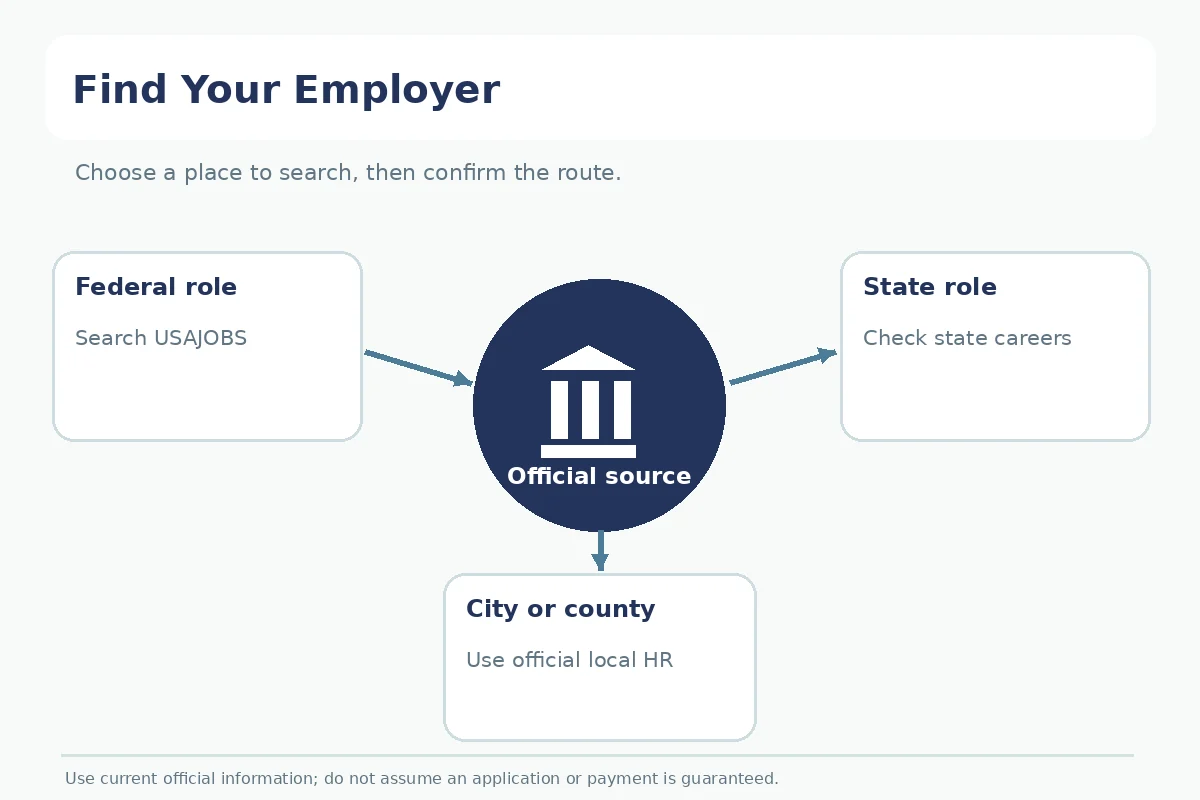
“Government job” is not one hiring system. A federal analyst, a state program assistant, a county records clerk, and a city maintenance worker may use unrelated portals and different qualification rules. Begin with the employer jurisdiction: federal department or agency, state agency, county authority, city, school district, or other public employer. Then find the careers page linked from that government’s official website. A search-result snippet alone does not establish the correct application portal.
Use USAJOBS for many U.S. federal civil-service announcements, but do not assume it lists all state and municipal openings. For a state-level role, start with the relevant state government careers or civil-service site. For a county or city role, use the official government employment page. Different organizations may require different accounts, documents, and assessments; follow the announcement rather than importing federal instructions into every public position.
Use USAJOBS Filters to Find Eligible Federal Roles
On USAJOBS, enter a job title, occupational series, or agency and a location. The current search instructions describe filters including “Who can apply,” occupation, agency, location, pay or grade, and remote or telework options. Begin with a broad title, then refine one filter at a time. A vacancy that looks promising on duties can still be outside the applicant’s permitted hiring path.
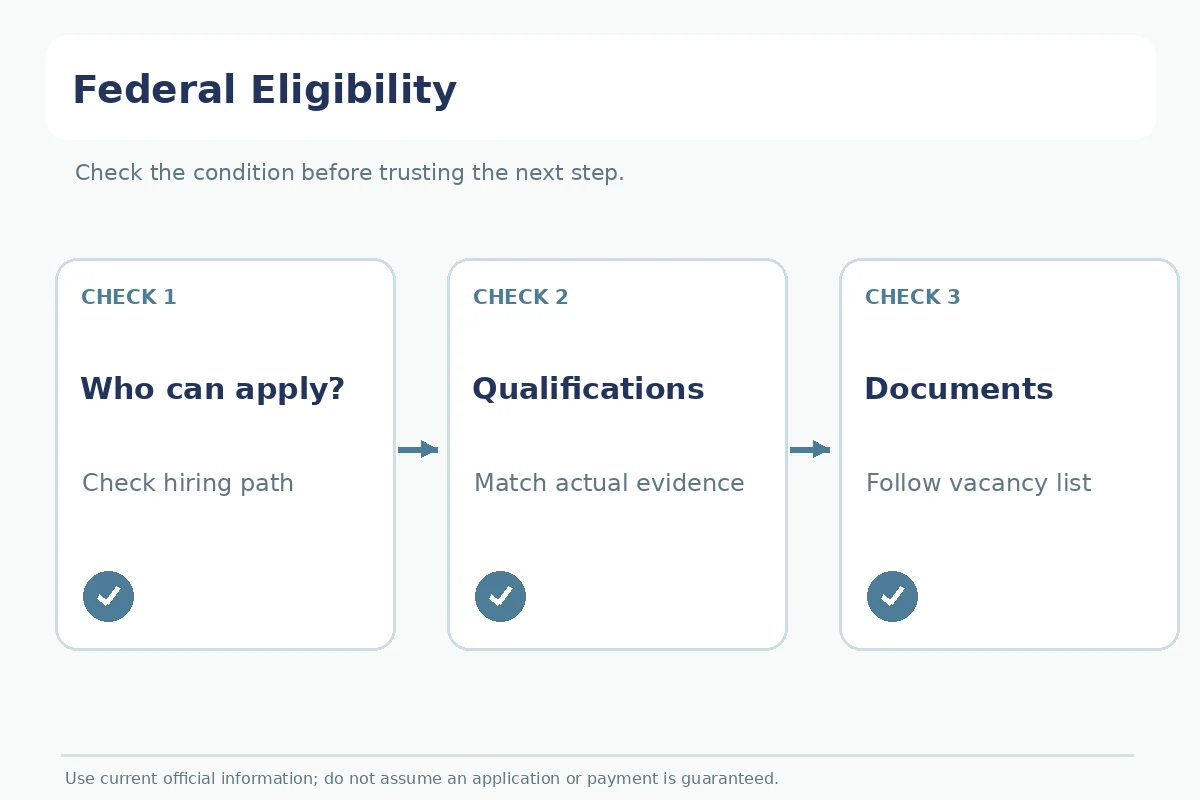
Pay special attention to the announcement’s “This job is open to” or “Who may apply” section before reading the rest as an invitation to apply. USAJOBS defines hiring paths for groups such as the public, current federal staff, recent graduates, veterans, and other eligibility groups. Eligibility and qualifications are separate screens: meeting technical skills does not automatically grant eligibility under a restricted path.
Read the Announcement Before Preparing Files
A federal announcement is a set of specific instructions, not just a job advertisement. Read its eligibility, qualifications, duties, location, work schedule, closing information, evaluation details, and required documents. Decide whether your education, experience, or status meets the stated criteria without translating an unfamiliar grade into an invented seniority level. If the posting calls for transcripts or other evidence, identify what is required in that particular application rather than uploading everything from your computer.
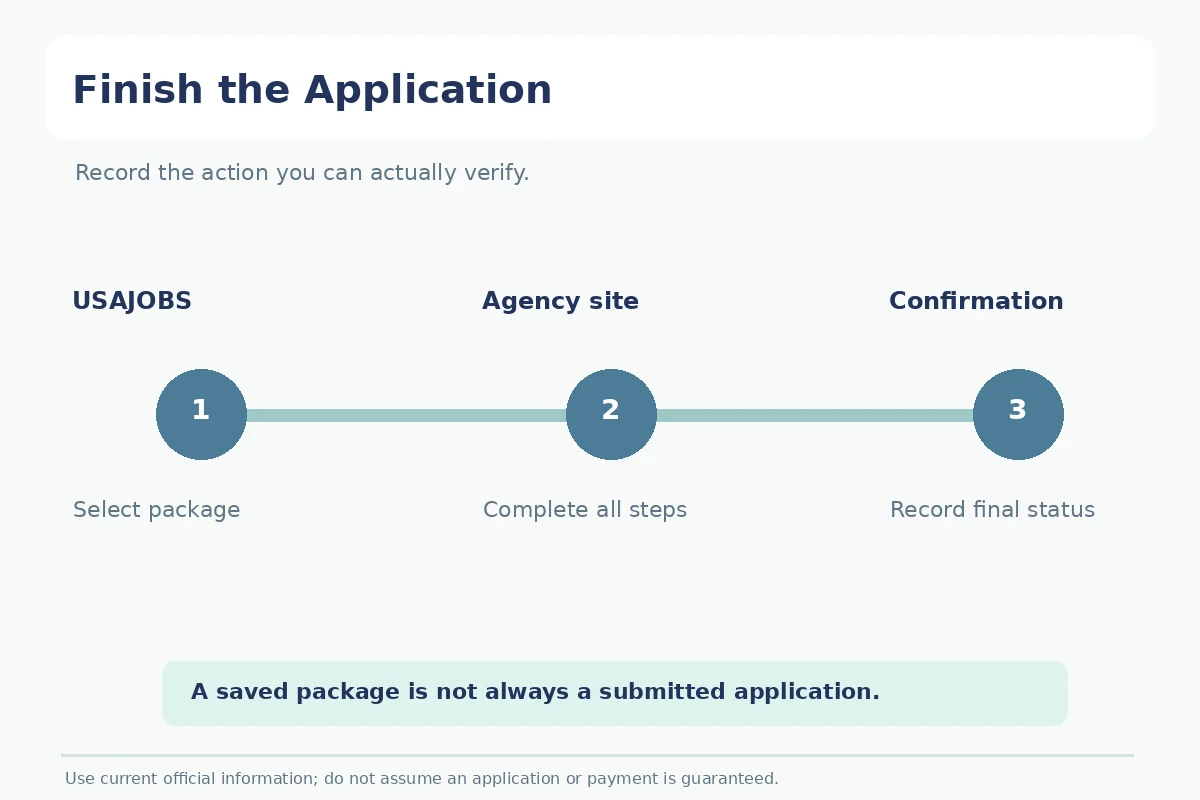
According to the U.S. Office of Personnel Management, a USAJOBS user may select a resume and documents, review the package, and continue to an agency system to finish. That means “Continue to agency” is not necessarily final submission. Confirm the agency-side completion page and retain the application record. Different agencies and vacancies can have different follow-up steps.
Find Official State and Local Hiring Pages
For a state role, search for the state’s official employment portal and verify its link from an agency’s .gov homepage where available. For city or county roles, check the public employer’s employment or human-resources section; a third-party portal may operate the form even when the opening is legitimate. Confirm that the public employer links to that portal. Similar job titles—administrative aide, program specialist, permit technician—may describe very different duties in different jurisdictions.
Do not assume a federal hiring path applies to a local government job. Local civil-service examinations, residency policies, credential requirements, union classifications, and internal hiring rules vary by employer and jurisdiction. Check each official posting and contact the hiring office listed there if an instruction is ambiguous. Do not interpret a required certification or preference as optional because a board’s summary omits it. A state job portal and a city portal may both show real roles without sharing one account.
Create a Public-Sector Application Evidence Map
Use a three-column note: requirement / proof I can provide / status to confirm. A requirement might ask for experience maintaining records; your proof may be a real internship or employment task, not a synthetic accomplishment. Another requirement might concern licensing, degree completion, or eligibility documentation. If you are unsure about a requirement, leave it marked for official clarification rather than making a confident assumption in an application.
In a hypothetical search, a candidate finds a federal scheduling role but learns the vacancy is only open to current agency employees. They do not rewrite their background to fit. Instead, they search for an open-to-public announcement or a state role with comparable duties. This demonstrates the value of the eligibility check; it is not an example of a real government vacancy or a claim that a matching job will be available.
Recognize Government Employment Scams
An official-looking notice can impersonate a federal or state employer. The FTC explains that free official information exists for federal and postal job openings and warns against paying someone to secure those jobs. Navigate to USAJOBS or the public employer’s website yourself. Be wary of a person who demands an application-processing fee for a guaranteed position, asks for private banking details before a legitimate hiring process, or directs you to a domain that does not match an official employer-linked route.
Federal systems can legitimately ask applicants for sensitive information through an authorized process, but that is a reason to verify the actual site and workflow—not to send documents over unsolicited email or chat. For state and local applications, use the same source-check method. A social-media post about an opening is not an authoritative substitute for the government’s own listing. Preserve a record of the official link and contact details for your application.
Track the Final Destination and Deadlines
Write down the agency, announcement or requisition number when provided, job title, hiring path, location, closing time as displayed, required documents, and application confirmation. Do not convert a displayed deadline across time zones casually; follow the portal’s instruction. Keep an explicit field for “submitted with agency” when a portal transfers you. This prevents the common confusion between saving a role, building a USAJOBS package, and finishing an application.
Review application status through the official portal rather than assuming that silence means rejection or an offer. If the system shows a missing step, use the vacancy’s instructions or official help channel. This guide addresses where and how to search; it does not replace a detailed federal resume guide, advice about eligibility law, or an employer-specific policy. Start with jurisdiction, verify eligibility, then complete the right application.
How We Research: Official Tools and Limits
We reviewed primary platform instructions and public-agency guidance for the specific search, eligibility, or safety statements in this guide: official platform guidance; official platform guidance; professional or public agency guidance; professional or public agency guidance. The instructions and pricing of job-search platforms can change. Verify the current employer announcement, application destination, and product terms before relying on a listing. This research does not confirm that any opening is currently available, that every employer follows the same rules, or that an applicant will receive an interview.
This guide is informational, not an endorsement or a paid placement offer. No affiliate relationship is asserted for the platforms mentioned. See our affiliate disclosure. Any hypothetical example is for illustration only and must be replaced with the reader’s true experience or circumstances.
Related Job Search Guides
- How to Apply for a Federal Job on USAJOBS and Finish With the Agency
- Construction Job Search Sites: Compare Trades, Apprenticeships, and Employers
- Freelance Job Sites: Compare Project Scope, Fees, and Payment Risk
- Internship Job Search Sites: Compare Student Platforms and Employer Pages
- Teacher Job Search Sites: Find District Openings and Check Credentials
No. It is a primary portal for many federal announcements, but state and local public employers use their own job and application systems.
No. Read the stated hiring path and eligibility restrictions. Qualifications and eligibility are separate requirements.
Not necessarily. Follow the agency’s remaining steps and look for a completed application confirmation.
Official federal job information and applications are free. Requests to pay for a guaranteed government job are scam warnings.
Start with the government’s official employment or human-resources website and follow the recruitment links from there.