
Quick answer: If an employer asks you to email your resume but gives no separate attachment rule, a short cover letter in the email body is often appropriate. If the instructions ask for a PDF cover letter, attach the file and use the email for a brief transmission note. If an application portal provides a text box, format the message for that box. The employer’s instructions take priority over a universal template.
Identify the Channel Before Formatting the Letter
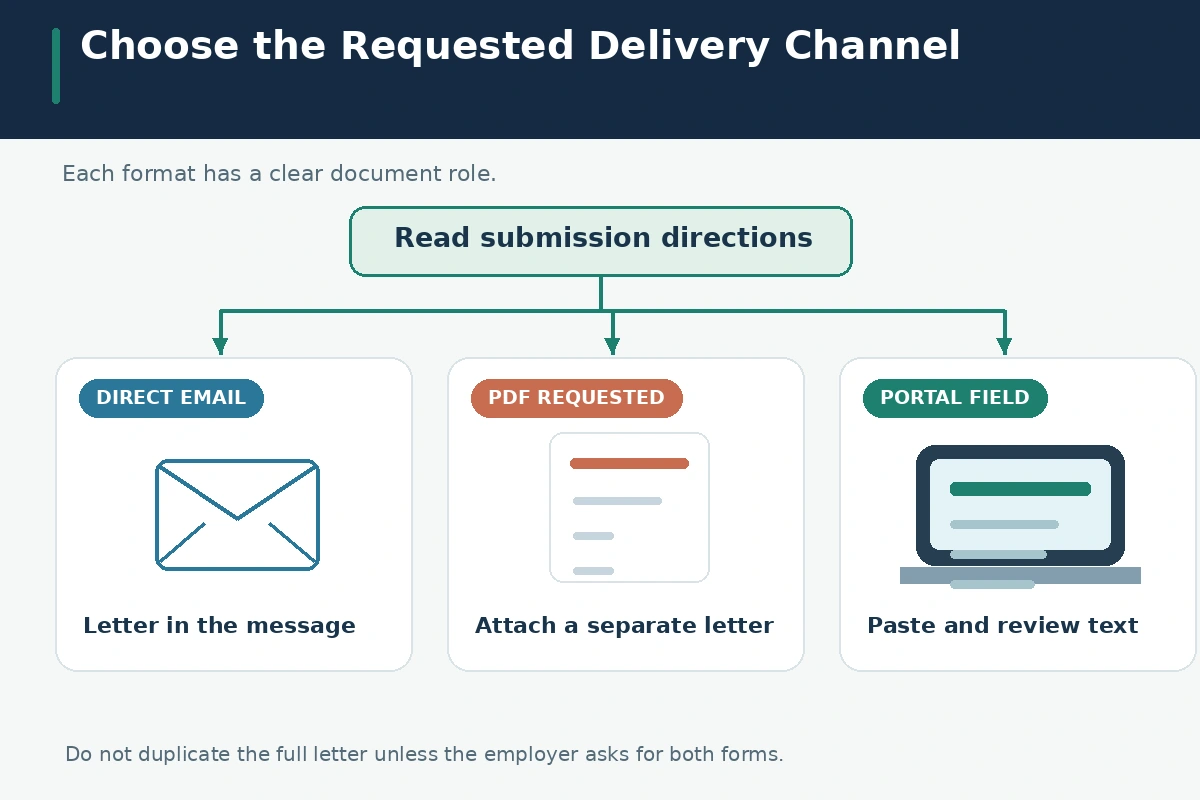
There are three common channels: direct email, a portal with a cover-letter upload, and a portal with a plain-text field. Each asks the applicant to deliver similar information in a different container. CareerOneStop says the body of an email can serve as a cover letter when a resume is emailed. University of Michigan similarly describes email-body letters. Penn notes that portals may request an uploaded document or pasted content instead.
Before writing the salutation, determine which channel you are using and whether the employer specified file type, length, naming, or recipient. A requirement for an “attached cover letter” is not satisfied merely by placing the full text in the email body if the employer expressly requests the document. Conversely, do not send both full versions without a reason. Duplicating the letter may make the submission cluttered and less clear.
Write an Email-Body Letter When That Is the Requested Message
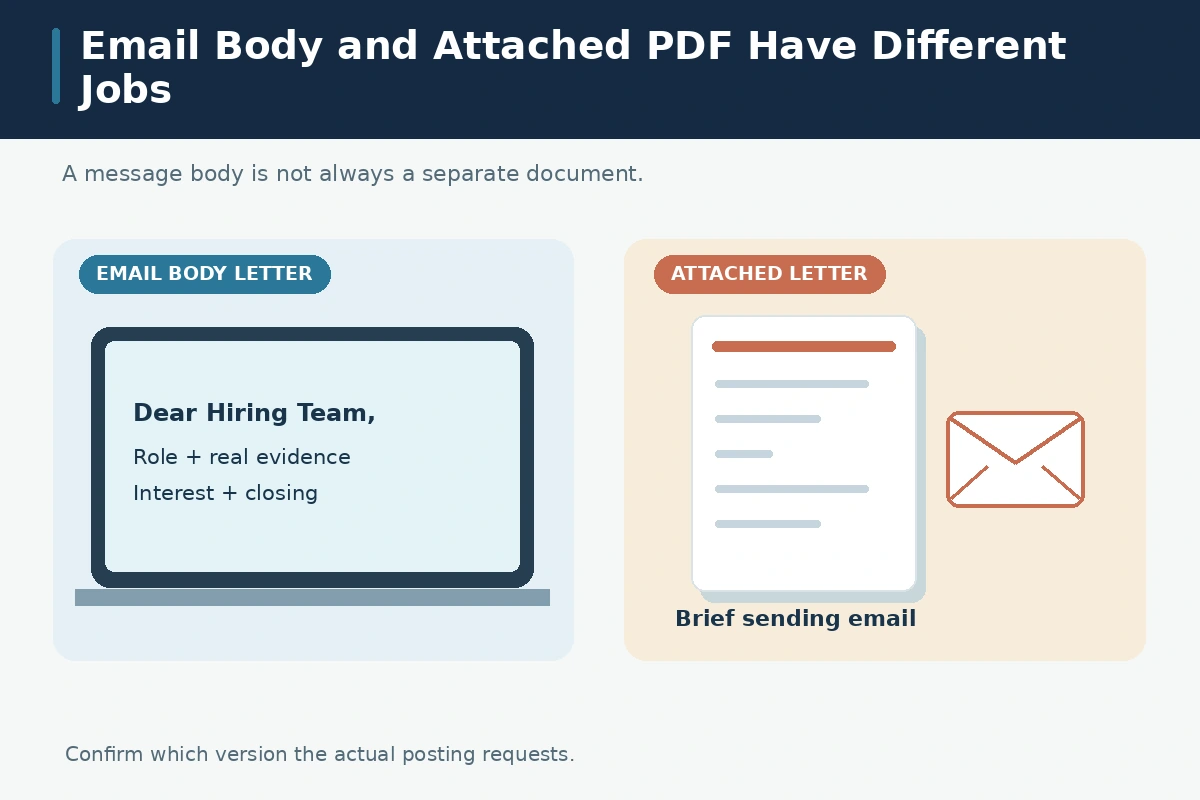
For an email-body letter, use a clear subject naming the role or reference number when verified, a professional greeting, several concise paragraphs, and your name and contact information. Leave out a long mailing-address block unless specifically requested. The body should make the same evidence-based case as a normal letter: role, reason for interest, one or two real examples, and a polite close. Avoid all-capital subject lines or invented referral names.
Here is an entirely hypothetical structure: “Subject: Application — Scheduling Assistant”; “Dear Hiring Team”; “I am applying for the listed scheduling assistant position. In a volunteer office, I tracked room changes and communicated updates to the event coordinator. That experience relates to your emphasis on reliable calendar records. Thank you for considering my application. Sincerely, Jordan Lee.” Replace the role, story, identity and details with verified facts; the sample is not a real vacancy.
Use a Separate File When the Employer Asks for One
If instructions specify a separate cover-letter PDF, prepare that file with a suitable header and concise paragraphs. Give it a recognizable filename such as “Jordan-Lee-Cover-Letter.pdf” only after replacing the invented name. In the email body, a short transmission message can identify the role and documents attached; it does not need to restate the entire letter. Check that the attachment opens correctly after export rather than assuming the editor preview is final.
The same principle applies when a portal has distinct resume and cover-letter upload fields. Put each document in its intended slot and confirm the accepted format. Do not combine documents unless the employer requests one combined file, and do not send unrelated work samples to fill an “additional documents” field. A missing upload field may be a deliberate design choice. Follow the application instructions rather than forcing an attachment into an unauthorized place.
Adapt the Letter to a Plain-Text Portal Box
Plain-text fields can remove fonts, spacing and special characters. Use ordinary paragraphs with a greeting and closing where appropriate. If the box asks for a “statement of interest” with a strict word limit, do not paste a formal page with a full postal header or lengthy signature. Preserve the substance: the actual role, your strongest relevant example, the reason for interest, and an accurate sign-off. Check whether the field counts words or characters.
After pasting, reread what appears in the saved form. Smart quotes, long dashes, bullets and line breaks may be altered by the portal. Some forms strip links or truncate text without making the change obvious. Save an authorized copy for your own records; do not upload private materials to third-party formatting services simply to repair a plain-text box. A clear two- or three-paragraph version can be more usable than an elaborate letter that the field cannot display.
Check Subject, Recipient, and Attachment Together
A good subject identifies the application, for example “Application — Office Coordinator,” without claiming urgency or a referral that did not happen. Use the official address stated in the posting, not a guessed email pattern or an address harvested from an unrelated profile. Put only intended recipients on the email, and inspect reply-to and CC fields. If the posting references a requisition number, reproduce it exactly; do not invent one for polish.
Before sending, open each attachment from the saved file path and check that its contents match the email. Common mistakes include attaching an old version for a different role, misspelling an organization, and forgetting the requested resume. A transmission email might say, “Please find my resume and cover letter attached for the specified role.” Only write that sentence if both files are genuinely attached. Proofreading the body alone cannot catch a mismatched file.
Avoid Sending Sensitive Information Through the Wrong Route
A cover letter is not the place to send a Social Security number, banking data, private medical records, or other sensitive details that the employer has not legitimately requested. Use the official application system for any authorized sensitive onboarding step, and verify the organization before sharing information. Email can be forwarded and retained; keep the cover letter focused on job fit and professional contact information, not identity documents.
Be cautious of unsolicited messages that ask you to send credentials, pay fees, or move the conversation to an unrelated personal account before any legitimate hiring process. Do not assume a logo or familiar job title proves an address is authentic. This article is about document routing, not a guarantee that any email or portal is secure. Check employer domains and official directions independently. Submission clarity and identity verification are separate tasks.

Run a Final Format-and-Delivery Test
Look at the posting, then compare your draft with the required channel. If it says “email your resume and a cover letter,” decide whether the text belongs in the body or in the attachment based on its precise wording. If it says “attach both as PDF,” honor that instruction. If it says “paste a statement,” verify the box limit and make the pasted text readable. A filename is not a substitute for correct file contents.
Finish with four checks: the right recipient, the right role, the right documents, and a truthful, tailored message. Save a copy of what you submitted and any confirmation the employer actually provided. A sent-email receipt proves only that your mail client sent the message; it cannot prove an employer opened it or made a decision. Keep further follow-up separate from this initial application email.
How We Research and Check Cover Letter Advice
How We Research: We reviewed the following original U.S. employment and university career resources on October 28, 2026: CareerOneStop, U.S. Department of Labor; University of Michigan Career Center; University of Pennsylvania Career Services. The sources support general advice on applications, evidence and formatting, not claims about any employer’s current hiring decisions. We compared this specific intent with the historical JobAsk slug index and publicly searchable pages; that does not prove unpublished WordPress slugs are free. All sample people, positions, employers and outcomes in this guide are hypothetical. Employer instructions have priority. These editorial references are not presented as paid endorsements. Read our affiliate disclosure.
Related Guides
- Cover Letter Format: Set Up the Header, Paragraphs, and PDF Correctly
- How to Address a Cover Letter Without a Name: Choose the Right Greeting
- Job Application Email: Subject Line, Attachments, and Submission Checklist
- Email a Signed Job Offer Letter: Attach the Right Final Copy
- How to Email a Signed Job Offer Letter Clearly and Securely
Yes, when direct-email instructions allow it. Include a greeting, relevant evidence, and a concise closing.
Not unless the employer requests both; duplication is usually unnecessary.
Use the designated field and obey the length limit. Inspect the saved text for lost line breaks or truncation.
Name the actual role and any verified reference identifier supplied by the employer, without adding invented urgency.
No. Use the file type and submission method the employer actually requests.