
Applying for jobs online means verifying the actual opening, entering truthful information in the employer’s application process, checking attachments, and confirming that submission occurred. A saved form is not the same as an application the employer received. Use this guide as a task-by-task check, not a list of current vacancies or a promise of replies. JobAsk’s Online Job Boards article concerns discovering listings; its Job Application Tracker covers recordkeeping after discovery.
Find the original posting and verify it exists
Start from the employer’s official careers page or another independently checked application destination. A major job board may point to a legitimate role, but a familiar board logo does not establish that every linked posting is current or authentic. Compare job title, location, posting date, duties, and application destination. If the official employer site does not list a role, check whether it is archived, externally managed through a legitimate applicant portal, or potentially fraudulent. Do not invent a live vacancy from an old screenshot or scraped search result.
The FTC warns that scammers imitate employers, post fake roles on real platforms, and create websites that look credible. If an unexpected recruiter contacts you, independently find the employer’s contact information rather than using only the link or phone number the sender supplied. Search the employer and recruiter with terms such as scam or complaint when there are warning signs. No single surface signal guarantees legitimacy; combine checks and pause when facts conflict. Never pay someone for a promise of being considered for an ordinary job.
Prepare accurate details before opening the form
Collect your own contact details, employer names, actual job titles, dates worked, education or training details, and relevant documents in a private record. CareerOneStop describes preparing work and education information in advance as part of an accurate application. Confirm dates against your records rather than estimating confidently from memory. If you had multiple assignments or overlapping work, use the form’s actual instructions and do not invent continuous employment. Ask before listing a reference as a contact and share only information the legitimate employer is entitled to request in the application context.
Have a current resume, a job-specific cover letter if required, and any portfolio examples you have permission to disclose. Use descriptive filenames that do not reveal unnecessary personal information. A generic resume is not automatically wrong, but you should review which experiences and words accurately match the specific responsibilities. Some forms ask for work history again even after a resume upload; a file attachment does not guarantee the fields will populate correctly. Keep one source of truth for dates and details so the portal, resume, and later conversation remain consistent.

Follow the actual application instructions one field at a time
Read the complete form and employer instructions before uploading. Check required fields, accepted file formats, any answer-length limit, location restrictions, and whether a separate account must be created. If an application asks for eligibility or credentials, answer truthfully according to the question’s wording; do not interpret a legal eligibility category from a generic blog post. CareerOneStop recommends following directions carefully and completing applications accurately. When a field seems ambiguous, use the employer’s approved help function or contact rather than entering an invented value to make an error disappear.
If the portal imports information from a resume, inspect every populated box: punctuation, employer names, dates, and headings may move into the wrong field. Enter missing information manually where appropriate. Avoid copying private identifying numbers into notes or using a third-party browser extension without reviewing its access. Make sure the requested attachment is the right version, opens correctly, and contains neither tracked changes nor irrelevant confidential data. A clean-looking online form is not proof that an automatic parser handled every fact; the applicant must review the visible result.
Tailor answers without fabricating qualifications
Answer application questions using the real role and your verifiable work. If asked how you handled scheduling, select a genuine situation and describe your personal contribution in language a reader can understand. If you have only school or volunteer experience, identify it accurately rather than rewriting it as paid professional work. Never claim a degree, license, work authorization, security clearance, software expertise, or employer relationship you do not possess. Some questions have serious legal or contractual consequences, so seek appropriate expert advice rather than guessing when a category is unclear.
Hypothetical task response: “For a student event, I collected volunteer availability in a shared table and checked for gaps before publishing the schedule.” The applicant and event are fictional and there is no measurable result implied. A real application must use real experience. A thoughtful answer aligns with the question instead of stuffing repeated keywords. If a posting asks for a tool you have not used, describe adjacent experience honestly while acknowledging the missing tool. The aim is to give a reviewer accurate material for evaluation, not to exploit a supposed ATS scoring secret. For the fuller picture, see our guide to filling out a job application with no experience.
| Observed event | Record as | Next useful check |
|---|---|---|
| Posting verified, no form opened | FOUND | Check eligibility and closing date |
| Form saved but not finished | STARTED | Review all required fields |
| Confirmed screen or receipt | SUBMITTED | Record date and materials |
| Browser closed or timed out | UNKNOWN | Inspect official portal status |

Review the preview and send one verified submission
Before selecting Submit, scan every field, attachment, contact address, employer name, job title, and consent or certification statement. Check whether you are applying to the intended geographic location or an unrelated similarly named role. Remove placeholder brackets and ensure the cover letter’s employer details match. A draft-save button can look similar to a submission button, so read the resulting status carefully. Do not assume that clicking once means the system completed the submission; some portals require a final review page, signature, or separate confirmation step.
Record only what actually happened. A confirmation screen, application number, or employer email can support a submitted status; a browser tab closing without feedback creates uncertainty, not certainty. If the page times out, look for the application status in the legitimate portal before sending duplicates. When possible, save a private copy of the receipt without storing passwords in the application tracker. Do not label the result “interview pending” simply because you applied. A clear record helps you avoid accidental reapplications and reconstruct what material the employer actually received. For the basics, see our guide: Found a Typo in a Job Application?
Protect your information and reject suspicious requests
The FTC warns about unsolicited messages promising easy remote work, fake interview invitations, upfront equipment fees, and requests for identity or bank information before the employer is verified. These red flags deserve additional checking even when a sender uses a recognizable brand. A legitimate hiring process may eventually request sensitive onboarding information through controlled channels, but that is not permission to send it to an unknown recruiter by casual email. If you suspect impersonation, find the employer’s real contact information independently and stop engaging with the suspicious channel.
No employer can be verified solely because its site begins with HTTPS; encryption is useful but a scam website can also have a padlock. Do not pay for resume “reformatting” to obtain a supposedly required interview or accept a check-and-refund arrangement. The FTC explains that such schemes seek money or personal data. If you have already shared financial or identity information with a suspected scammer, use official consumer-reporting and recovery resources promptly. This article provides preventative information, not individualized legal, privacy, or fraud-recovery advice.
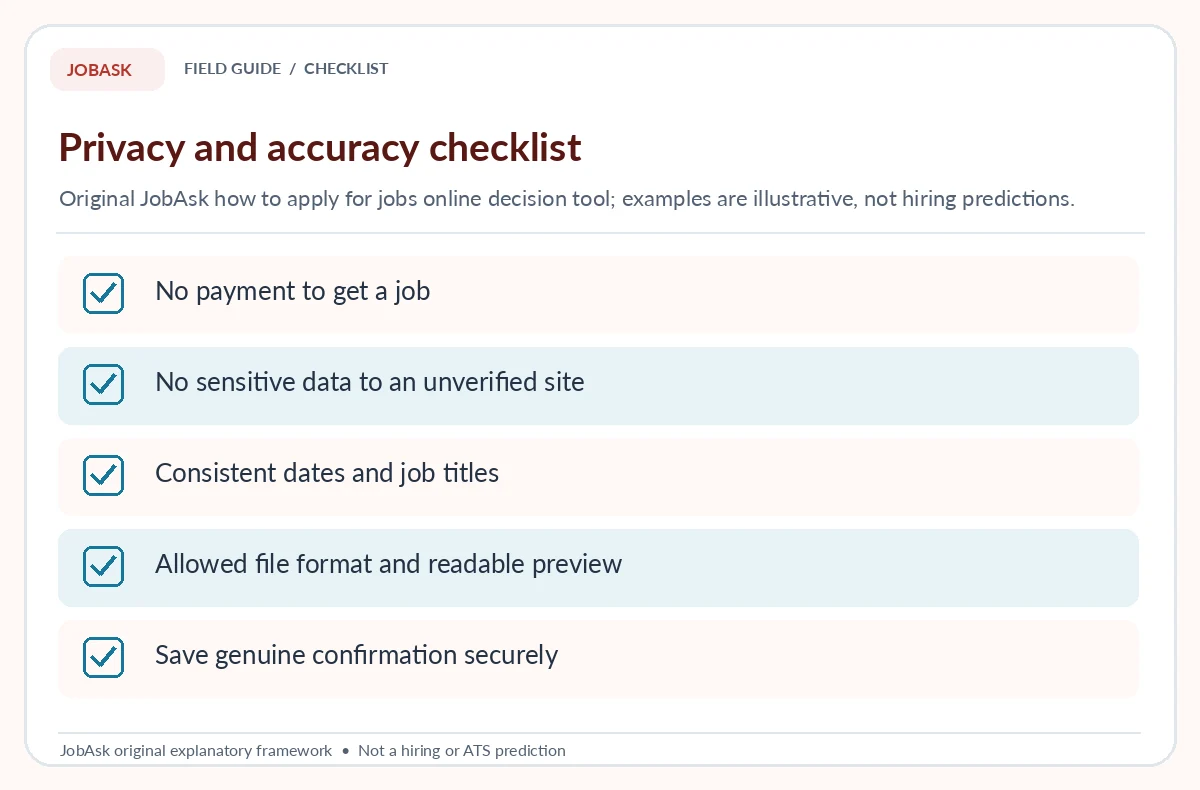
Handle portal errors and plan the next action
For a file error, compare the employer’s stated type and size requirements and inspect the uploaded preview. For a session timeout, reopen the verified employer portal and check whether the draft or completed submission was saved. For an inaccessible link, search the official careers page again rather than accepting an unsolicited alternate destination. If the required form cannot be completed and the deadline matters, use a legitimate application-support contact when available. Keep descriptions of problems factual and concise; an error message on one device does not prove the employer has rejected your candidacy. For the basics, see our guide: Is an Online Job Application Portal Safe?
After submission, track the role, source URL, date, document version, application identifier if issued, and next relevant deadline. Respect the employer’s follow-up preferences rather than sending repetitive emails without purpose. Continue considering other verified opportunities without claiming anything about this one until the employer communicates. All example roles and application states in this guide are hypothetical. The workflow may reduce preventable mistakes, but it cannot guarantee an interview, response time, or hire. Accuracy, safety, and an honest record are the useful outcomes under your control. Our guide “Online Job Applications for Students” covers how to match class hours and relevant evidence.
How We Research and Limits of This Guide
We reviewed CareerOneStop’s preparation advice and FTC alerts on fake job sites and unsolicited text recruiting. The saved-versus-submitted state model, fictitious short answer and original portal checklist were created editorially. We separated form completion from JobAsk’s Online Job Boards discovery and Job Application Tracker recordkeeping articles.
Sources reviewed October 19, 2026: CareerOneStop explains preparing accurate work and education details for applications. FTC recommends independently verifying openings and warns about fake job sites and early financial information requests. FTC warns about generic unsolicited recruiter messages and requests for money.
This guide contains no affiliate links. Read the JobAsk affiliate disclosure for the site-wide policy.
Related Job Search Guides
- Can You Apply for Jobs on Your Phone? A Mobile Form Checklist
- Applying to Multiple Jobs at One Company Online: Choose Roles and Track Each One
- Online Jobs From Home: How to Verify Real Work Before You Apply
- Online Job Application Won’t Submit: Find Errors Without Losing Your Work
- Remote Part-Time Jobs: Verify the Role Before You Apply
Use the employer’s actual authorized application destination and verify it independently, particularly when a third-party board links to a separate portal.
Not necessarily. Check imported work history and answer required questions as the employer instructs.
Look for an actual completion status, confirmation number, or employer receipt. A saved draft alone does not establish submission.
Do not provide sensitive information to an unverified contact. Confirm the employer and legitimate onboarding process independently.
No. Submitting an accurate application does not guarantee a response or interview. Keep a clear record and continue your verified search.