
A professional resignation is a clear decision followed by an organized transition. This guide focuses on how to resign from a remote job— video call, access, and equipment. It provides a practical sequence, clearly labeled hypothetical language, and cautions about dates, agreements, confidentiality, and employer-specific procedures. The examples do not describe real employers or guarantee any legal outcome. Verify your actual policy and commitments before you send a message.
Schedule a Private Live Conversation First
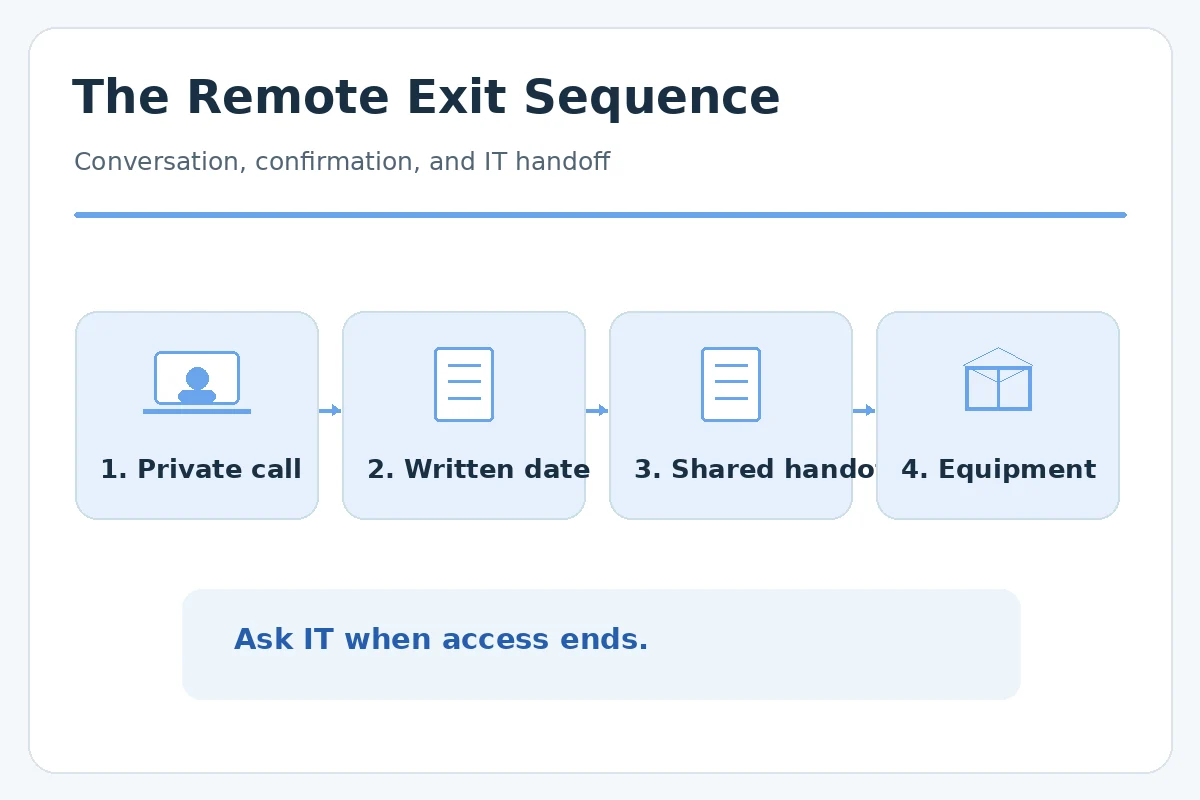
Working remotely does not make a resignation less personal. Choose a private time with your manager rather than announcing the decision in a team channel. An ordinary video or phone call can provide the same clarity as an office conversation. Open with an unambiguous statement that you are resigning and identify your intended final employment day. Do not treat the meeting invitation as the official notice unless your organization says it is.
Use a neutral invitation such as “Could we speak briefly today about a work update?” If you cannot arrange a call promptly, follow the employer’s resignation process in writing. Do not delay official notice indefinitely while waiting for a perfect meeting slot. The purpose of the conversation is to confirm dates and responsibilities, not to force your manager to accept your reasoning.
Follow Up in Writing With a Clear Date
After the conversation, send a brief email to the manager and any required HR contact. Include the position, resignation statement, final day, and willingness to document current work. A hypothetical note is: “Thank you for speaking with me. I am resigning from my [role], with [date] as my proposed last day. I will prepare a list of open deliverables and coordinate access and equipment return with the appropriate teams.”
If the employer’s policy or agreement sets a different notice procedure, address that before naming a firm date. Avoid detailed personal explanations if they add nothing to the transition. Keep a copy of the correspondence in a manner permitted by company policy; do not forward confidential attachments to personal email. Written confirmation helps prevent uncertainty across time zones. Our walkthrough on how to withdraw a resignation sets out each step.
Build a Shared Work Handoff, Not a File Dump
A remote colleague cannot infer the status of a project by walking past your desk. For each active item, identify the current state, next decision, due date, responsible team member, and location of the approved shared document. Distinguish something that is completed from something awaiting review. Cornell HR recommends cataloging recurring tasks, active projects, systems, contacts, and known risks during knowledge transfer. Our guide “Resignation Handover Document” goes into more detail.
A useful hypothetical note is: “Quarterly report: draft in team workspace; awaiting manager review Thursday; next action is to verify the source table.” It provides an owner and follow-up without exposing the report outside an authorized system. Ask your manager which tasks deserve the most handoff time. A concise prioritized document is often more useful than exporting every message you have ever sent.
Plan Account Ownership With IT
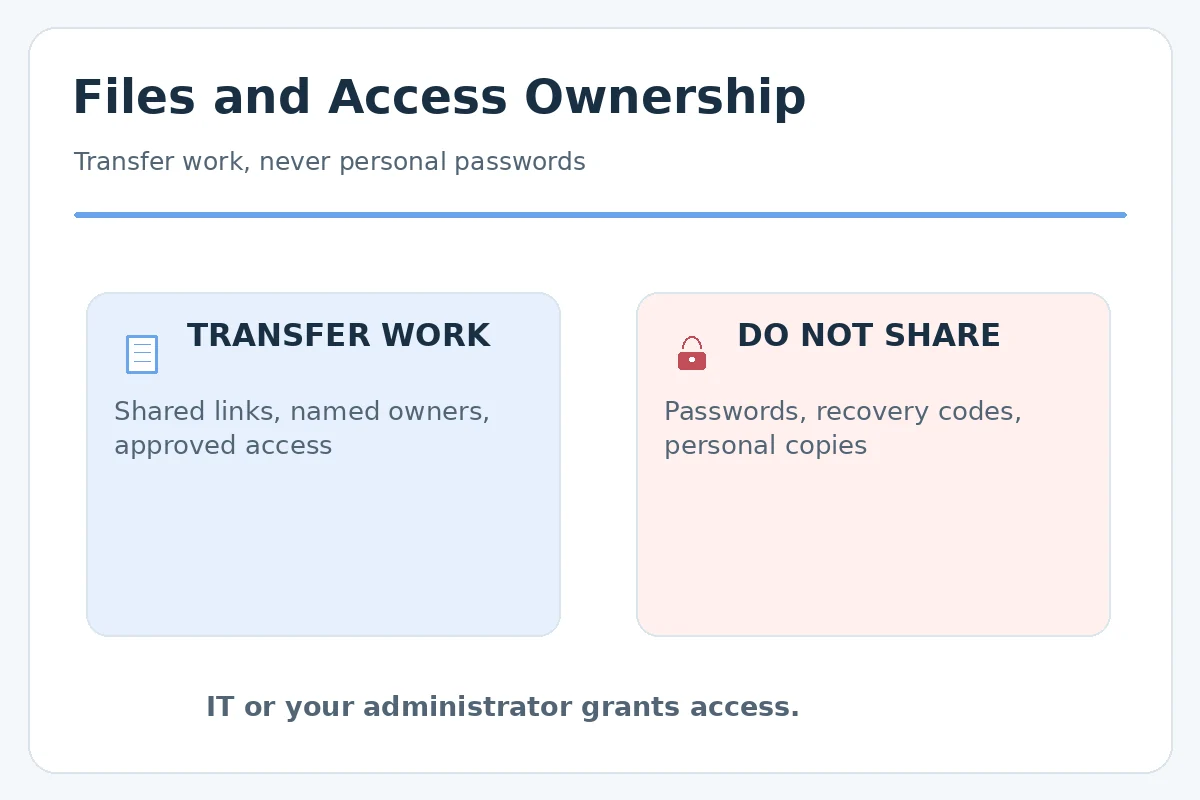
List work systems you use, shared mailboxes you administer, recurring automated tasks, and documents where you are the only designated owner. Then ask IT or administrators to transfer approved access. Do not disclose passwords in a spreadsheet, handover notes, a chat, or a recording. Cornell specifically advises coordinating access changes with IT rather than sharing passwords, an especially important rule when teams operate in different locations.
Confirm whether access will end at the end of your last workday, on the last employment date, or at another documented time. These dates can differ and should be coordinated by the employer. Do not try to retain access for later help; any post-departure support must be specifically authorized and agreed. Remove personal sign-ins from company devices only as directed by IT. For a step-by-step method, see how to resign from a part-time job.
Make Equipment Return Traceable
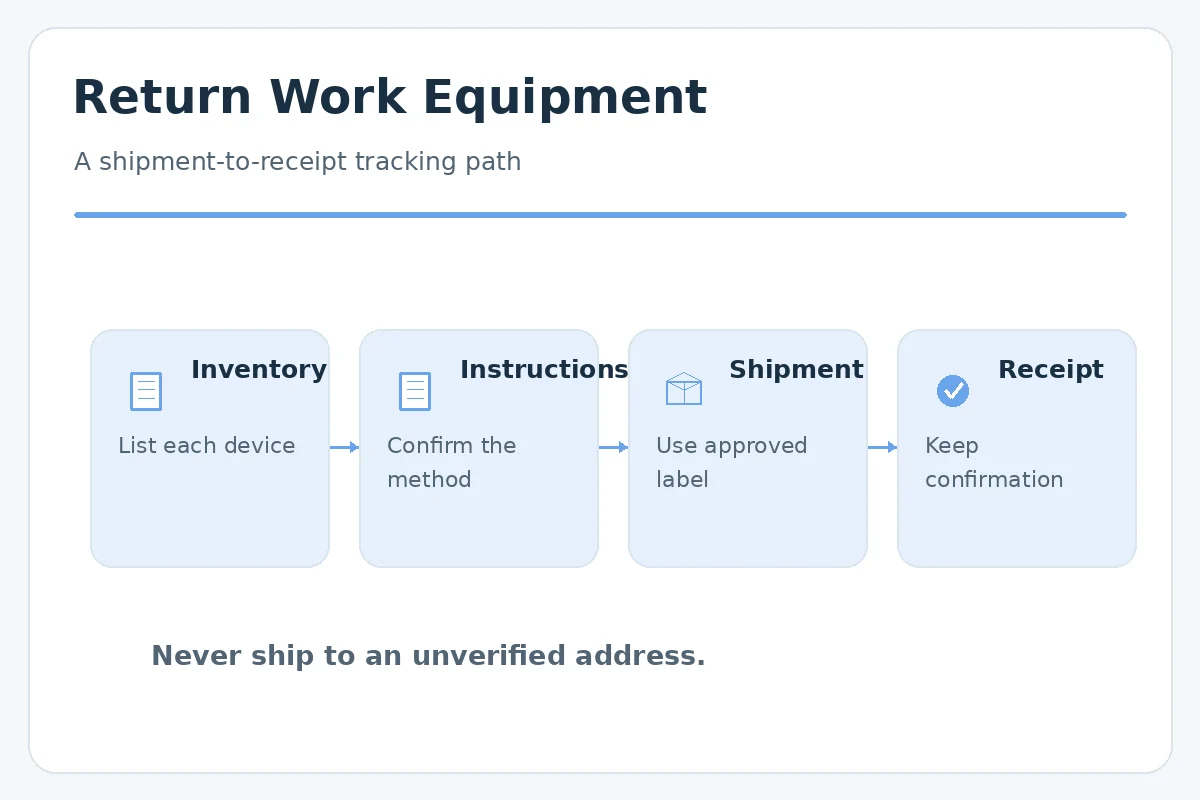
Remote workers may hold laptops, monitors, headsets, security keys, docks, or other employer-owned items at home. Ask for an official return inventory and instructions: pickup versus shipping, approved packaging, shipping labels, the destination, and a contact for questions. Never assume an item is yours because it was shipped to your address. Avoid mailing a device to an unverified address found in a message.
Keep the carrier receipt or company confirmation until the return is acknowledged. A remote logistics provider such as Firstbase describes a process for coordinating employee equipment returns, but the details are specific to each employer or vendor. Do not wipe a device or remove managed software without IT instructions, because doing so may interfere with records or security.
Tell Teammates Only After Coordination
Once the manager and HR have agreed on the communication approach, share the necessary information with teammates. The message should name who takes over a project and where to find its approved status notes. It does not need to disclose the reason you are leaving, details of your next employer, or internal disputes. If you work across time zones, clarify the times when colleagues can reach you before the access cutoff.
A hypothetical team note is: “My last day is [date]. For the client update process, please contact [assigned colleague] and see the current status in the team workspace.” Confirm the assigned person before sending. If there is no named replacement, ask the manager how work will be routed rather than independently assigning responsibility.
Verify Payroll and Benefits Without Assuming
Before your final day, review time records, expense reimbursements, benefit contact instructions, and where you can receive tax documents after losing work email access. The U.S. Department of Labor explains that federal law does not universally require immediate final wage payment; states may impose different requirements. Vacation payouts and other benefits can depend on state law, workplace policy, and applicable agreements.
Arrange for any personal employment documents you are allowed to keep through approved HR channels. Do not export customer data or internal files as evidence of work performed. If you cannot access final-pay information after leaving, ask HR for the correct personal contact channel rather than attempting to log back into company systems.
Confirm Each Remote Exit Step Is Finished
A remote resignation is complete operationally when dates, assigned deliverables, access changes, and physical property are all accounted for. Before the last day, check four items: the final employment date is confirmed, the manager has the prioritized handoff, IT knows which ownership changes are needed, and equipment return instructions have been issued. Note any unresolved item with an owner and an agreed next action. Our guide “Resignation Letter for Personal Reasons” adds more detail on this.
Do not promise to be available indefinitely after leaving. If someone asks for future help, respond that access and timing would need to be separately approved. A professional exit protects both parties by leaving a usable trail of decisions and responsibilities, not by keeping unofficial accounts or private copies of the employer’s records.
A Simple Decision Checklist for Your Situation
Before taking action, answer these questions in writing: What date is confirmed and which date is only proposed? Who is authorized to approve a change or assign unfinished work? What records can you keep under the organization’s rules? Which item still needs a reply from your manager, HR, payroll, or IT? Use that short list as a final self-check; do not invent an answer simply to make the process appear complete. If a point involves an agreement or legal right, check the rule that applies to your job and location.
How We Research and Check Sources
JobAsk uses the listed professional and primary guidance as context for practical communication advice, not as a substitute for the employer’s own procedure. These sources were checked on 2026-10-23. Northeastern University: University resignation guidance recommends written notice and a professional transition. Cornell HR HR instructs departing staff to identify systems and coordinate permissions through IT rather than share passwords. SHRM: Professional offboarding guidance covers technology, property, contact points, and knowledge transfer. Firstbase help: A remote-equipment service example shows returns may require formal collection instructions and confirmation. Where a requirement varies, verify it locally. For transparency, see our affiliate disclosure; there is no claimed paid recommendation in this guide.
Related Guides
- How to Resign From a Remote Job With a Clear Digital Handoff
- Accepting a Remote Job Offer: Confirm Location, Equipment, and Time Zones
- Questions to Ask in a Remote Job Interview: Hours, Tools and Trust
- Remote Job Boards: Filter by Location, Time Zone, and Hiring Rules
- How to Resign From a Job Professionally and Plan a Clean Handoff
Yes. When you and your manager work remotely, a private video or phone conversation followed by written confirmation can be an appropriate approach.
Email may be necessary if a private call is impractical or if employer policy directs written communication. State your last day clearly and keep the message professional.
No. Arrange approved shared-drive ownership and access through the employer. Do not transfer confidential or proprietary records to personal accounts.
Follow your employer’s written process and ask who arranges pickup or labels. Equipment-return providers use different models, so no universal shipping rule applies.
Ask IT and your manager to confirm access timing and handoff needs; do not attempt to retain access after your authorization ends.