
Quick answer: If you need to change the last day shown in your resignation notice, first decide whether you made a date error or are requesting a different departure date. Correct a typo promptly and explicitly; for a new date, ask the designated recipient to confirm the arrangement before representing it as final. Keep both versions and distinguish the last shift from the formal employment end date.
Choose the Correct Path Before Drafting
A factual correction and a schedule change are different communications. Suppose you intended to write November 20 but typed November 2. You need to say plainly that the earlier date was entered in error and supply the intended date. By contrast, if you gave November 20 and later want November 27, you are proposing a change to an existing notice. The message should not quietly imply that the new date was already agreed.
Read the original sent note rather than relying on memory. Check any manager acknowledgment, HR portal entry and schedule. Identify whether the first document specified “last day in the office,” “last scheduled shift,” or “employment end date.” A clean correction must refer to the same concept; otherwise the recipient may think you are changing terms instead of fixing a document.
Write an Unambiguous Typo Correction
Hypothetical correction: “Subject: Correction to the date in my resignation notice. In my notice sent on [Date], I mistakenly listed [Incorrect Date] as my intended final day of employment. The intended date was [Correct Date]. I apologize for the error and ask you to confirm that the corrected date has been received. Please let me know if a replacement document is required.” Do not change the original date of the communication.
Do not silently replace an uploaded file or claim the first version never existed. The recipient may have scheduled coverage, started access reviews or updated payroll already. A clear reference to the initial notice lets them reconcile records. If the corrected date conflicts with contract notice requirements, the situation may require a request and approval rather than a simple typo fix.

Ask Explicitly When the Date Is New
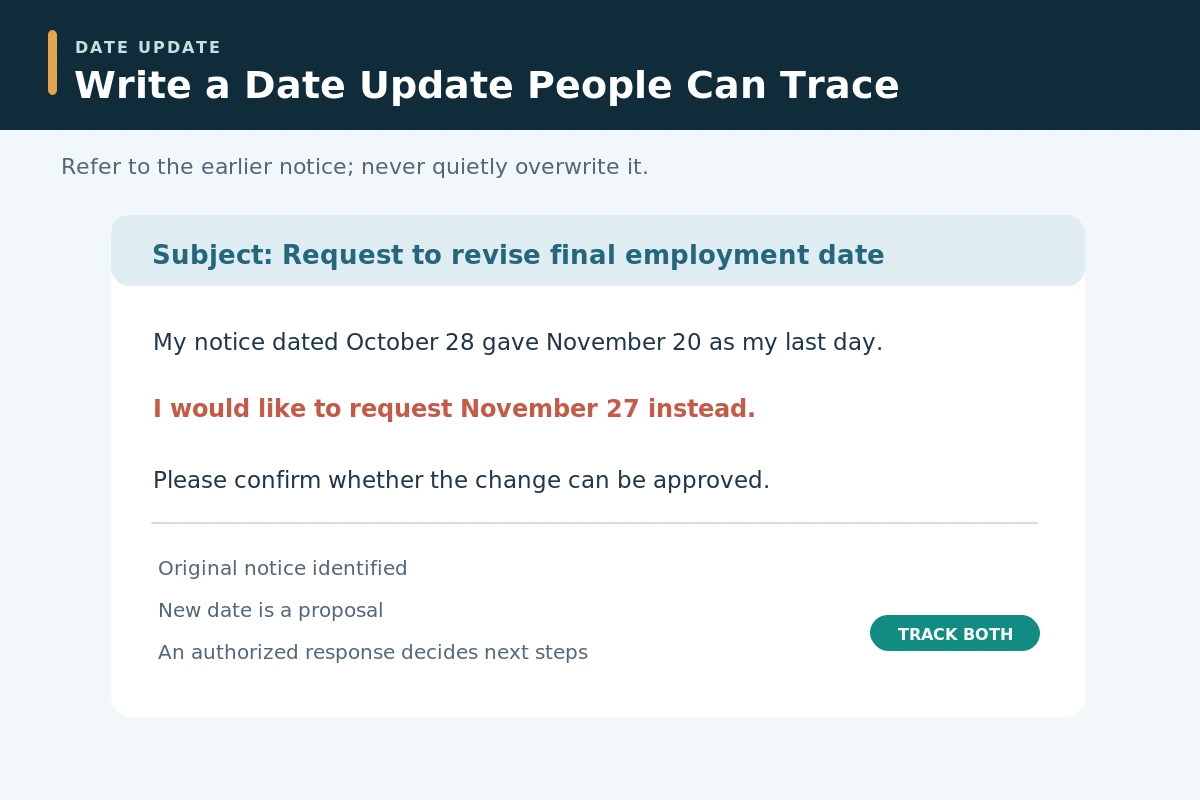
Hypothetical change request: “Subject: Request to revise final employment date. My resignation notice dated [Notice Date] identified [Original End Date] as my last day. I would like to request [Proposed New End Date] instead. Please confirm whether this change can be approved and who should update the HR record. I will coordinate remaining duties using the date the organization confirms.”
If you want an extension, do not announce you will stay longer without acceptance. If you want to leave earlier, do not assume it is permissible under your agreement. A date change can affect hiring plans, pay arrangements and staffing coverage in either direction. A proposed date should remain visibly marked as proposed until you have a response from an authorized person.
Compare the Dates Against Actual Responsibilities
Build a short timeline with the notice-sent date, original last shift, original employment end date, proposed date, and any approved leave. This catches inconsistencies that a polite email can hide. For example, moving your final employment date to a Monday may not mean you are scheduled to work that Monday; confirm how the employer wants each date recorded.
Map projects or shifts affected by the change and identify the staff role that will receive each handoff. If a replacement has already been scheduled, an extension can create a staffing conflict rather than extra capacity. Be prepared to follow the decision even when the change seemed minor. Do not make a teammate the owner of a new task without the manager’s approval.
Keep One Confirmed Date as the Shared Record
When HR or the authorized manager confirms a revision, restate the exact date and what it means: “Thank you for confirming that [Date] is now my last day of employment. My last scheduled shift remains [Date], if different.” Ask whether a revised resignation letter or portal update is needed. A short, precise acknowledgment is easier to act on than a second lengthy resignation essay.
The Texas Workforce Commission discusses how ambiguity over a definite date affects work-separation descriptions; do not assume its Texas examples govern your state. Its practical lesson is that everyone should be able to identify the same intended timing. Preserve the authorized confirmation; do not count a friendly verbal remark or automated receipt as agreement to a new date.
Escalate No-Response Cases Without Guessing
If your manager is on leave or has not replied, check the official policy for alternate notification channels such as HR or a designated supervisor. Send one concise follow-up referring to the original message and asking for a decision. Avoid sending conflicting new dates to several people. Use a consistent subject so that the record is traceable.
Where the deadline is close, ask what timeline remains operative and who can confirm it. If there is a contract or workplace dispute, seek qualified local help. The Texas Workforce Commission illustrates that advance-notice outcomes can depend on employer response and surrounding facts; simplistic assurances about the right to change any date are unsafe.

Check Pay and Access After a Date Change
A revised employment date can alter your final work hours, insurance cutoff, badge access and equipment return schedule. Confirm these details with the parties that control them. The U.S. Department of Labor’s final-pay guidance says federal law does not mandate immediate payment of the last paycheck, while some states set their own deadlines. Do not promise a payday in your resignation update.
Ask where the company wants equipment returned and whether you should continue system access until the confirmed end date. Do not keep company documents or export private information “just in case” the date changes again. A handoff document should point only to authorized repositories and accurately identify work still open.
Avoid Changing Dates in Multiple Versions
A useful final check is to compare the updated resignation record, HR entry, work schedule, task handoff and any new employment start. Mark the old date as superseded only after an authorized decision. Do not delete the original message; retaining a timeline can prevent the same confusion from recurring.
Treat the message as business communication, not leverage. Skip emotional explanations and claims about enforceability. If the new date cannot be accommodated, acknowledge the answer and review your real options before acting. The core test is simple: could a reader identify which date is confirmed, which date was merely requested, and who approved the change?
How We Research and Check Resignation Guidance
We reviewed the specific official U.S. employment and education authorities linked below on October 28, 2026, and compared their stated scopes with the hypothetical communication examples. General letter-design and handoff steps are editorial workflow recommendations, not claims that federal law dictates a resignation template. State rules, contracts, employer policies and school district procedures may alter a real decision. We do not know or verify your personal employment arrangement. Our affiliate disclosure explains site relationships; none of the links below is presented as a paid placement.
Primary sources: Texas Workforce Commission (Texas Workforce Commission describes the significance of a definite final date in voluntary work separations.). Texas Workforce Commission (Texas Workforce Commission documents context-specific employer responses to advance notice and changing separation timing.). U.S. Department of Labor (Federal final-pay guidance establishes why revised end dates warrant an HR/payroll check.).
Explore Related Career Guides
- Resignation Email Format: Subject Line, Last Day, and Reply Check
- How to Withdraw a Resignation: Request Email and Decision Steps
- Last Day at Work Checklist: Close Tasks, Return Property, Keep Records
- Nurse Resignation Letter: State Your Last Shift and Protect Patient Handoffs
- Retirement Letter to Your Employer: Last Day, Handoff, and Privacy
No. A typo correction clarifies an earlier error; a new end date is a proposal that may require agreement under policy, contract or applicable rules.
You can send one when appropriate, but identify it clearly as a correction or request and ask how the earlier notice should be treated. Do not conceal the original.
Ask the authorized manager whether the extension can be accepted. Do not assume continued employment or access based on your preference alone.
Follow up through the approved channel and continue to refer to the existing arrangement until any change is confirmed or other obligations apply.
Date the updated communication when it is actually written. State the specific employment-end date separately, and explain how it relates to the original notice.