
During the first 90 days in a customer support role, learn how a ticket is verified, answered, documented, and escalated before trying to handle a high volume. Start with approved knowledge-base guidance and supervised practice. By day 60, aim to manage an appropriately scoped queue with review; by day 90, discuss consistent quality and remaining gaps. These dates are a planning framework, not your employer’s service-level agreement. The critical distinction is between an inquiry you may resolve, a question that needs a product or policy specialist, and a safety, security or privacy issue that needs an established escalation route.
Understand the customer identity and privacy checks
Before opening real cases, ask what verification is required and which customer details should not be repeated in notes or messaging. Learn the distinction between public help content, internal knowledge, customer-specific records and sensitive account actions. If someone asks for a refund, login change or record disclosure, the team may require separate authorization or identity checks. Never bypass these because a customer sounds urgent. Zendesk’s setup guidance distinguishes agent and administrative permissions and shows why tool access is role-specific. Build a list of common request types and the approved process for each, then use training examples or deidentified scenarios rather than taking private data into personal study files.
Follow one sample ticket from start to finish
Ask a coach to demonstrate intake, categorization, next action, internal note, customer reply and closure. Learn when a ticket should be pending rather than closed and which updates the customer can reasonably expect. Do not assume every status label means the same thing across platforms. Watch where the system records ownership and handoffs so duplicate agents do not promise conflicting responses. Work through a hypothetical request with the trainer: a customer asks why a shipment status has not updated. Identify what evidence is visible, what you may explain, and who can investigate delivery data. The first deliverable is a correctly handled sample, not a claim of speed.

Use an escalation rule before you improvise
A new agent should know the path for account security issues, potential harm, high-impact outages, abusive communications and specialized technical questions. Zendesk’s escalation guidance notes that a manager or expert may need to take over certain tickets. Ask which indicators trigger an urgent route, the hours of specialist coverage, and what information should accompany the handoff. If unsure, state the verified facts and seek help without inventing a resolution date. Never make legal, medical, technical or payment promises outside approved guidance. Escalation is part of good service, not proof that a new agent has failed; an undocumented improvised fix can create much greater problems.
Build a response with evidence and next steps
A quality reply acknowledges the customer’s specific issue, states what has actually been checked and gives an accurate next step. For example: “I reviewed the order status available to our support team. I have requested an update from the fulfillment team and will contact you through this ticket when we receive it.” Use this only as a hypothetical pattern, not as a promise your company offers a particular response window. Ask which templates are mandatory and how much wording may be customized. Separate customer-visible messages from internal notes, and avoid copying unverified theories into either place. Clear writing matters as much as friendliness when another person later reads the case.

During days 30–60, own a reviewed queue slice
After supervised examples are accurate, ask your team lead to assign a bounded group of ticket types and a realistic pace. Confirm when coaching is available and which cases must be transferred rather than handled independently. Keep an internal list of unfamiliar categories, but do not store customer details outside approved systems. A support platform may show many numerical metrics; do not assume ticket count or reply speed alone measures your performance. Request examples of what quality review looks for: correct verification, helpful information, documented actions and appropriate escalation. If a queue is unsafe or too complex for your training, raise that concern before you promise customers outcomes you cannot deliver.
Learn the difference between helping and authorizing
Support agents often explain policies without being able to grant exceptions. Ask who may issue refunds, change account rights, approve fees or disclose personal information. A hypothetical customer may have a compelling story, yet the response still needs to follow the organization’s approved exception process. Record what the customer asked for and what you can verify; route approval requests to the authorized person. Do not use a workaround that removes an audit trail or share an administrator’s login. The job’s quality lies partly in knowing where your scope ends. Put the reviewer and response owner in the ticket so the customer is not passed among teams without continuity.
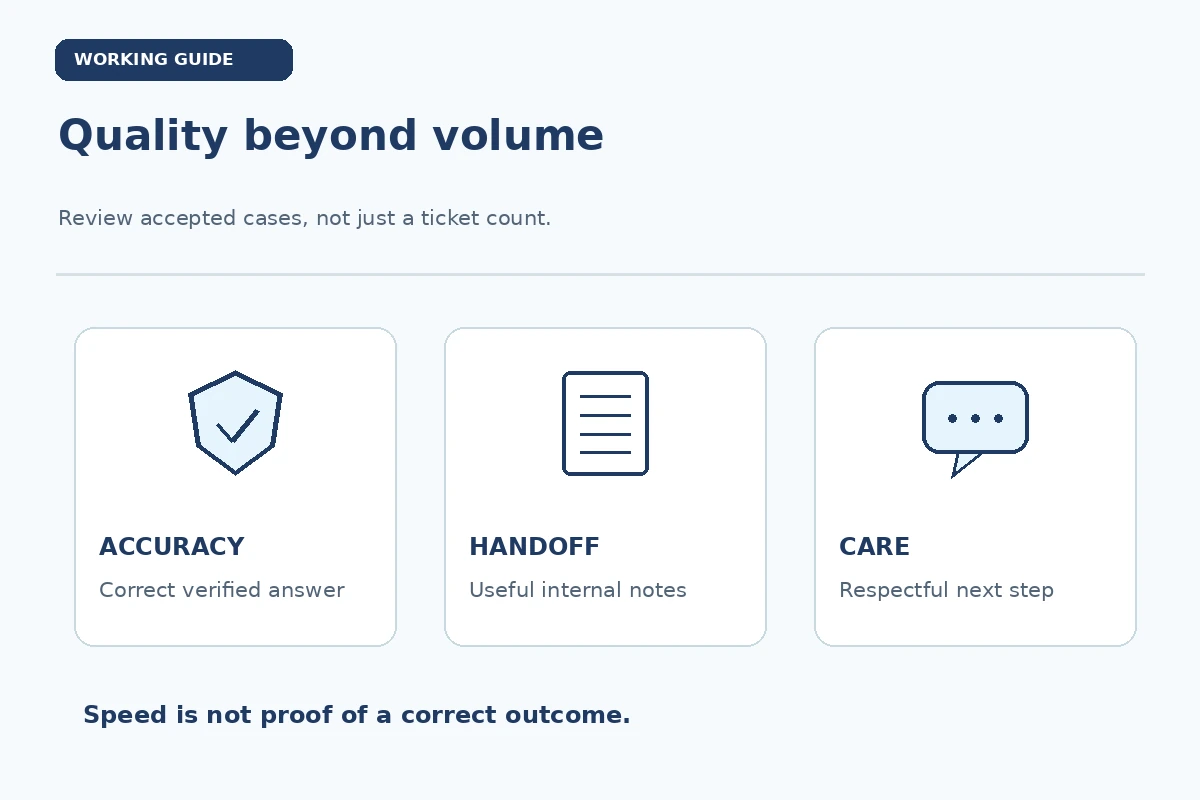
At day 90, review quality patterns with your coach
Bring examples of appropriately closed cases, useful escalations and feedback you acted on, choosing only material you are permitted to discuss. Ask whether your recurring issues reflect a knowledge gap, unclear process or missing tool access. Review whether your notes make the next agent’s work easier. An honest plan might be “continue training on billing cases” rather than claim full proficiency across a product line. SHRM describes onboarding as a longer process that can include continuing mentoring. The 90-day conversation should identify the next class of cases you may handle, the support available and the criteria your organization actually uses for reliable service.
Create a reusable three-route ticket card
Write three columns: RESOLVE—verified answer and authorization available; REVIEW—policy or technical interpretation unclear; ESCALATE—sensitive, urgent or restricted action under local rules. For each, note where evidence belongs and which team owns the next action. A sample card may say that ordinary navigation questions can be answered from the approved help center, while an account-access request follows identity verification and an unusual security report goes to the designated team. Confirm the exact branches with your support lead. This is not a substitute for the employer’s security, safety or emergency playbooks; it is a learning aid for applying them consistently.
A short support-coaching conversation script
Ask your coach to review one accurate ticket, one avoidable mistake and one escalation that protected a customer. For each case, discuss what you knew, what you could verify and what action was permitted. Request one example of an approved reply that explains uncertainty without sounding evasive. Agree on the next ticket category to practice and the point at which review is required. Never copy real customer details into an external portfolio or personal writing tool. Specific guidance turns performance feedback into a repeatable process rather than a vague call to work faster.
How We Research First-Quarter Career Guidance
We compare practical onboarding guidance with role-specific primary sources for permission, data handling, safety or workflow obligations. The 30-, 60-, and 90-day checkpoints are suggested discussion windows, not universal employer requirements, guarantees of proficiency or claims about any particular workplace. Hypothetical situations are labeled as examples. Verify assignments and decision authority with your employer, and follow current organizational policies and applicable law.
Sources reviewed November 11, 2026: support.zendesk.com — Zendesk describes role-based access, support workflows, ticket routing and organizational setup.; support.zendesk.com — Zendesk explains that escalations may be routed to a manager or someone with specialized expertise.; shrm.org — SHRM explains continuing mentoring and training beyond the initial orientation..
This article provides general career development information, not employer policy, equipment training, a security authorization or an offer of employment. Read the JobAsk affiliate disclosure. The internal links in this article are not paid recommendations.
Explore Related Career Guides
Learn identity verification, data handling, response templates, ticket statuses and the correct escalation path for sensitive cases.
There is no universal target. Agree on an appropriate training volume and quality expectations with your actual team lead.
Follow the team’s rules for restricted actions, security or privacy issues, specialist questions and urgent customer-impacting situations.
Only when your role and the employer’s policy authorize that action; otherwise send the request to the designated approver.
Discuss approved, deidentified examples of accurate responses, documented handoffs and coaching improvements—not private customer records.