
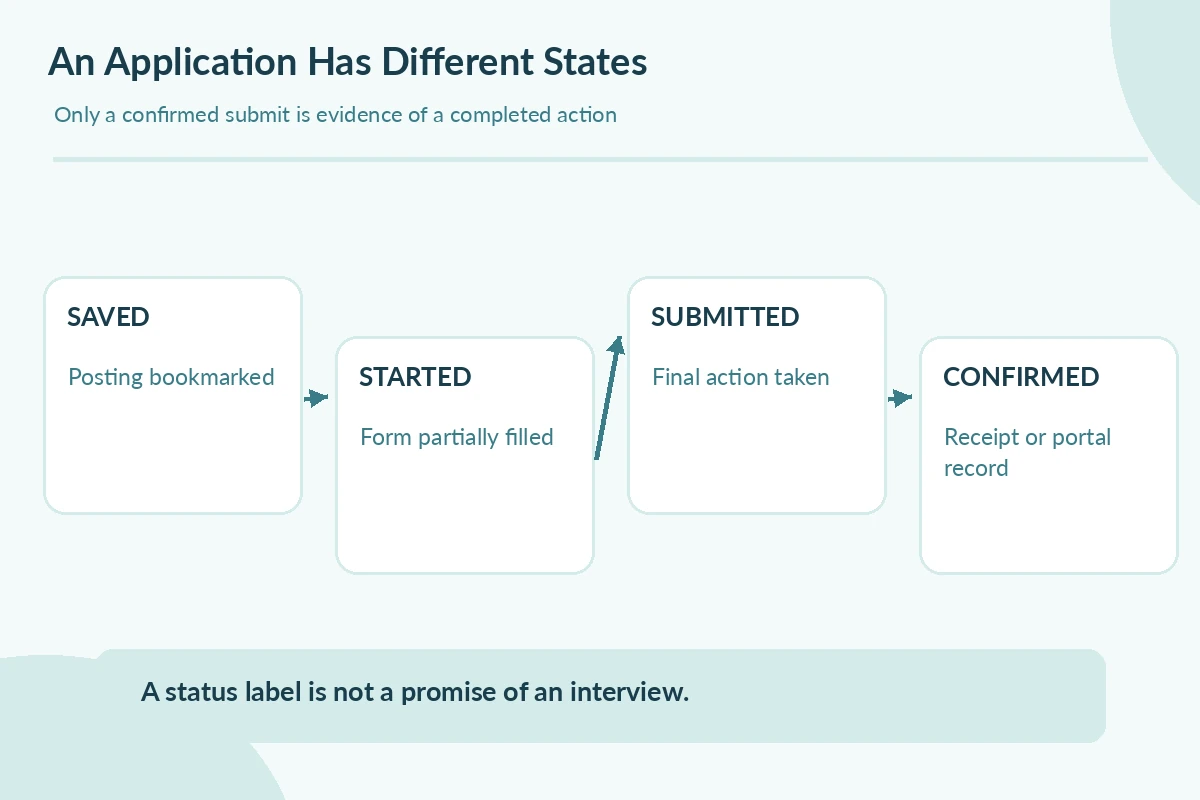
Applying for jobs online is not simply uploading a resume. First confirm that the opening belongs to a real employer, read the position requirements, complete the requested fields, review every answer, and keep evidence of submission. A saved listing, a partially completed profile, and an actual application are different states. Use the employer’s instructions as your source of truth rather than assuming every job board follows the same process.
The U.S. Department of Labor’s CareerOneStop guidance advises reading application instructions carefully, checking consistency with your resume and saving progress. LinkedIn explains that Easy Apply keeps you on LinkedIn while an Apply link can transfer you to another site. This guide adds a three-checkpoint workflow: is the opening authentic, does the form represent your experience accurately, and do you have confirmation that the intended application was actually sent?
Find the Actual Employer Application Route
A job search result can be an aggregator listing, an agency advertisement or a direct employer posting. Open the full description and identify the hiring organization, role location, employment type and required application route. When a third-party listing says “apply,” check whether it transfers you to an official employer careers page, a trusted recruiting service or an unknown web address. Do not assume a prominent search result is the employer’s own website.
Before entering personal information, independently locate the organization’s public careers or contact page and compare the job title or requisition where possible. Some employers legitimately use separate applicant systems; a different domain is a reason to verify, not automatic proof of fraud. If you cannot establish who receives your information, pause. The FTC advises checking unsolicited recruiters and suspicious employment claims before sharing sensitive records.

Prepare Consistent Details Before Opening the Form
Gather the current version of your resume, accurate employer names, role titles, dates, education, contact details and examples that match the position. Keep a private master record so you do not guess a month or copy an outdated job title. Prepare a plain-text description of two or three relevant duties in case the form asks for tasks directly; a resume attachment alone might not satisfy those required fields.
Read any instructions about document type, required answers, deadline and accessibility options. Make sure the email account you enter is one you can access, and consider a separate record of application dates and confirmation messages. If you discover a discrepancy between resume and form, resolve it from your records. Do not inflate titles, qualifications, eligibility or experience to match a checkbox. Accuracy matters more than whether every field sounds impressive.
Follow the Route Through Every Required Screen
An application may include a profile, work-history fields, eligibility questions, role-specific prompts and a final review screen. Treat each as its own task. Select the correct job rather than a similarly named opening and confirm that the location or schedule fits you before proceeding. If the form offers “save for later,” that is not the same as submission. Some systems time out, so save completed sections when allowed.
Complete the fields in the form rather than relying entirely on uploaded documents. CareerOneStop notes that online applications can require information beyond a resume and suggests proofreading before final submission. If a required question cannot be answered truthfully, do not fabricate an answer. Look for an official help contact or a clarifying option appropriate to the form; a text field marked optional is not an invitation to provide unrelated private details.
Review the Exact Version You Are Sending
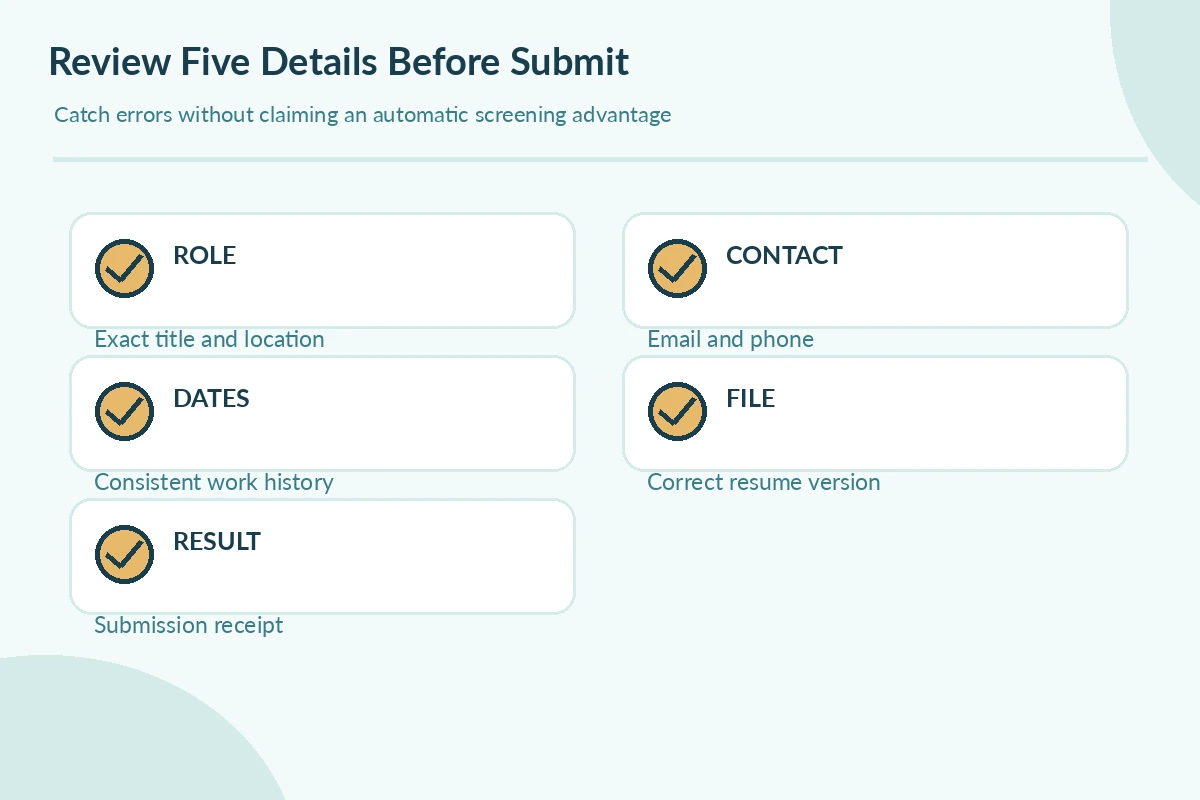
At the review step, verify your name, email, phone, chosen role, location, work dates, uploaded file and any free-text responses. Confirm the attachment is the correct version, not a draft or unrelated document. Check that pasted bullets retained their meaning and that dropdown choices did not reset after navigating backward. If the screen permits a preview, use it; if not, read each editable field in sequence before clicking Submit.
Watch for autofill importing old addresses or dates. A form may include optional demographic or survey sections; read the site’s instructions rather than guessing what they require. Do not send sensitive identifiers or bank details just because a stranger called it “onboarding.” The FTC describes scams in which supposed employers seek financial details before legitimate hiring. An unfamiliar request deserves independent verification.
Confirm Submission and Preserve a Small Record
After clicking Submit, look for a confirmation message, an application identifier, a receipt email or a record in the employer portal. Record only what you actually see. If the button takes you to a blank page or returns an error, you cannot assume success. Reopen the employer’s own application dashboard or follow official support guidance before attempting another submission; duplicate applications can create confusing records.
Keep a simple private row with employer, exact role, application URL, submission date, confirmation method and follow-up status. Do not copy passwords into the tracker. Save the posting text if permitted, because the listing may change later. The tracker is not evidence that your resume passed a screening system, and a receipt is only evidence that the application was received by that channel—not a hiring promise.
Choose Quality Checks Instead of Speed Tricks
Applying quickly to many loosely relevant roles may produce more forms but fewer informed decisions. For each posting, identify two must-have requirements, two examples you can truthfully demonstrate and one constraint that could make the role impractical. If those do not line up, consider whether this application deserves your time. Do not reuse the same generic response where a specific example would answer a question better.
If a platform offers automated filling, still review every field. The convenience of importing a resume does not mean every extracted date or title is right. A strong workflow is repeatable: verify the employer; establish role fit; fill accurately; review; submit; confirm. This is an editorial checklist, not a scientifically proven formula for more interviews. Its purpose is to reduce avoidable errors and unsupported assumptions.
How We Research and Check Application Guidance
The practices here are based on a first-party or professional source and additional documented guidance, reviewed on October 26, 2026; other linked sources clarify the platform, candidate or safety constraints. The checklists and sample scripts are original editorial teaching tools, not employer procedures or measured hiring outcomes. When a form or employer policy conflicts with an illustrative workflow, read the actual official instructions.
Any named candidate or employer scenario here is expressly hypothetical; no real outcome, hiring advantage, test score or guaranteed application success is claimed. Recruitment platforms, company rules, accessibility procedures and forms can change. No affiliate partnership is claimed. Read our affiliate disclosure.
Related Guides
- Is a Cover Letter Necessary? Decide for Required, Optional, or No Upload Field
- Can You Apply for Jobs on Your Phone? A Mobile Form Checklist
- Online Jobs From Home: How to Verify Real Work Before You Apply
- Teacher Job Application Online: Verify Licenses and Required Documents
- Remote Part-Time Jobs: Verify the Role Before You Apply
No. Apply may take you to additional employer forms; look for the final confirmation or employer portal record.
Follow the form instructions. A resume upload does not necessarily replace required fields.
Check the official portal and spam folder; if uncertain, follow the employer’s published support route before submitting twice.
Be cautious. Verify independently and do not provide financial credentials merely to pursue an unverified opening.
You can maintain a master resume, but review the version and highlight only real evidence relevant to the posting.