
A Microsoft Word resume template can save time, but the template does not choose the right evidence or verify your qualifications. In Word, you can search File > New for “resume,” select a starting design, and replace every placeholder with information you can support. Choose a document with a clear reading order before adding content. Then inspect headings, dates, bullets, page breaks, and the final exported attachment. The most important product of the process is an accurate resume a person can read, not a decorated file.
This page is a practical guide rather than a promise of hiring or successful automated screening. The advice is informed by the relevant primary guidance and a second verified reference. All illustrative candidate stories and example phrases are hypothetical; do not copy fictional accomplishments as if they were your own.
Select a Word Template for Readability First
Microsoft Support explains that Word offers resume templates through its new-document workflow. The exact menu varies across Windows, Mac, and browser editions, so use the interface available to you. A sensible starting template uses recognizable sections and ordinary text, not a large image-based banner. Before filling anything in, decide whether the design gives enough room for your real positions and dates. Our guide “Resume Mistakes to Fix Before Sending Your Next Application” adds more detail on this.
Some Word templates use tables to align content; Microsoft documents how to extend table rows. That is a design feature, not proof that every application system handles such tables consistently. If a complex grid makes it hard to select or copy your experience in the expected order, choose a simpler template or rebuild the section as ordinary paragraphs. Work from a copy of the template so you can compare versions without losing your original record.
Replace Every Sample Detail Deliberately
Search the template for sample names, email addresses, phone numbers, degree labels, dates, school names, and explanatory hints. Replace all of them, not just the visible headline. An impressive-looking example bullet is not yours merely because it came with a template. If you did not lead a team, obtain a license, or produce the stated result, delete that line. Keep only verified positions, projects, and achievements.
For a hypothetical office coordinator candidate, the structure could be “Role — Organization — Dates” followed by actual scheduling, communication, and recordkeeping examples. Those are illustrative categories, not permission to claim work you never performed. When using fictional placeholders while drafting, label them clearly and remove them before submission. Search the entire Word file for bracketed text, dummy emails, unusual names, and leftover instructions from the template author.

Keep Sections and Dates Consistent
Create a straightforward hierarchy: contact information, relevant summary if useful, dated experience, education, and applicable skills. If you use projects, volunteer work, or certificates, add truthful labels rather than slipping them into a paid-employment section. Keep a consistent heading style and date pattern throughout. Word’s formatting tools can help align text, but do not let manual spaces create ragged columns that break after editing.
After adding each role, inspect the document for extra paragraph spacing and bullets that jump to the next page. If a heading is stranded at the bottom of a page, revise the paragraph formatting rather than hiding information. For long histories, an extra page can be reasonable when the material is relevant; for shorter histories, trim repeated duty statements before shrinking the text. A template should adapt to the evidence, not dictate invented content.
| Decision | Check | Best next step |
|---|---|---|
| Choose | Simple, editable sections | Real text and visible date fields |
| Replace | Every name, number and example | All bracketed instructions |
| Verify | DOCX or PDF as requested | The exact downloaded attachment |
Test Any Table or Graphic Elements
A design may appear polished on your screen while its copied text emerges in an unexpected order. Highlight the experience section, copy it into a plain-text editor, and see whether the titles, organizations, dates, and bullets still make sense. This is a practical user-side test, not an emulator of a proprietary applicant tracking system. If a sidebar is detached from the matching information, consider a simpler one-column version.
Check whether hyperlinks work, whether text is selectable, and whether a logo or ornament replaces information that should be ordinary text. A graphic rating for “Excel skill” is difficult to substantiate; use a credible written example instead. CareerOneStop recommends clean, consistent layout and highlights the risk of complex structures for readability. Keep a plain version available if an application requests direct text entry or a restrictive document format. A related question is covered in our Google Docs resume template guide.

Export the Right File for the Application
Save your editable Word document, then review the application instructions for accepted file types. Microsoft describes an export path to PDF in Word for the web; desktop variants may label the command Save As or Export. When the posting requests DOCX, upload a DOCX copy rather than assuming a PDF is preferred. Use an understandable filename such as Lastname_Firstname_Resume and avoid naming the only copy “Final_Final_New.” A related question is covered in our academic CV format guide.
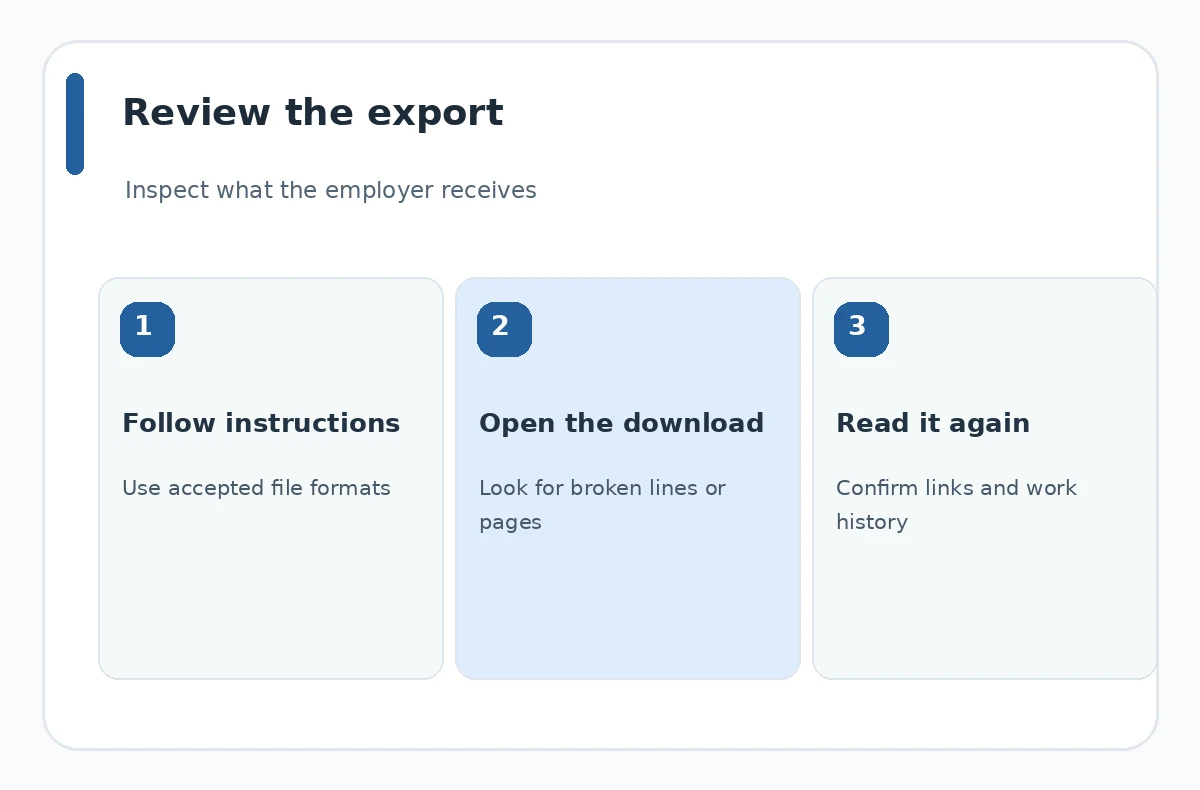
Open the exported file independently of the Word editor. Compare line wrapping, page count, hyperlinks, bullets, and dates. Confirm that nothing moved into a hidden area or onto an unexpected blank page. When using Word online, verify that the downloaded file is the version you just edited. Send only the attachment you have inspected, and keep a separate master copy for later targeted applications.
Run a Placeholder and Accuracy Audit
Read each statement aloud and ask whether you could describe the underlying work in an interview. Check job titles, employers, location if relevant, dates, degree status, certification status, and tool names. If you completed a course project rather than paid client work, say so. No template or spelling tool can perform this integrity check for you. Ask another reader to look for omissions and ambiguous wording.
Finally, compare your finished resume with one real posting. Use the employer’s terminology where it accurately describes your experience, but never add a qualification simply to match a keyword. Document formatting is successful when it supports truthful selection of relevant information. If the Word template becomes more trouble than it saves, move your content into a simple blank document with familiar headings and readable spacing. A related question is covered in our ATS-friendly resume format guide.
How We Research and Check This Guidance
We checked the linked sources on October 21, 2026. We distinguished technical product instructions from career-center recommendations and removed claims of guaranteed applicant-tracking outcomes. The decision tables and diagrams are original editorial aids, not screenshots from employer systems.
Sources, Limitations, and Affiliate Disclosure
Sources reviewed on October 21, 2026: Microsoft Support supports: Microsoft describes searching File > New for a resume template, replacing placeholder text, and exporting or sharing the finished document. CareerOneStop supports: CareerOneStop recommends clean consistent formatting and a straightforward single-column reading order. career-center guidance supports: UT Austin emphasizes legible fonts, page margins, proofing and clear filenames for resume submissions. These sources document general best practices and product steps; specific employers, departments, and applications may require different documents. The sources do not certify a resume template as universally compatible with hiring systems.
This page contains no confirmed affiliate promotion or paid recommendation. The 41 proposed JobAsk short links are not treated as live or approved. See the JobAsk affiliate disclosure for the site-wide policy. Internal links are informational next steps, not evidence of an endorsement.
More Resume and Cover Letter Guides
- Google Docs Cover Letter Template: Customize, Export, and Review
- One-Page Resume Template: Decide What Deserves the Space
- How to Make a Resume in Microsoft Word: Template to Final PDF
- Resume PDF vs. Word DOCX: Choose the Right File for Each Application
- Computer Science Resume Template: Structure Projects and Skills Clearly
Microsoft documents the File > New workflow and a search for “resume”; the interface may differ by Word edition.
No. Replace all sample claims with your own accurate and supportable experience or remove them.
No categorical rule applies. Inspect reading order and choose simpler formatting when table structure obscures information.
Use the format requested by the employer. Inspect the actual exported file before uploading it.
Keep a master document, then tailor a copy to the posting while preserving truthful dates, credentials and accomplishments.