
A plain-text resume is a stripped-down version of your regular resume for applications that specifically ask you to paste content into a text field or provide a text-only file. It keeps your name, jobs, dates, skills, and evidence but removes layout devices that may disappear when pasted. Maintain your normal resume as the master document; a text version is a delivery format, not proof that any employer requires it.
The practical goal is to preserve the relationship between a job title, its employer, the dates, and the bullets describing your work. A field that shows all the words in the wrong order is not a successful submission. Follow each employer’s file instructions, and check the application preview or saved answers before sending.
Decide whether the employer needs plain text
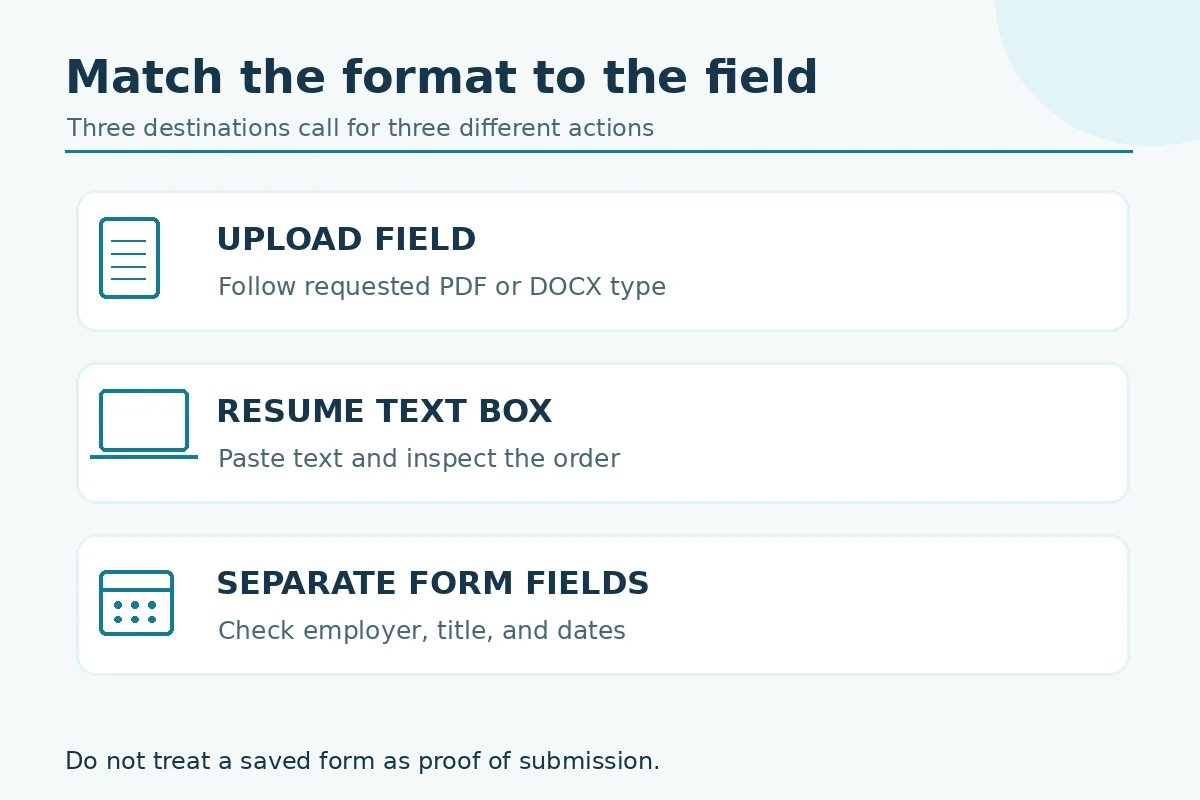
Some application portals ask for a file, others present individual fields, and a few provide a large box for a resume. Use the format the employer requests. When an upload accepts a readable PDF or DOCX, do not replace it with a text file simply because plain text sounds more compatible with software. The applicant tracking system and the form interface are not necessarily the same thing.
Before converting, identify where the content will land. A single resume box calls for a self-contained document; separate employer, title, and date fields call for individually checked answers. Do not assume that pasting a full resume into a box also completes the required structured fields.
Write a hierarchy that survives missing fonts
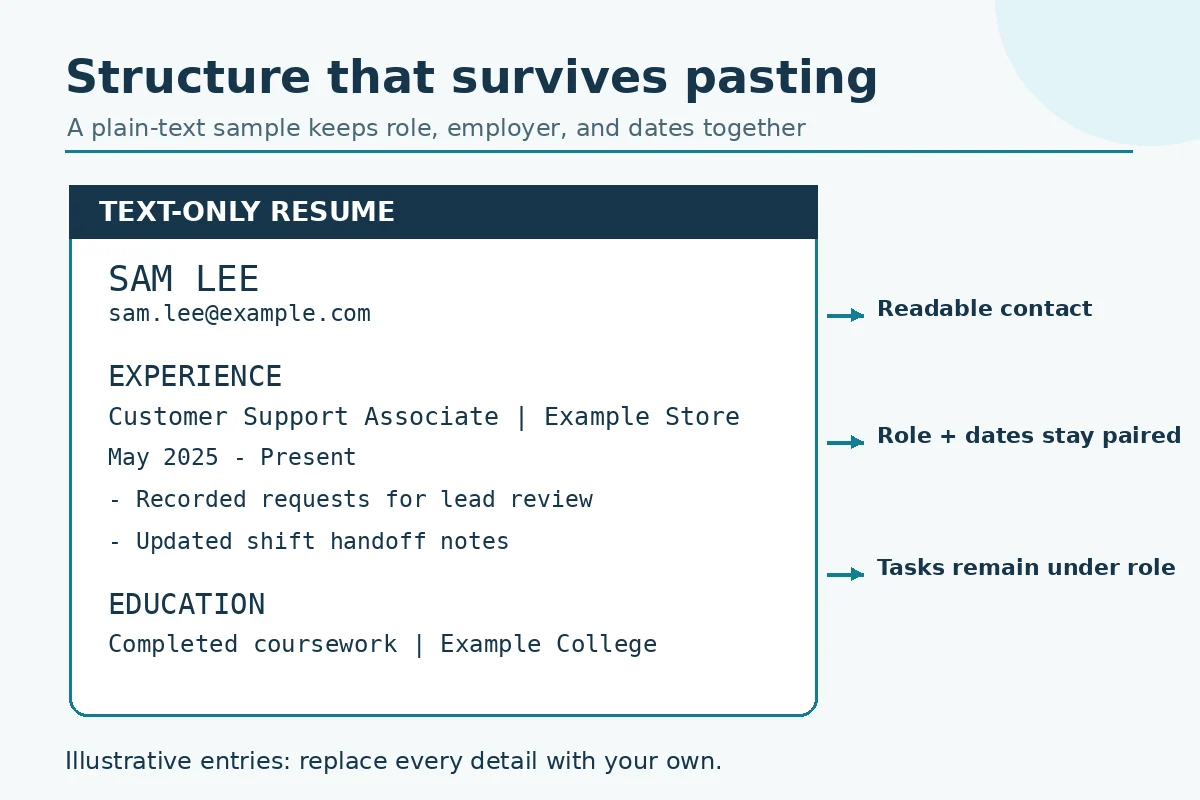
Start with your name and accurate contact details as ordinary lines, followed by straightforward headings such as PROFESSIONAL EXPERIENCE, EDUCATION, PROJECTS, and SKILLS. Put the job title, employer, and dates together in a predictable order. Use a consistent hyphen at the start of each bullet instead of decorative symbols that may turn into empty boxes.
Avoid alignment by tabs or long runs of spaces. Text fields may wrap at different widths, so a visually neat pair of columns can become a confusing string. A line reading “Customer Service Associate | Example Store | May 2025–Present” remains interpretable even when the width changes. Every word in this example is hypothetical and must be replaced with facts from your own work.
Keep experience statements attached to the correct job
A common conversion failure is an orphaned date, followed by bullets that appear to describe the wrong employer. Place each title and employer immediately above its bullets; leave one blank line before the next role. Where the role has several locations or assignments, include the clarifying information as ordinary text rather than a tiny footnote.
Illustrative rewrite: replace “Responsible for orders” with “Entered customer orders and flagged missing information for a supervisor to review,” but only if both actions are true. Formatting cannot rescue a claim that exaggerates authorization or invents results. Keep specialized credentials and license status exactly as they were documented.
Convert cautiously and review the pasted result
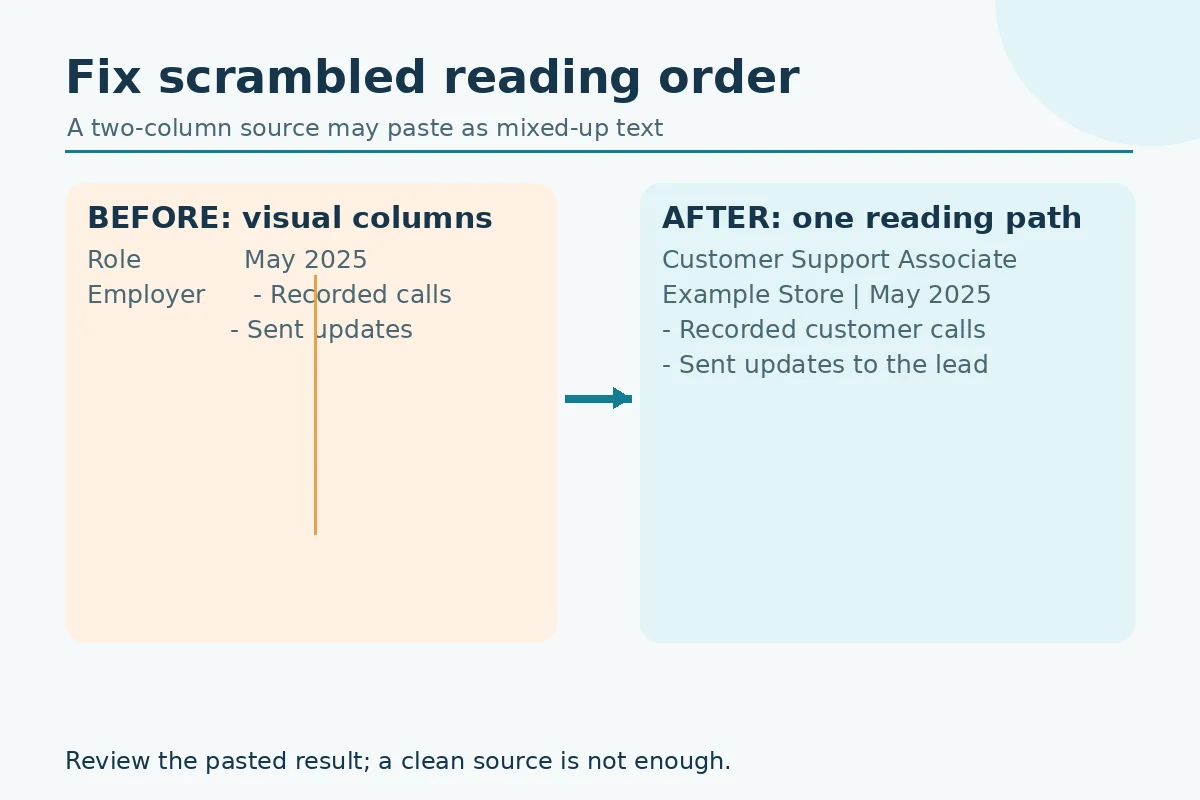
Save a separate copy before removing formatting. Paste into a basic text editor first, then check whether curly quotation marks, bullets, unusual dashes, links, and tables survived as readable characters. If a section has become scrambled, rewrite it as sequential lines. Use the employer’s on-screen preview rather than trusting the appearance of the source document.
For every role, read the pasted version in this order: title, employer, location if relevant, dates, tasks, then next role. This catches layout failures that ordinary spell-check cannot detect. Verify the contact information especially carefully; a copied link may lose its destination even while its visible label remains.
Compare the pasted fields with your master resume
An applicant may upload one document while the portal automatically creates structured entries from it. Inspect both outputs when the system allows. A job title moved into the employer field, a date split incorrectly, or a skill promoted into a fake certification can change the factual meaning of the application.
Make a short reconciliation table: original claim, converted claim, and change needed. Correct fields manually where the portal permits. If a required field cannot accept truthful information, use the platform’s help path or recruiter contact instead of inventing a date or qualification to make the form submit.
Handle attachments and versions deliberately
Keep a labeled master document and separate plain-text variant. A practical naming pattern is YourName_Resume and YourName_Resume_Text; include a version date in your private notes if you maintain several targeted copies. A name is a file organization aid, not a license to reveal personal or confidential workplace data.
When the employer asks you to attach a document as well as paste text, compare the two versions for role dates, current employment, education status, and contact details. The same factual record should appear in both. Update the master first whenever you change a claim, then regenerate the text copy.
Apply a final read-aloud submission audit
Read the text as if you have never seen the formatted original. Can you identify where one job ends and another begins? Is the newest relevant experience visible quickly? Are a skill and the example supporting it near one another? If the answer is no, revise the sequence before applying.
After submitting, save only the confirmation and application details that the system actually provides. A saved draft or an open browser tab is not confirmation of receipt. The wording, length limits, and accepted files vary by employer, so no general resume template can guarantee successful parsing or submission.
How We Research These Resume Format Choices
We compared the page’s specific formatting problem with guidance from CareerOneStop and university career services. Recommendations are practical editorial judgments, not claims that any format guarantees an interview, acceptance by an ATS, or an employer response. All names, roles, and resume sentences introduced as illustrative examples are hypothetical. Follow your target employer’s current instructions and verify your own qualifications.
Source notes: CareerOneStop describes resume structures, consistent labels, straightforward fonts, and single-column layout safeguards. University of Pennsylvania Career Services explains content ordering, internship experience, project evidence, and layout trade-offs. UC Berkeley Career Engagement recommends standard section names and cautions that document parsing varies among systems. We may update these sources if guidance changes. Visit our affiliate disclosure; these informational links do not imply a paid partnership.
More Resume and Cover Letter Guides
No. Use it when an employer requires or provides a text-only field. For a file upload, follow the stated PDF or DOCX instructions and check the portal’s preview.
Plain text does not preserve font weight. Use ordinary section labels and blank lines to make the structure readable without relying on styling.
Cell order may become confusing. Rewrite the content as sequential job and qualification lines, then inspect the pasted result.
No. Complete each required field with the corresponding truthful information; use a resume box only for the material it requests.
Correct them before submission if possible. If the interface prevents an accurate answer, contact platform support or the employer rather than inventing one.