
Proofreading a resume is more than running spell-check. Before applying, review it in four separate passes: factual identity and dates, evidence behind accomplishments, wording and consistency, and the exact file you will upload. This order matters because a beautifully formatted document with an incorrect employer or unreachable email is still unreliable. The illustrations below show a practical audit, not a score predicting hiring or applicant-tracking software behavior.
Start with verifiable facts, not typography
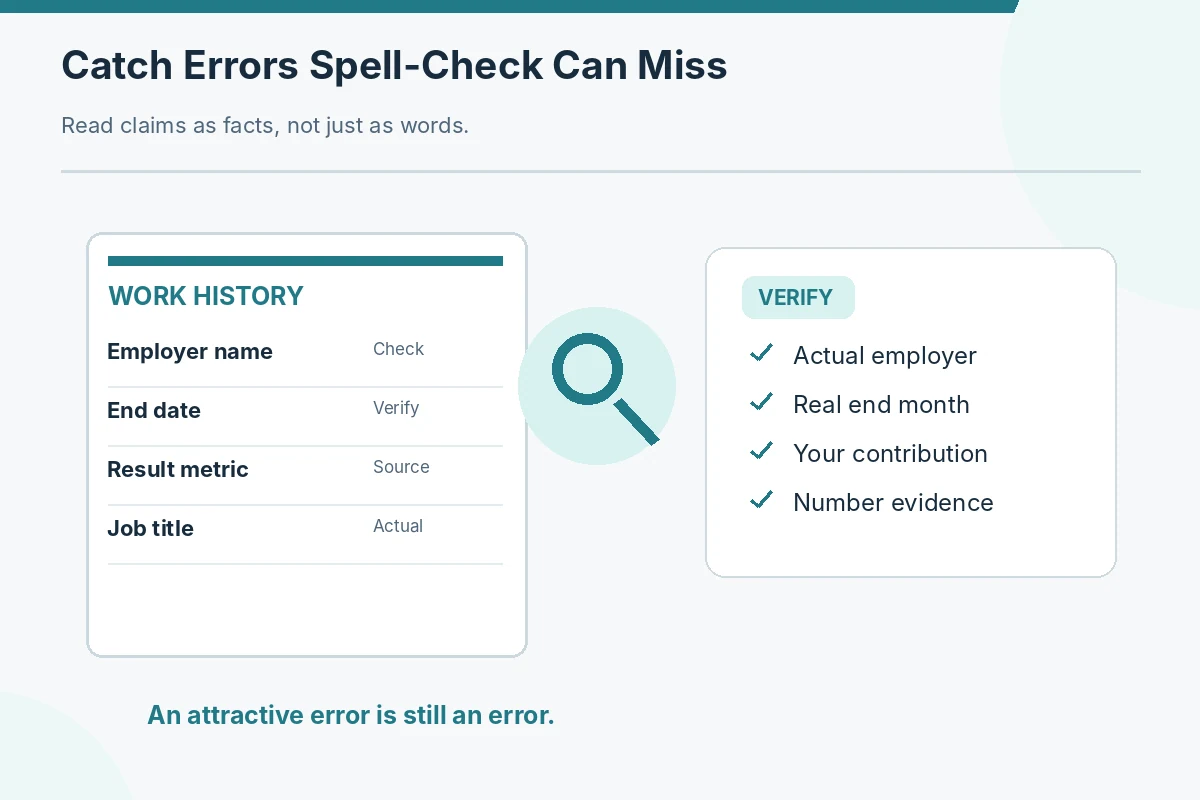
Open the current draft alongside your actual work history and the job description. Check your preferred professional name, reachable email address, telephone number, employer names, role titles, employment start and end months, graduation or credential status, and any promised portfolio link. A missing digit in the phone number can matter more than a misplaced comma. Harvard’s career guide lists spelling problems and missing contact information among common mistakes, while Georgetown recommends a separate human review. Confirm information against records rather than copying it forward from an older resume just because it looked correct before.
Build a short evidence ledger for every claim
Put each accomplishment beside a supporting record or a clear recollection you can explain. If a bullet states a percentage improvement, check the period, calculation, measurement source, and whether your actions plausibly contributed. If you only helped a team, do not rewrite its final result as yours alone. Use a safer action-based sentence when the metric is unavailable: “Checked appointment changes and routed exceptions for supervisor review,” for example. The checklist does not require numbers in every bullet; it asks whether whatever you do claim is honest, specific, and defensible in an interview.
Do a factual audit of dates and role changes
Read just the timeline from top to bottom. Verify that “Present” still applies, an internship did not extend beyond its actual end date, and a temporary appointment is not shown as a permanent job. Separate genuine simultaneous roles from accidental overlapping dates; an overlap may be accurate, not an error. If you were promoted, confirm each title and transition period. Match the month/year style consistently. The UC Santa Barbara career guidance recommends clear month-and-year dates for experience, but no template can determine the exact dates of your employment for you.

Read out loud for missing or repeated words
After verifying facts, read each bullet slowly from the first verb to the last object. Watch for doubled words, missing prepositions, unclear pronoun references, and fragments that leave out the actual task. A resume can use concise sentence fragments, but a reader should still understand what you did. Consider whether “handled office duties” tells an unfamiliar hiring manager anything. A revision such as “Updated meeting calendars and prepared agendas for review” gives a clearer action without inventing outcomes. Reading aloud works differently from a spelling tool because it tests whether the sentence carries meaning.
Proofread terminology for the intended reader
Check that technical tools are named accurately, acronyms are understandable, and internal team names have enough context. A hiring manager outside your former organization may not recognize a department abbreviation or in-house nickname. Do not turn software exposure into full administration expertise merely to align with a job posting. Replace unfamiliar internal shorthand with a plain-language description when possible. Georgetown warns against jargon and unexplained acronyms, and Illinois suggests expanding unfamiliar acronyms when first used. Choose language that is faithful both to your own work and to the position being targeted.
| Situation | Recommended description | Accuracy check |
|---|---|---|
| Identity and chronology | Employer, title, contact and dates | Compare reliable records |
| Claims and evidence | Numbers, scopes and team credit | Remove unsupported precision |
| Language and formatting | Verb tense, acronyms and spacing | Read aloud; check consistency |
| Delivered file | Links, pages and exact version | Reopen exported attachment |
Check consistency independently of correctness
Make a pass for punctuation, heading capitalization, spacing around dates, bullet indentation, and verb tense. Choose whether bullet fragments end in periods and apply the choice consistently within sections; you do not need to turn every line into a full sentence. Use present-tense verbs for ongoing duties and past tense for former work, following the university guides, but describe a completed project in the past even if the current job continues. Distinguish a consistent choice from a rigid universal rule: different employers may prefer different styles, and their application instructions take priority.
Test the file as a recruiter will receive it
Export or save the file in the format requested by the employer. Then close the editing program and reopen the actual exported file. Zoom in, zoom out, and check that the last bullet did not slip onto a nearly empty page, headings are not stranded from their content, dates remain aligned, and no hyperlink is broken. A pasted URL can look correct while pointing to an outdated portfolio. For a PDF, inspect rendered text and selectability; for a requested DOCX, confirm no tracked changes or comments remain. Do not assume the editing view and uploaded version will match.
Review hyperlinks without exposing private material
Open portfolio and professional profile links in a private browsing window when possible, without depending on a logged-in session. Confirm the pages show material you are authorized to share, that samples are not confidential, and that the audience can reach them. A private school drive link or expiring company document is not a useful public work sample. If your portfolio site is unavailable, remove the link or use a working approved alternative instead of listing a dead address. Keep personal home addresses, account information, and unnecessary identifiers out of shared resume files.
Compare the final document with the actual vacancy
The last content pass asks whether the first screen shows the duties or capabilities relevant to this particular application. Remove an irrelevant line if it crowds out a better example; do not rewrite past job titles, credentials, or results merely to match advertised wording. Georgetown recommends customizing information while avoiding exaggeration. Compare the official job description, not a scraped repost, with your tailored resume. This is a relevance check, not a promise about computerized screening or human hiring outcomes.
Use a second reader for a different kind of error
Ask someone trustworthy to read the final file once for factual clarity and once as a stranger who does not know your work. They may notice that a project name sounds like an employer, that a certification looks completed when it is still in progress, or that an initialism has no explanation. Give them a version with sensitive details redacted where necessary. Their feedback is a question to investigate, not a mandate to inflate a claim. The University of Illinois and Georgetown both support additional review instead of relying on spell-check alone.

Maintain a version control habit for applications
Save a clear, local master and a separate application copy with a job or company identifier. Record which file you actually submitted and the position it targeted, especially if you apply to different job families. Before uploading, inspect the attachment name shown in the browser rather than assuming your Downloads folder selected the intended version. Verify the resume matches the cover letter where dates, role names, and experience descriptions overlap. An accurate earlier draft can still be the wrong file for today’s vacancy.
Finish with a four-pass release check
Illustrative process: pass one checks names and chronology; pass two challenges claims and measures; pass three audits wording and formatting; pass four opens and tests the exact file. Mark a problem “fixed” only after inspecting the corrected export, not after editing the source. If any date or job title is uncertain, resolve it with reliable records before submission. This simple discipline is more useful than giving the resume an invented quality percentage. The goal is a document a reader can understand and you can substantiate.
How We Research Practical Resume Writing
We reviewed career-service guidance from universities and other identifiable public career resources, compared this topic with existing JobAsk titles from the supplied WordPress record, and separated broadly recommended writing conventions from facts only an applicant can verify. Source pages were checked on November 16, 2026. Examples and names are hypothetical unless stated otherwise; actual employer instructions and applicant records control. This is editorial guidance, not a guarantee of screening results.
Research and further reading: Harvard career resume guidance; Georgetown resume content guide; University of Illinois resume guidance.
For editorial and commercial transparency, see our affiliate disclosure. No product placement, paid reviewer, or applicant tracking outcome is implied here.
More Resume and Cover Letter Guides
No. It may miss a correct-looking but wrong date, a misspelled employer name, an inaccurate credential, or a link pointing to a private file.
A consistent approach is more important than a universal rule. Keep punctuation consistent within parallel bullet lists and follow any employer-specific instructions.
Verify the time period, measurement source, your actual role, and whether the number can be discussed without revealing protected data.
Check whether the application portal permits an updated attachment. If not, follow the employer’s official contact instructions rather than repeatedly sending versions.
Yes. Reopen the exact exported PDF to check legibility, links, page breaks, and whether the content matches your final editing version.