
Quick answer. A decision-first guide to two-page resumes: when to expand, what belongs on page one, how to label page two, and how to trim irrelevant material. The practical goal is an accurate, easy-to-read US resume, not a visual trick or a promise that a particular employer will accept it. Follow any instructions in the actual application before adopting a general layout recommendation.
This page provides a decision method, original hypothetical examples, and a final document review. Replace every example with your own verifiable history. Do not invent employers, projects, work results, credentials, or screening outcomes to make a format look stronger.
Decide Whether the Second Page Adds Evidence
A two-page resume is justified by relevant information, not by how long you have been employed. Start by comparing the job description with your current draft. Circle the experience, projects, credentials, and outcomes that directly establish those qualifications. If those facts fit comfortably on one page, do not expand just to fill space. If meaningful evidence disappears when you shorten the document, a second page may be more useful than tiny type or crowded margins.
CareerOneStop describes one to two pages as a practical range and recommends a second page only when the amount of experience calls for it. Treat that as guidance rather than an employer-wide rule: follow a stated application instruction first. For each item moved to the second page, ask what decision it helps a reviewer make. A useful line names an action, the setting, and a verifiable contribution; a weak one simply restates a generic responsibility.
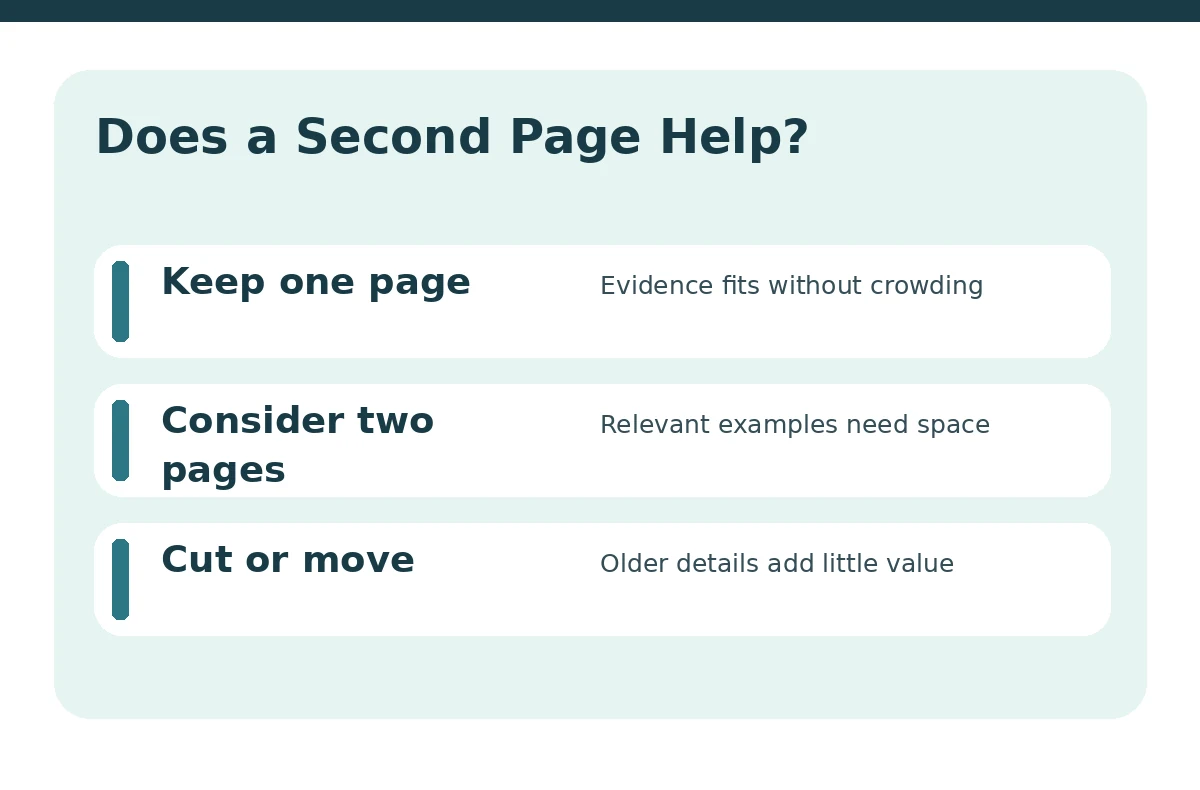
| Situation | Better option | What to verify |
|---|---|---|
| One page is legible | Keep one page | Do not pad for appearance |
| Key proof gets crowded | Consider two pages | Preserve details the role needs |
| Second page is nearly empty | Edit before expanding | Remove or combine low-value lines |
Put the Strongest Relevant Story on Page One
Begin with accurate contact details, a clear target when needed, and the experience that most closely resembles the new job. A recent relevant position normally belongs ahead of older or unrelated work. Avoid splitting your best project into several disconnected fragments to make a decorative page balance. Page one should tell an understandable story even if a reader skims only that page.
Suppose you are applying to a project coordinator position after several years of office support. Hypothetical: your strongest evidence is managing a volunteer event calendar, following up with departments, and documenting changes. Put that project near the top if it maps to the posting. Put older general office duties on page two only when they add further evidence. This is an invented writing exercise, not a hiring outcome or employer example.
Build Page Two as a Continuation, Not an Appendix
The second page should continue the same resume, with compatible headings, bullet style, date style, and spacing. Keep your name visible there so the pages remain identifiable if printed or separated; a concise contact line is optional. Do not copy the full summary again. Start with a complete section heading or role when possible, rather than a stranded bullet with no context.
A logical second page may contain an earlier relevant position, selected education, training, technical experience, or volunteer activities. The sequence depends on the target role, not a universal template. If page two contains only one brief line after a large blank area, edit your bullet points and section spacing before deciding that the document genuinely needs two pages.

Avoid Shrinking the Type to Save a Page
An overly dense one-page resume is not automatically better. Readability has practical value: people need to identify dates, roles, and results without searching across crowded columns. CareerOneStop recommends common fonts around 10–12 points and simple, consistent layout. UCLA provides guidance on reasonable margins and white space. These are reference ranges, not rules that every employer enforces.
If the draft nearly fits on one page, revise content before squeezing the design. Remove repeated tasks, replace vague descriptions with one specific example, and delete skills with no connection to the application. If your strongest work still needs additional space, keep the second page. A resume should make the evidence easier to judge, not reward elaborate document compression. Our guide “Resume Font Size and Margins” covers how to make the page easy to read.
Create a Page-Break Audit Before Exporting
Read the bottom three lines of page one and the top three lines of page two as if the viewer knew nothing else. Is an employer name separated from the dates? Does a section heading appear alone? Does the second page start with a bullet whose job title is on the preceding page? If so, move the whole item, adjust paragraph keep-with-next settings, or rewrite a bullet rather than inserting random blank lines.
Try a simple three-pass review. First, verify relevance: every bullet supports the target role. Second, verify continuity: no heading or role is orphaned at the page break. Third, verify readability: the exported document preserves the intended arrangement. A native editor file can reflow differently from its exported PDF, so inspect the file you will actually submit.

Check the Two-Page Resume Against the Posting
Not every application uses the same file-upload process. Follow any stated limits on document length or file type before deciding on layout. When the employer asks for a resume in a particular format, comply rather than assuming that a PDF is always accepted. If no type is specified, CareerOneStop recommends PDF to preserve formatting, while recognizing that application instructions take priority. Our guide “Resume Layout for a First Job” adds more detail on this.
Run one final credibility check: dates agree across roles, role titles are honest, and quantities are supported by your records. Do not manufacture a promotion or outcome to justify the second page. The extra room is for details you can explain in an interview. If a reader can remove all of page two without losing a qualification, returning to one page may be the clearer choice.
How We Research and Check This Advice
We checked the current public guidance from the US Department of Labor’s CareerOneStop and university career centers on October 21, 2026. We compared their advice on readability, work-history visibility, section order, and page length against the particular reader decision in this guide. The visual decision aids and hypothetical scenarios were created for this article; they are not employer-tested templates or evidence of any specific applicant-tracking system outcome.
Sources, Limits, and Affiliate Disclosure
Sources checked on October 21, 2026: cloudfront.careeronestop.org — CareerOneStop describes one- to two-page resumes, simple columns and the need to use extra space only when relevant.; cloudfront.careeronestop.org — CareerOneStop describes keeping a name on every resume page and consistent standard formatting.; career.ucla.edu — UCLA Career Center explains readable margins, type sizes and spacing.. These sources offer guidance rather than guarantees, and specific employer instructions override generalized suggestions.
This informational article includes no confirmed affiliate recommendation or paid placement. If JobAsk later uses compensated links, see the site-wide affiliate disclosure. No partner relationship is implied by the ordinary internal links on this page.
More Resume and Cover Letter Guides
- Two-Page Resume Format: Decide What Deserves Page Two
- Functional Resume Format: Show Skills Without Hiding Your Work History
- Combination Resume Format: Pair a Skill Summary With Dated Proof
- Resume Formats Compared: Choose a Layout That Makes Your Experience Clear
- Electrician Resume Format: Show Apprenticeship, Licenses, and Work Scope
No. CareerOneStop allows one or two pages when the experience warrants it. Relevance and readability matter more than a universal page count.
Yes, keep your name visible to identify a separated or printed page, with the same visual style as page one.
It is possible, but try to keep the job title, dates, and first supporting bullet together so the second part has context.
No. Put education earlier if recent education or training is your strongest qualification for the job.
Follow that instruction. Prioritize relevant evidence and remove repetition rather than reducing type until it becomes difficult to read.