
In most applications, references belong on a separate document, not in the resume body. Prepare a clean reference sheet with each person’s name, professional title, organization, preferred professional contact details, and your relationship. Ask permission before sharing any personal information. Send the sheet when requested, or follow an employer’s explicit application instructions if they differ.
This page teaches the layout and consent checks for the document itself. It does not tell you that every recruiter will ask for references, and it is not a substitute for choosing suitable people. The University of Cincinnati and University of Louisville both describe the reference page as separate from the resume in ordinary applications.
Keep the Reference Page Separate
Use a new document with the same name-and-contact header style as your resume. Give it a clear heading such as Professional References. Do not spend half of your resume listing contacts or use a large “References Available Upon Request” line simply to occupy space. A separate file lets you update contacts without changing the qualifications, dates, or achievements in the resume. If you want the full process, read how to list references on a job application without mistakes.
There are exceptions. If an application specifically requires names inside a form or a requested document, follow that instruction. Do not interpret a general “attach your resume” request as permission to send another person’s private phone number. The University of Washington resume resource also distinguishes resumes from CVs in their usual treatment of references.
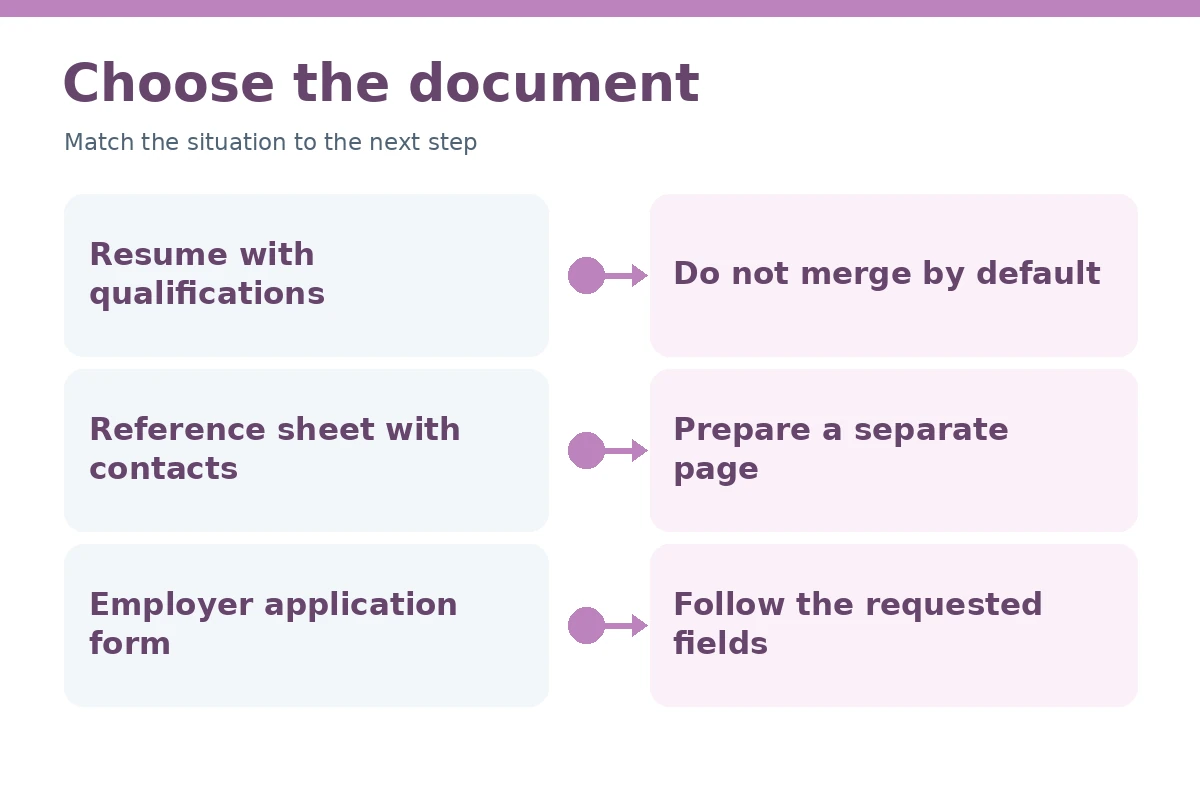
| Employer instruction | Practical response |
|---|---|
| References not requested | Keep the sheet ready |
| References requested as attachment | Send separate document |
| Names requested in application form | Use the form fields provided |
List Only Details You Have Permission to Share
A useful entry gives a current name, role or affiliation, an email or phone number the person approved, and a phrase describing your professional relationship. Their home address, personal social account, birth date, and other unrelated details are not needed. Check whether the person prefers a work email or another contact method, especially if they recently changed employers.
Before adding a contact, ask whether they are comfortable discussing your work for this type of role. If the answer is uncertain, leave them off for now. A sheet that looks complete but includes outdated or unauthorized contacts can create avoidable friction. Your references should know what opportunity you are pursuing and what kinds of tasks they directly observed.
Use One Consistent Entry Format
Each entry should be scannable, with the same order of fields and consistent line breaks. For instance, place the name on the first line, title and organization on the next, then a preferred contact method and relationship. If the employer asks for a specific number, supply that number if you have enough willing references; otherwise do not fabricate more names.
A hypothetical template is: “Jordan Sample | Former Shift Supervisor, Sample Organization | jordan@example.com | Worked together on shift scheduling.” Both the person and organization are fictional; the address is a nonworking example and must be replaced with a real, permitted contact. A reference entry is not an endorsement claim. Never write that someone recommends you unless they have said so.
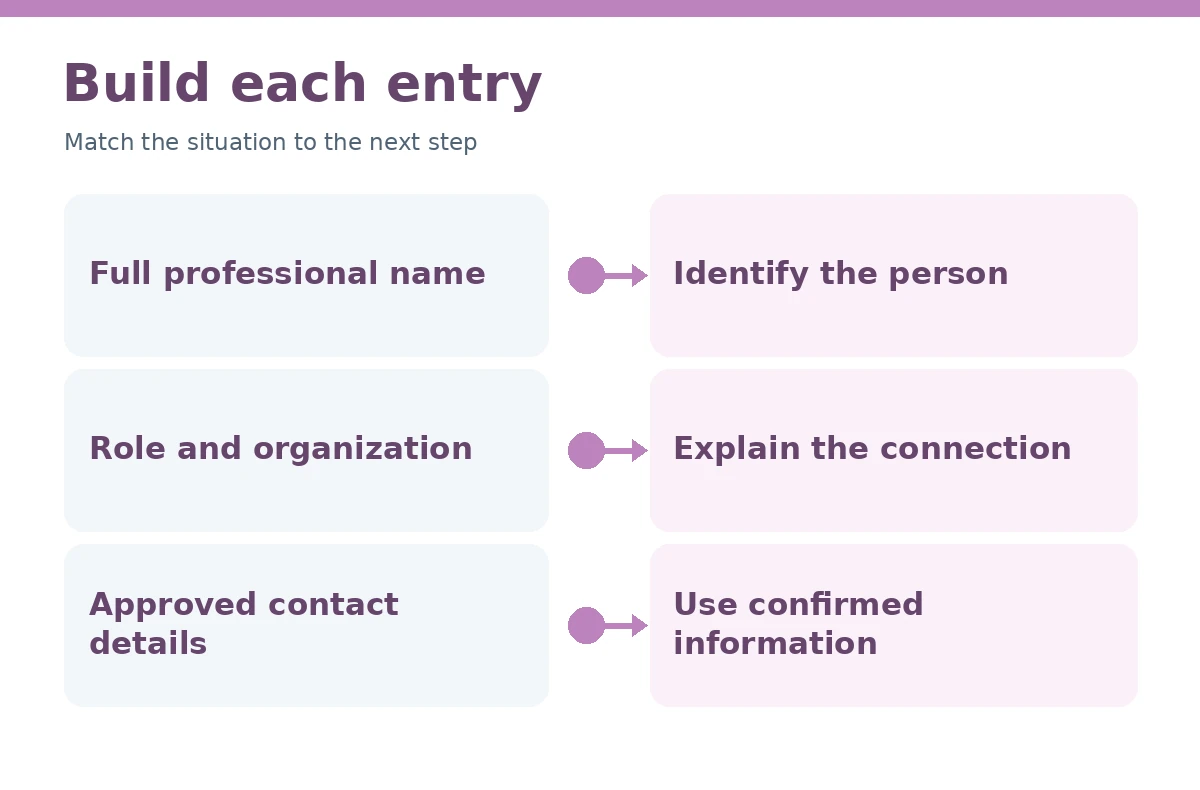
| Field | Why it matters |
|---|---|
| Name and current role | Identify the correct person |
| Organization or affiliation | Give professional context |
| Approved email or phone | Allow contact as agreed |
| Relationship to candidate | Explain how they know your work |
Check Permission and Relevance Before Sending
Contact each reference while you still have time to replace someone who cannot participate. Confirm their preferred contact details, how they want their role represented, and whether they are available during the expected hiring period. Send a concise overview of the job and the relevant work they saw you perform. Do not script a recommendation or ask them to confirm duties you never handled.
Privacy also matters in version control. Keep the list in a private location and do not add it to a public portfolio or upload it to unrelated tools. If you have several applications, share the requested contacts with the specific recipient rather than distributing one universal file widely. This is ordinary prudent practice, not a claim about employer legal requirements.
Match Your Resume Header and Filename
The reference sheet should look connected to the resume without being a carbon copy of every design detail. Use the same name, email, and phone header as the resume, a readable font, and straightforward spacing between contacts. If the application process allows a separate file, use a descriptive name such as “FirstName-LastName-References.pdf.” Do not rely on color, icons, or a picture to convey the person’s job title. Our guide to references on a resume covers when to make a separate reference sheet.
Proofread every entry against a fresh confirmation from the person involved. An email copied from a years-old document may no longer work. If a reference changed jobs, update the affiliation they wish you to use. Keeping consistent formatting is useful; accurate, permission-based information is more important than visual polish.
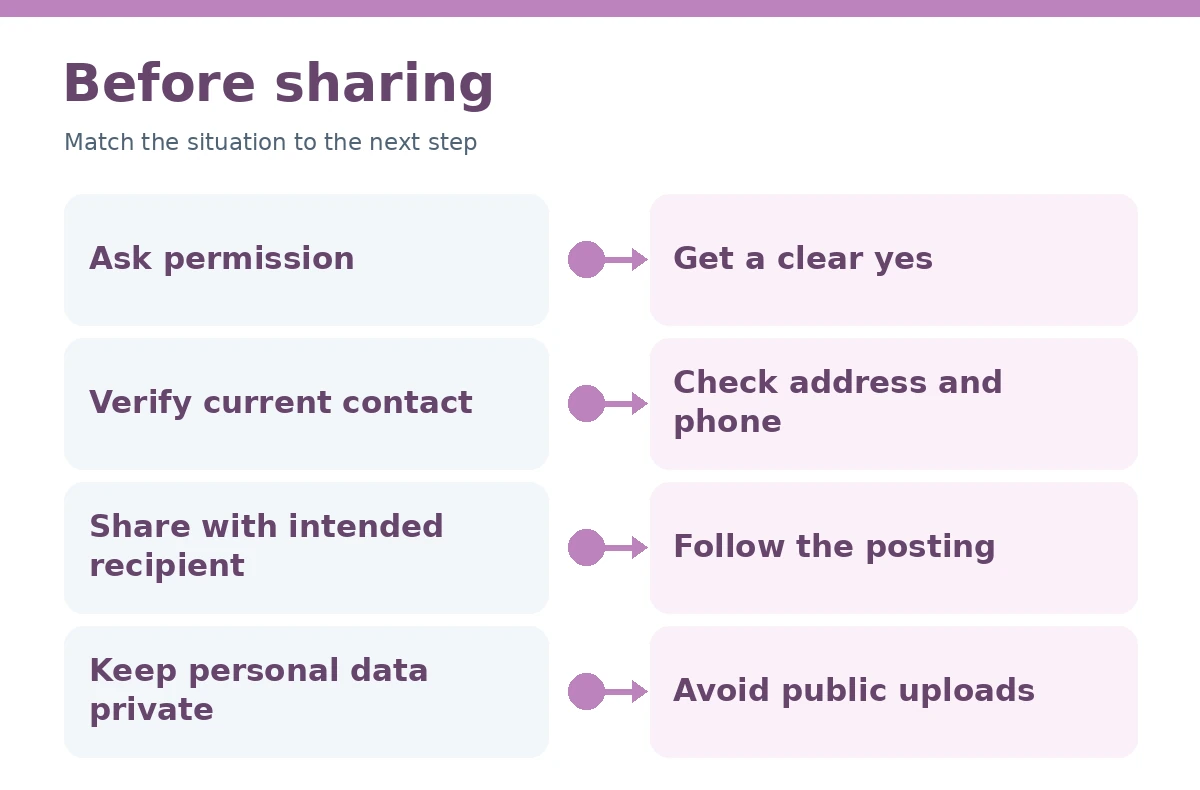
| Final check | Ask yourself |
|---|---|
| Consent | Did the person agree to be listed? |
| Details | Are name and contact current? |
| Relevance | Can the person speak to this role? |
| Instructions | Was the sheet actually requested? |
Prepare a Hypothetical Sample Safely
Hypothetical sample only: “Professional References — Morgan Example, Project Lead at Example Community Program; work@example.com; former project supervisor. Taylor Sample, Faculty Advisor at Example College; advisor@example.com; advised an academic team project.” Names, affiliations, and emails in this exercise are fabricated placeholders; the text must never be sent as a real reference list. Our guide “Job References” adds more detail on this.
To make your own sheet, remove every sample identity and confirm the real details directly. Include only contacts who have agreed to be approached. If a person prefers that an employer contact them after a certain date, follow that preference and keep an alternate reference ready. A reference document should be trustworthy before it is beautifully formatted.
How We Research and Check Resume Advice
Our method distinguishes the cited recommendations from the original decision tables, diagrams, and hypothetical examples created for this page.
This article does not claim a hidden employer screening rule, test an applicant tracking system, or predict job outcomes. Examples are constructed practice material, not actual candidate results. Confirm current application instructions and replace every fictional detail with your own verifiable history.
Source Notes and Affiliate Disclosure
www.uc.edu source guidance: University of Cincinnati recommends a separate reference list in most cases, with consent and updated professional contact details. Accessed 2026-10-21. We cite this guidance only for the associated format or writing recommendation.
louisville.edu source guidance: University of Louisville specifies a separate matching reference page and lists useful fields including title, affiliation, contact and relationship. Accessed 2026-10-21. We cite this guidance only for the associated format or writing recommendation.
careers.uw.edu source guidance: University of Washington notes that references generally do not belong on the resume unless explicitly requested. Accessed 2026-10-21. We cite this guidance only for the associated format or writing recommendation.
This guide contains no affiliate links. Read the site-wide affiliate disclosure. All examples are hypothetical and should not be copied as personal history.
More Resume and Cover Letter Guides
- References on a Resume: When to Share a Separate Contact Sheet
- Additional Information on a Resume: Choose Useful Details, Not Filler
- AI Resume Writer: Fact-Check Every Claim and Protect Your Information
- Resume Contact Section: Format Your Name, Phone, Email, and Portfolio Links
- How to Put Internship Experience on a Resume With Accurate Role Details
Usually not. University career resources recommend a separate reference sheet unless an employer specifically requests otherwise.
Prepare the number the employer requests. Career centers often illustrate lists of around three to five, but instructions for a specific application take priority.
Choose people who have directly observed relevant work and agreed to participate. A supervisor, professor, or project lead may fit different applications.
Only if that person explicitly approves that contact method. Prefer confirmed professional details and avoid unnecessary personal data.
Not generally. Use resume space for qualifications and maintain a separate sheet ready when asked.