
A job application resume version log answers one question that an ordinary application tracker often misses: Which exact document did this employer receive? A tailored resume can change several times in one week. When a recruiter calls, opening your latest editable file may show wording you did not submit. For every application, keep the final sent PDF or document in a private, stable folder and record its filename beside the employer, role, and submission date. Do not overwrite the sent copy when you improve a bullet for a later application. The goal is honest interview preparation, not a complicated document-management system.
Separate working drafts from submitted copies
Use two locations: a Working folder for revisions and a Submitted folder for final attachments. For example, a student might draft an operations resume, tailor it for an inventory coordinator role, and save the sent copy as ‘inventory-coordinator_resume_2026-11-09.pdf’. A new revision for a different job becomes a new file; it does not replace the November 9 copy. The filename is an organizational example, not a requirement imposed by employers. Follow the employer’s upload rules if they specify a format or name.
The submitted copy serves as historical evidence. It does not prove that a recruiter read it or that a job system parsed it correctly. Capture the confirmation page or application history if available, and record the file you intended to send. If the platform provides a submitted-document viewer, inspect it and reconcile any difference. Do not assert that the employer saw the latest version merely because your local filename has changed.
Name files for retrieval rather than decoration
A workable pattern uses role, document type, and date or a short version number. The role must be recognizable months later; avoid names such as ‘resume_final_final2’. Do not put Social Security numbers, full birth dates, banking details, or sensitive account identifiers in filenames. Keep formatting plain and compatible with the employer’s system. One resume may serve two roles, but record the same physical sent copy in both application entries if that is what really happened.
When the employer requires a DOCX instead of PDF, save the original file actually uploaded and optionally a reading copy. Do not say PDF is universally better: follow the instructions and inspect the final preview. If your application uses a text box instead of an attachment, save the final text in a separate local note and label it as text-field content, not as a PDF resume. Your evidence should reflect the actual submission method.
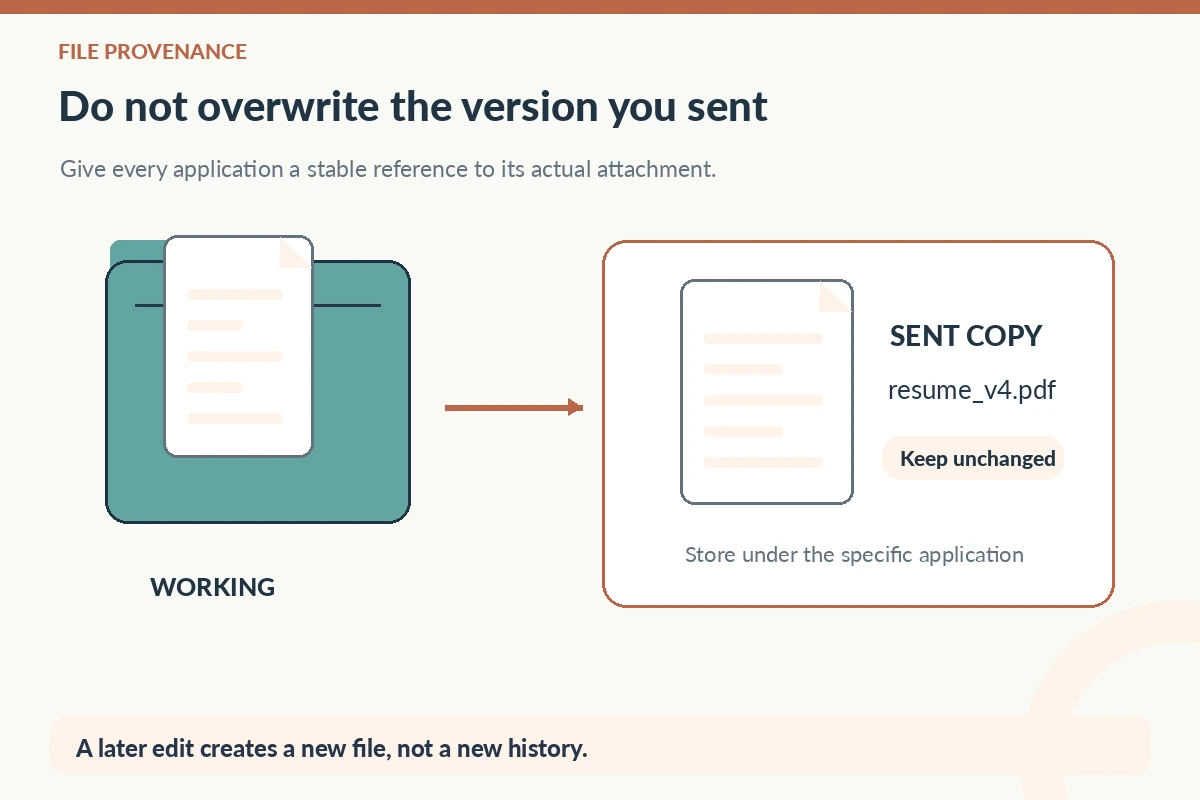
Keep a small materials manifest per opening
Create a plain-text record with five fields: submitted resume filename, cover letter filename if sent, any permitted portfolio link, important screening answers, and proof of final submission. Do not automatically export every answer from an application form; note only information you can lawfully and safely retain. A sample record could say ‘Resume: operations_resume_v4.pdf; Letter: not requested; Work eligibility answer: see portal, not copied; Receipt: application email dated Nov 9.’ This is an invented example to illustrate the method.
A folder can also contain a posting copy and interview notes, but protect materials you do not want shared. Keep reference contacts and accommodation requests out of broadly shared tracking sheets. A password manager is for credentials; the application manifest is for filenames and neutral business facts. If you collaborate with a career counselor, share only the pieces needed for feedback and remove unrelated personal details.

Check what the employer actually recorded
Before leaving the submission screen, inspect the attachment list and any preview. Make sure the correct role version is present and readable, rather than trusting the file picker. If an application site converts or parses a resume, verify the fields it extracted while the form is still editable. After submission, use the employer’s receipt or document history if available. LinkedIn’s help documentation describes a Submitted resume view for applicable Easy Apply submissions; that does not make every external portal capable of the same audit.
If you notice that the wrong file went out, first read the employer’s rules for editing a submitted application. Some systems provide a replacement route; others require a message through support. State the problem factually without claiming a correction has already propagated. A log entry like ‘wrong document detected; correction request sent through official portal’ is more reliable than silently editing your local folder and assuming the employer has the new file.
| Record | Stored evidence | Safe interpretation |
|---|---|---|
| Working draft | Editable operations resume | Not necessarily sent |
| Submitted copy | operations_resume_v4.pdf | File selected and saved locally |
| Portal history | Attachment preview or receipt | What the system recorded |
| Newer revision | operations_resume_v5.pdf | Not retroactively submitted |
Prepare for an interview from the historical version
When a call arrives three weeks later, open the actual submitted copy and the preserved posting. Review the claims, project dates, tools, and responsibilities you described then. If your experience changed afterward, you can explain the new development accurately; do not pretend it was already on the earlier resume. This matters especially for coursework, certification stages, portfolios and jobs that use different terminology for the same skill.
An interviewer may quote a bullet or ask for a work sample. Because you kept the sent copy, you can identify the correct context before answering. If a project was academic rather than paid, say so. If a sample contains confidential client information, do not upload it merely to recreate a portfolio. Good tracking supports truthful explanations and respects privacy; it should never push you toward fabricated accomplishments.

Audit the log without keeping unnecessary data
Once a week, verify that new submissions have both a stable copy and a link from the application row to its private folder. Check that the filename stored in your tracker matches the actual attachment. If you reused one resume across applications, link the same unchanged copy rather than generating misleading duplicates. Archive older applications when they are no longer active, subject to any personal record-keeping needs you have.
A résumé version log is not a performance analytics service. It cannot tell you that one line caused an interview, since employers and positions differ. Use it for consistency and hindsight: what did I submit, what did the posting request, and what can I defend if asked? Track revisions deliberately, but do not add pseudo-scientific ‘ATS scores’ or claim the document was approved by a system without a real result.
How We Research Application Tracking Advice
We compared the specific, publicly available guidance linked here: primary career resource additional source platform or career guidance verification guidance. We treat tracker fields and file organization as practical planning methods, not employer obligations or guarantees of hiring outcomes. Sample employers, requisitions and dates in this article are explicitly hypothetical and are not real vacancies. Recheck platform instructions because interfaces can change. See our affiliate disclosure; this article does not claim sponsorship or an approved referral relationship.
Related Job Search Guides
Not always. If you submitted the same unchanged file for two jobs, you can link both entries to that one copy. Record what actually happened.
Avoid overwriting the historical copy. Create a new revision with a new filename so your record continues to show what was originally sent.
Store the text you actually pasted, if appropriate, and label its format honestly. A PDF from a separate draft may not match the submission.
No. Keep any available submission receipt or portal record separately. A local copy identifies your materials but not the employer’s final processing.
Share only the relevant documents and redact unrelated personal or sensitive details. Keep login credentials and private reference information outside shared folders.