
A printable job application log is useful when you visit employers in person, hand over a resume, complete a paper form, or cannot reliably use a phone at every stop. It should distinguish an inquiry from a completed application. A conversation with a cashier or manager does not prove your materials entered an employer’s hiring process. On one sheet, write the role and contact route; on another, track actual evidence and next steps. The goal is a portable, privacy-conscious record that you can review after a shift, not a pile of receipts with no meaning.
Make a One-Page Route Log Before Visiting Employers
At the top of the page, write the date and general neighborhood, not your home address or identity number. Add columns for Employer or Location, Target Role, Official Application Route, Contact Method, Visit Date, Outcome, and Next Action. Give each line enough room for a short note. A planned visit can be marked “Not yet visited.” A completed conversation can be “Inquiry only.” Only mark “Application submitted” when you completed the employer’s stated process and have a credible reason to believe the submission was received.
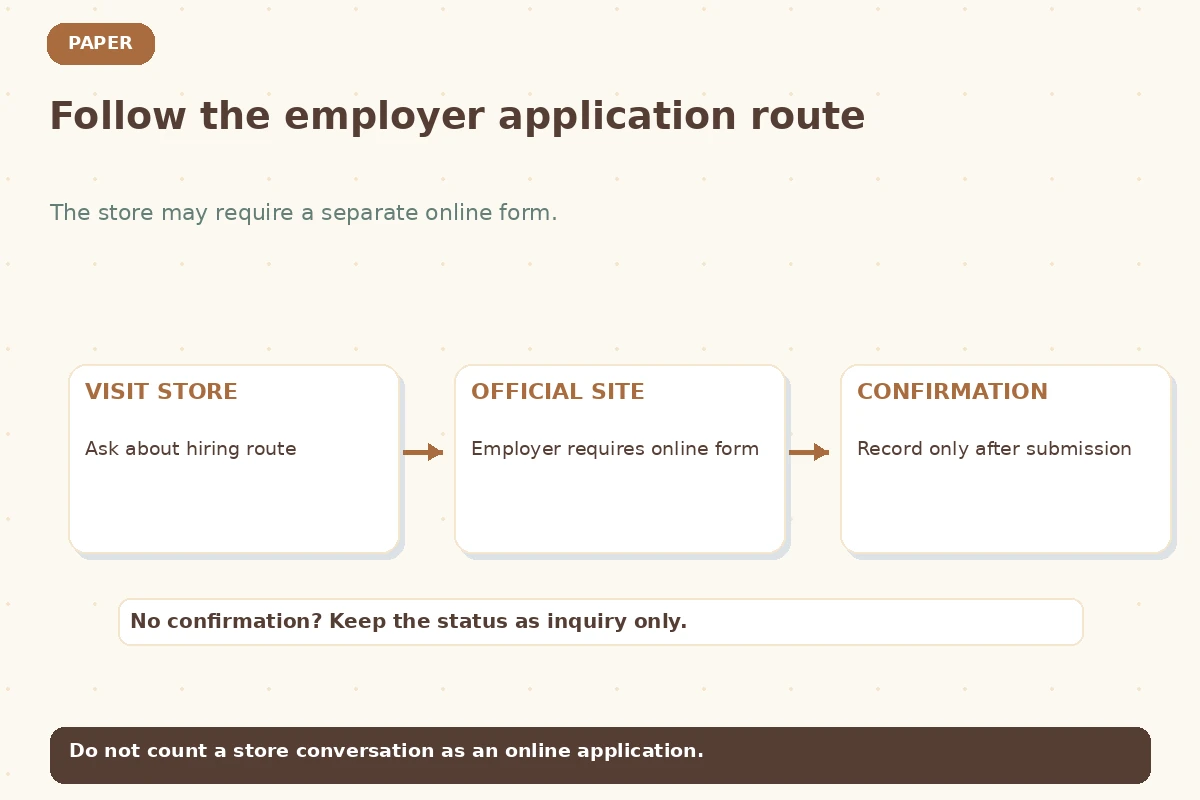
For example, a fictional applicant walks into a neighborhood café and is told to apply through the official careers page. The log should say “In-person inquiry; online application required,” not “Applied.” At another restaurant, a manager accepts a signed paper form and gives a receipt or clear acknowledgement. That entry may be recorded as submitted with the date and the evidence. The distinction stops your paper tally from overstating the number of applications you made.
Record Contact Details Without Collecting Private Information
Use a public employer phone number or official location page if you need to return. Record a staff member’s name or role only when freely provided for work contact; avoid personal mobile numbers, private schedules, home addresses or remarks about individual employees. If staff tell you they cannot accept resumes at the counter, respect that instruction. Never leave identity documents or financial details with an unverified intermediary. The FTC advises job seekers to verify employers and avoid early demands for money or sensitive personal information.
Keep the form in a folder rather than a loose pocket sheet visible to strangers. If someone offers to scan your paper log, remove other employer names and any private notes first. You generally do not need to list every conversation verbatim. A useful entry says “Official site link provided; apply before deadline,” or “Paper application handed to authorized office; review on Monday.” This format protects privacy while leaving enough detail to act responsibly.
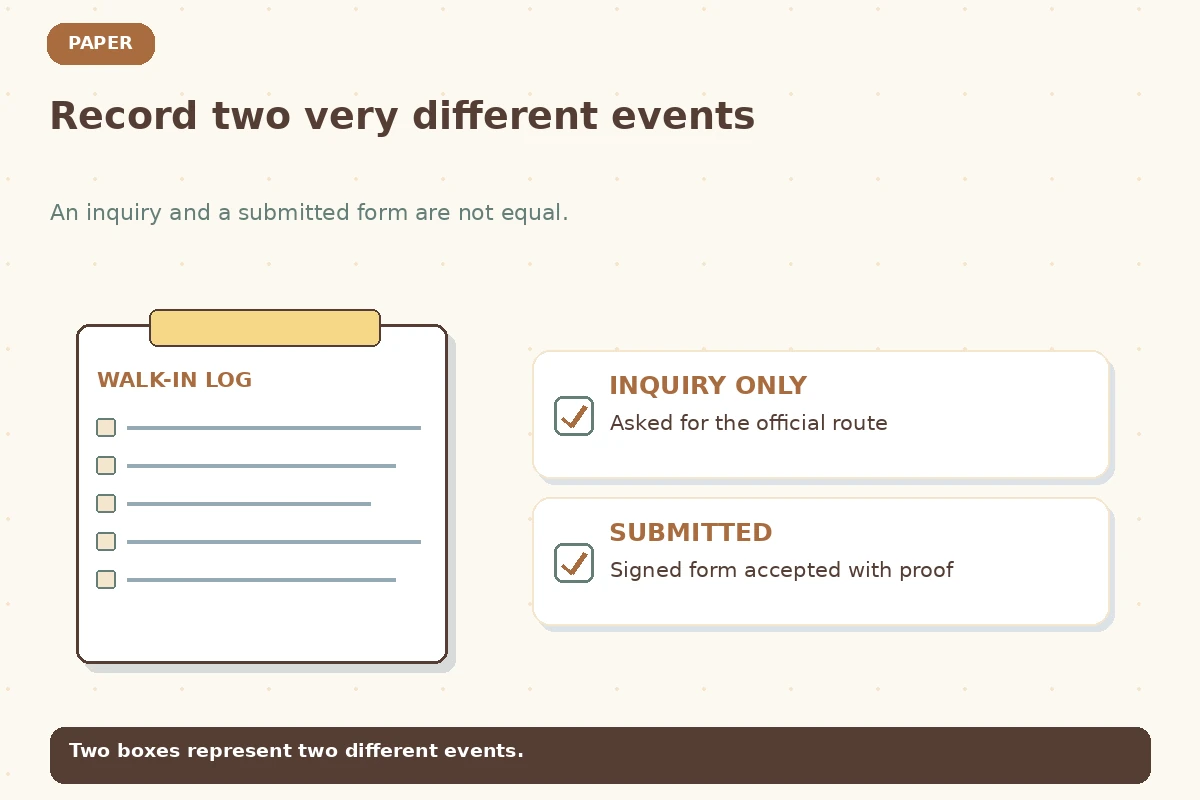
Use Two Distinct Checkboxes for Inquiry and Submission
Print a narrow first column with two checkboxes: Inquiry completed and Application confirmed. They should not be interchangeable. Under Evidence, allow a brief handwritten reference such as “receipt,” “confirmation email,” “portal message,” or “manager acknowledged paper form.” You are not required to photograph employees or documents. Do not claim an application is confirmed solely because you handed a resume to an unidentified person. If the employer says you must apply online, note that next action and keep the status as not submitted.
If the form is lost, the risk should be minor: avoid writing Social Security numbers, birth dates, account passwords, or copies of ID on the sheet. If a formal employer process requests sensitive information, use verified official channels and appropriate privacy practices instead of a self-made public checklist. The printable sheet is for opportunity management, not for collecting hiring paperwork. Store actual completed applications separately and securely if retention is appropriate.
| Field or decision | Record this | Do not assume |
|---|---|---|
| Inquiry only | Staff provided hiring route | Not an application |
| Paper form accepted | Credible acknowledgement | Record submission date |
| Official site required | Verified web instructions | Submit separately |
| Review date | Your planning reminder | No forced return visit |
Keep Follow-Up Notes Specific to Each Employer
Many walk-in opportunities involve shift availability, a seasonal hiring window or the name of the correct hiring contact. Note what you were actually told and when, rather than inventing a universal rule. If the manager says to check the website Friday, your next action is to check that site Friday. If they direct you not to return in person, record the approved channel. Do not revisit a workplace repeatedly because your log has an unchecked “follow up” box.
A useful hypothetical note reads: “Asked about weekend crew openings; official application portal required; submit by posted closing date.” An unhelpful note reads: “Manager liked me—offer likely.” The first is actionable and verifiable; the second predicts an outcome. A brief thank-you can be appropriate when there was a meaningful conversation, but only where a contact route was willingly provided. Your records should help you honor the employer’s boundaries.
Reconcile Paper Notes With Email and Portals at Home
At the end of the day, review each marked inquiry against the actual employer site or any confirmation email. Add the confirmed date only after completing the required submission. If you keep a spreadsheet too, transfer each verified role once and mark the paper entry “transferred” in pencil. Keep the physical record until you know the digital version is complete. This is especially useful when job postings expire and you need to remember the job title or location later.
Check for roles at the same company with similar names. A listing on a general job board and a sign in the store might refer to one requisition. Do not assume these are two applications. If the employer uses separate forms for separate locations, identify each distinct form accurately. Keep short notes about your actual available shifts and commute needs rather than promising availability you do not have. Your paper history should match the details you eventually enter online.

Print a Simple Example and Audit It Weekly
Here is a fictional record: “North Avenue Market | Stock Associate | Store careers page | Visit Wednesday | Inquiry only | Website link supplied | Apply online Thursday.” After Taylor applies on the verified site and saves the confirmation, the entry becomes “Submitted Thursday | confirmation saved.” A second record, “Cafe on Main | Server | Paper form | Submitted Friday | receipt noted | Review employer instructions next week,” can be marked confirmed if the employer actually accepted it.
Once a week, circle unfinished actions, cross out expired leads only after checking their real status, and file completed entries behind a separate tab. Do not replace silence with a rejection label. If you need proof for a school or employment-program reporting requirement, ask the program which official forms or records it accepts; a personal printable log is not automatically recognized as evidence by an agency. A readable one-page sheet can be highly useful precisely because it stays modest and honest.
How We Research and Check This Guide
This U.S.-focused guide was checked on 2026-11-13 against directly relevant product documentation and/or authoritative university and federal guidance: University of Michigan Career Center, Federal Trade Commission. The sample rows, people, roles and dates above are hypothetical illustrations. Employer processes vary; official application instructions and verified correspondence control your real next step. A personal tracker cannot predict acceptance or rejection. Read our affiliate disclosure; no partnership or hiring result is implied.
Related Job Search Guides
Not necessarily. Ask which official route counts as an application and record the distinction.
Prefer official employer contact channels and only record necessary professional details shared for that purpose.
No. A personal job-search log should not hold sensitive identity or financial information.
Usually one opportunity with two contacts, unless you truly applied for two distinct positions.
Check the program’s own rules; this personal worksheet is not automatically an approved reporting form.