
A job application deadline tracker should capture the employer’s exact closing instructions, not merely a calendar date copied without context. Record the date, any stated clock time and time zone, the source where you found it, required attachments, and whether final submission was confirmed. If the posting says only ‘closes Friday,’ do not invent a midnight cutoff. Aim to submit early enough to resolve upload and account problems; that is practical risk reduction, not a promise that late applications will be accepted. This method is especially useful when you apply to internships, graduate programs or jobs across different time zones.
Record the deadline exactly as written
Write down the original words as well as your personal reminder. ‘November 20 at 5:00 p.m. Eastern’ is materially different from ‘November 20’ with no time zone specified. If a portal supplies a countdown, confirm whether it refers to the application window or another event. A board’s reposted date may not match the official employer close time. Cornell’s career resource specifically lists application deadline and time zone as useful fields, which is why both belong in the same record.
Your tracker can use columns such as Deadline Source, Original Deadline Text, Time Zone Stated, Your Reminder, Required Files and Submission Evidence. Keep unknown values marked Unknown rather than filling them with assumptions. If the employer gives different information in the posting and portal, save both and ask the official contact when necessary. Do not make a legal claim about what counts as ‘on time’; the employer’s actual rules govern its process.
Set reminders for preparation, not just the final click
Working backward, list the steps that could block you: reviewing eligibility, updating the resume, requesting a permitted reference, completing forms, and checking file uploads. Place personal reminders ahead of the listed deadline with a sensible buffer. Do not translate that buffer into an invented universal rule, such as ‘all jobs close at 11:59 p.m.’ A recommendation to finish early is about protecting yourself from avoidable friction.
Use one calendar entry for the official cutoff and separate task reminders for drafts and review. For instance, a hypothetical application due November 20 may have a self-imposed review on November 17 and a target to submit on November 18. Those dates are teaching examples, not sourced deadlines. If a person must provide a reference, ask for consent before listing the contact and follow the posting’s submission rules.

Handle unclear or mismatched time zones
If a posting specifies a time zone, preserve it exactly. You may add a clearly labeled local-time conversion for your convenience, but check the date, daylight saving rules, and the applicable location rather than assuming a fixed offset. An application to a different state can become due on a different local calendar day. If no zone is specified, do not guess based solely on the employer headquarters or the browser clock.
If the discrepancy matters, ask a concise question through the official recruiting or application support channel: ‘The posting lists a date but no closing time or zone. Could you confirm the cutoff for requisition [ID]?’ Do not wait until the last hour to ask. Keep your message and the response as evidence, and update the tracker only after you have a reliable answer.

Audit required files before clicking submit
Create a small checklist from the actual posting: resume format, cover letter if requested, portfolio access, writing sample if permitted, screening questions, and any additional statement. Confirm that files open and represent your current work honestly. A student should not upload a confidential classmate’s project or claim a draft certification has been awarded. Avoid submitting sensitive identification records to suspicious links. If a requirement is ambiguous, check the employer’s genuine instructions.
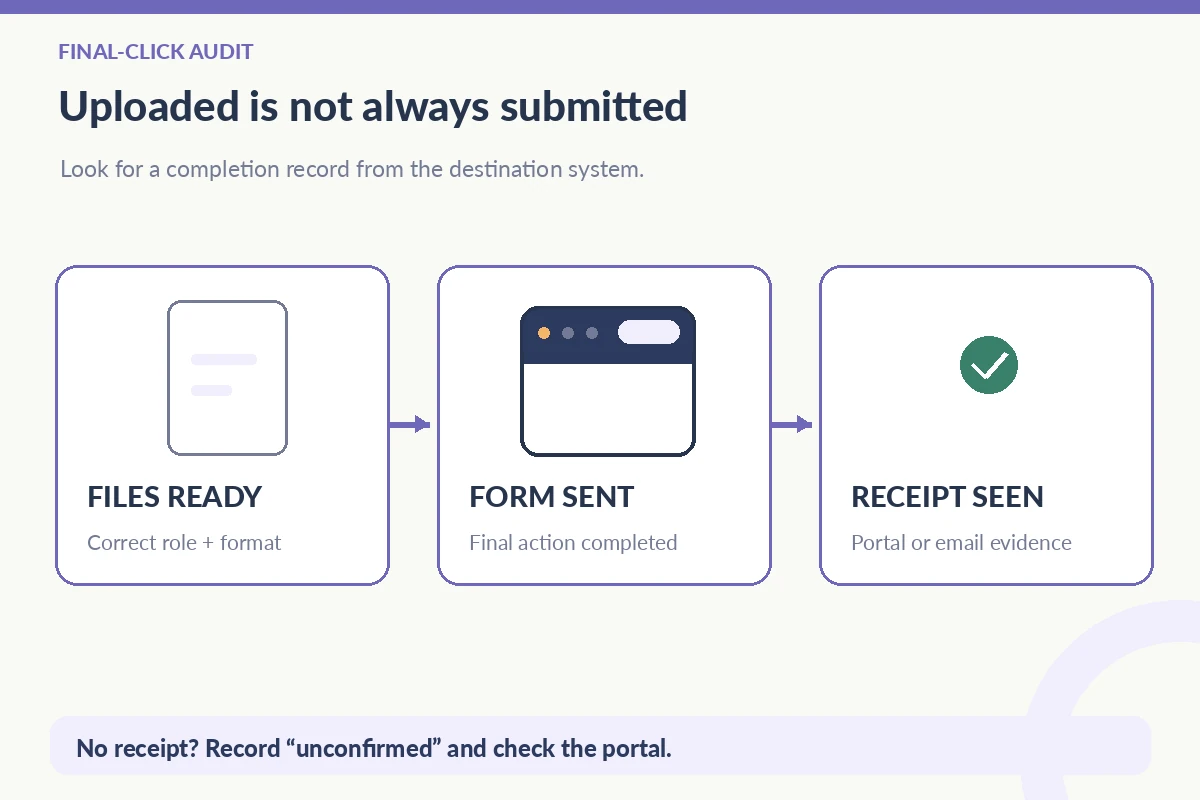
Make sure file names, upload slots and role-specific versions match. A successful upload progress bar does not necessarily mean the final application form was submitted. Complete the confirmation step and look for a receipt if the system offers one. If an error occurs, note which step failed and try the official support path rather than creating multiple new accounts. Store login credentials in a secure manager, not in the deadline spreadsheet.
| Field | Example (illustrative) | Meaning |
|---|---|---|
| Posting cutoff | Nov 20 at 5 p.m. ET | Employer-stated deadline |
| Personal target | Nov 18 | Your preparation buffer |
| Completed form | Nov 18 at 2 p.m. ET | Your submission attempt |
| Receipt seen | Confirmation email | Recorded system evidence |
Store a receipt separately from the deadline
A deadline entry says when you intended to act; a receipt says what was recorded. After submitting, record the real date and time, the destination platform, and the confirmation email or portal record. Do not turn a self-set reminder into an application timestamp. If you received no confirmation, mark ‘submission unconfirmed’ until you can inspect the employer’s record. The deadline may have passed, but the tracker must still describe reality instead of reassuring you falsely.
For a hypothetical example, your row could read ‘Official cutoff: Nov 20, 5 p.m. ET; target send: Nov 18; submitted: Nov 18, 2 p.m. ET; employer receipt: yes.’ This invented record shows how four fields differ. Whether an employer later reviews the application is unknown. Keep the evidence within a private folder and do not email more personal information to an unofficial account merely because someone claims your upload was incomplete.
Review the next seven days without panic
Sort upcoming roles by the closest verified deadlines, not by the number of notifications from boards. Put unknown-cutoff entries on a separate clarification list, and check the source before assuming they are safe to delay. Remove a closed application from the preparation queue only when it has been handled or you consciously decide not to apply. Keep the history for your own planning rather than pretending the opportunity never existed.
When a portal closes early or a link fails, capture what you actually saw and contact official support only if appropriate. No tracker can override an employer’s deadline or guarantee an exception. It can, however, show that you took sensible precautions, tracked the right time zone, prepared required materials, and distinguished successful submission from incomplete work. That is the useful standard for a reliable application calendar.
How We Research Application Tracking Advice
We compared the specific, publicly available guidance linked here: primary career resource additional source platform or career guidance verification guidance. We treat tracker fields and file organization as practical planning methods, not employer obligations or guarantees of hiring outcomes. Sample employers, requisitions and dates in this article are explicitly hypothetical and are not real vacancies. Recheck platform instructions because interfaces can change. See our affiliate disclosure; this article does not claim sponsorship or an approved referral relationship.
Related Job Search Guides
Keep the time zone unknown and seek official clarification when it matters. Avoid inventing a universal midnight or end-of-business cutoff.
Not necessarily. Many systems require a final form submission. Inspect the completion screen or portal history where available.
Compare it with the employer’s official posting or portal. Save the exact wording and source, especially when information conflicts.
Yes, for reminders, provided you preserve the original time and zone and verify daylight saving and date changes for the location involved.
Record the error and time accurately, use the employer’s legitimate support route, and avoid claiming the submission was accepted without a receipt.