
A strong system administrator resume summary names the systems you actually supported, the operational problems you handled, and the boundary of your authority. Instead of claiming that you “secured every system,” identify the environments you maintained, what you were permitted to change, and the evidence behind your results. A short summary can make a technical resume easier to scan, but it should never imply that first-line support work was independent infrastructure administration.
Choose the right administration scope before writing
Start by sorting your experience into workstation support, server administration, identity access, network operations, cloud operations, and incident response. These may overlap in a real job, but they are not interchangeable. If you reset user passwords under a defined procedure, that is useful access support; it is not proof that you designed an identity architecture. Likewise, monitoring alerts and escalating them can be valuable even if a senior administrator executed the production fix.
Read the target vacancy line by line. A company hiring a systems administrator may emphasize Windows Server, Linux, virtualization, backups, scripting, cloud services, or user provisioning. Keep only technologies and tasks for which you can explain a real environment, your permission level, and a specific example. Do not name a tool just because it appeared on a shared dashboard. If you used a training lab rather than a production system, label the lab accurately.
Build a summary from systems and proven actions
An evidence-led opening can follow this order: role or relevant background; systems and platforms; one or two verified activities; then an operational habit such as documented change control or escalation. Example, hypothetical: “IT operations specialist supporting Windows user accounts, endpoint deployment, and ticket-based access changes. Documented requests, checked group membership against approved instructions, and escalated server incidents to senior administrators.” This is precise even without claiming senior responsibility.
For experienced administrators, name an actual area of ownership such as scheduled patch cycles, backup test coordination, or server configuration under change approval. Only include metrics you can substantiate with tickets, audits, reports, or another legitimate record. Avoid invented uptime percentages and claims like “zero security incidents.” A summary is a compact introduction to the work history that follows, not a substitute for its evidence.
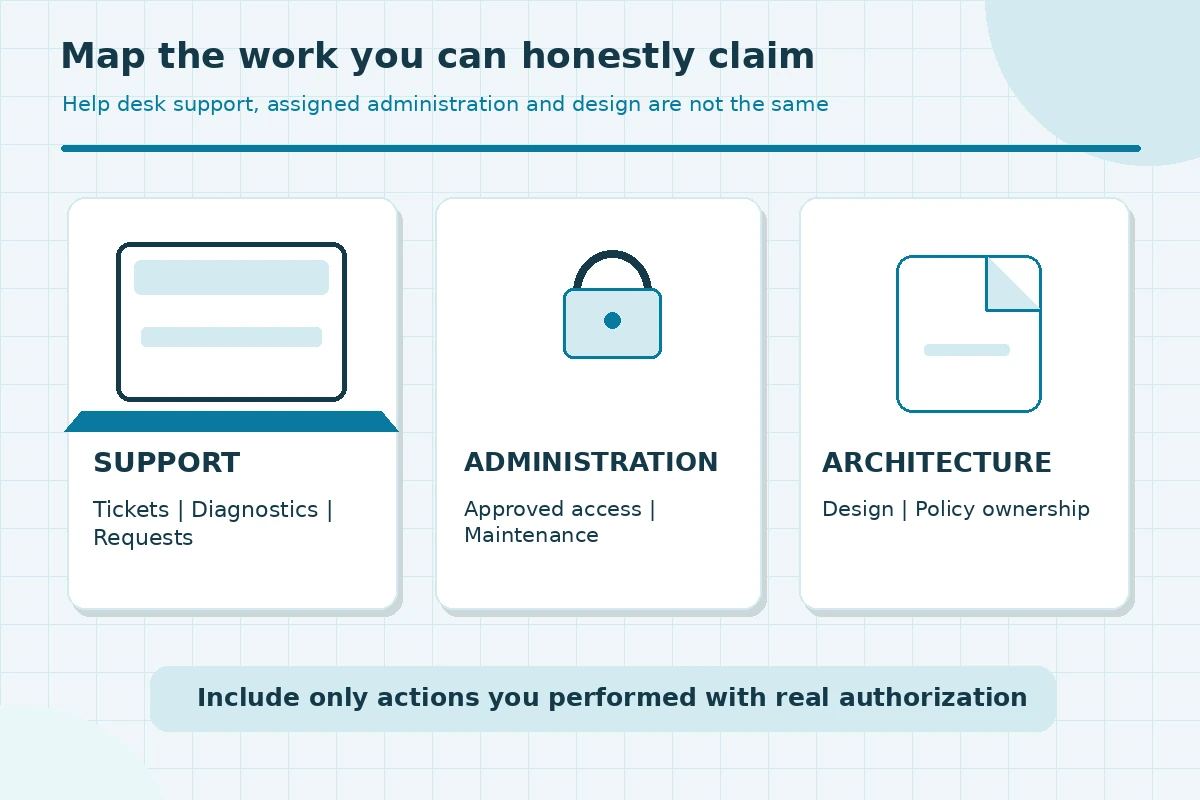
Separate first-line support from administrator authority
The BLS describes administrators as maintaining networks, servers, operating systems, access permissions, and performance. It also distinguishes the related work of computer support specialists. If you gathered alerts and prepared logs for an administrator, say you triaged and documented incidents. If you actually managed user access or patched hosts within approved procedures, state that narrower contribution. This distinction protects credibility in a technical interview.
Do not claim that you personally approved privileged changes if a security officer or manager granted authorization. Mention least-privilege processes only when you can describe how your duties connected to them. Be cautious about exposing hostnames, customer names, incident details, network diagrams, vulnerabilities, or confidential system counts. Use neutral terms such as “multi-site environment” when exact details are restricted.
Make operating evidence visible without made-up numbers
A credible metric starts from work you actually performed: volume of approved user requests handled, documented patch windows, test-restore participation, or tickets closed according to a real record. If exact counts are inaccessible, describe scope using verified, non-confidential language. “Handled access requests for a campus support team” is better than a fabricated figure about hundreds of accounts.
Quantification is not mandatory. You can describe process improvements honestly: “standardized a ticket handoff checklist for failed backups,” if you did that work and can explain the checklist. Never convert a team outcome into an individual achievement without context. If a project involved several technicians, name your part: diagnosis, documentation, maintenance, testing, or communication.
| Claim | Proof to check | Avoid claiming |
|---|---|---|
| User access | Approved requests and tickets | Security policy ownership |
| Server updates | Assigned maintenance records | Independent architecture design |
| Monitoring | Alerts and handoff notes | Zero outages guarantee |
| Lab practice | Personal project notes | Production administration |

Compare weak and strong technical opening lines
Weak: “Highly motivated computer expert who managed cybersecurity and cloud infrastructure.” This claims broad authority without examples. Better, hypothetical: “IT support technician with hands-on Windows account provisioning and endpoint troubleshooting; documented recurring access errors and referred privilege exceptions to the administrator team.” A midcareer candidate might instead specify approved infrastructure maintenance and the relevant server operating systems.
Replace adjectives with operational nouns and verbs: access request, backup verification, patch schedule, incident log, configuration change, escalation. Keep claims proportional to your experience. If a term in the job advertisement is unfamiliar, do not copy it into your summary merely to improve keyword overlap. A recruiter can ask for one concrete incident; your summary must survive that question.
Place certifications and labs in the right context
A current certification can appear after the opening line when it is truly relevant; confirm the exact credential name and active status before including it. A course completion badge is not the same as a vendor certification. For candidates moving from support toward administration, a documented home lab can provide meaningful practice with virtual machines, account permissions, scripts, or backup testing, but it must be labeled as a lab.
Keep lab experiments separate from production claims and avoid presenting a screenshot of an intentionally vulnerable environment as real employer work. State the objective, tools, and what you personally configured or verified. If your current work has no administration duties at all, a short headline plus a skills and projects section may work better than an inflated professional summary.
Check the top section against the job requirements
Review the summary beside the vacancy and mark which requirement each phrase addresses. If the role asks for Active Directory support, do you have real account administration experience or only password resets? If it asks for automation, can you explain a script you ran or tested? If a role is mainly network infrastructure, a server-only description may be too narrow. Revise for the actual position rather than using one opening across every application.
Keep the document readable. CareerOneStop suggests a brief summary rather than a dense list of technologies. After editing, read the top section aloud: every claim should sound natural and be supported by a bullet, project, or credential farther down. Remove redundant soft skills such as “detail oriented” unless accompanied by an operational example.
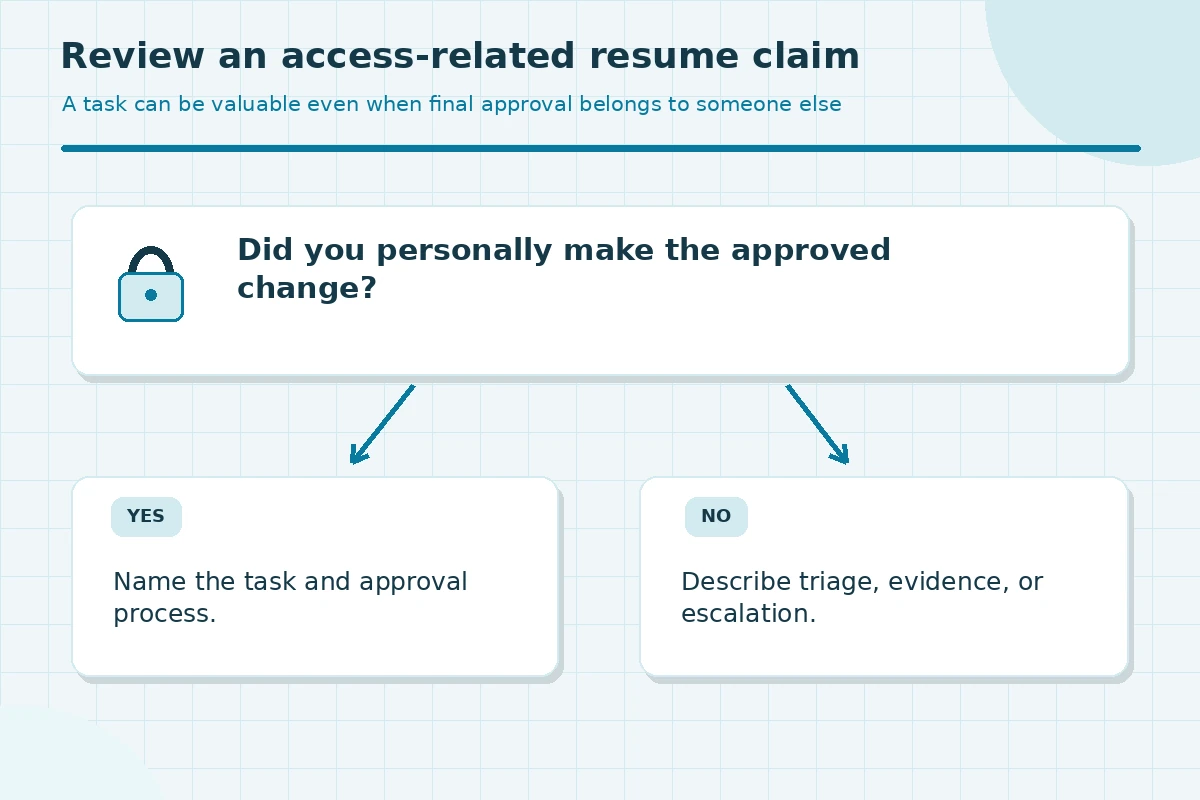
Use a final access and confidentiality audit
Before you export the resume, check that titles, dates, certifications, product names and tense match the rest of the document. Protect confidential customer, security and infrastructure information. A useful summary demonstrates safe judgment precisely because it describes how you maintained systems without revealing sensitive diagrams or credentials. Never include actual access tokens, private IP inventories, internal ticket IDs, or customer incident logs.
For the final review, ask a colleague unfamiliar with the project what they believe you did. If they infer you independently administered servers when you only escalated alerts, reword the line. If your wording hides genuine maintenance work under vague help desk language, add the specific activity and authorized scope. Accurate boundaries matter as much as strong verbs.
How We Research Resume Summaries and Professional Scope
JobAsk compared the candidate topic with the project’s supplied WordPress title inventory and earlier local batches, then reviewed role-specific government occupation descriptions and CareerOneStop resume guidance on November 7, 2026. The examples in this article are hypothetical: replace them with your own verified work, permissions, projects and credentials. Professional requirements vary by employer and jurisdiction. No job offer, software screening outcome, salary or training result is promised. Read our affiliate disclosure.
Source: cloudfront.careeronestop.org — CareerOneStop explains that an optional summary should highlight relevant skills and accomplishments, avoiding exaggerated claims and repetition.
Source: cloudfront.careeronestop.org — CareerOneStop recommends evidence-based descriptions grounded in actual tasks, context and outcomes instead of generic claims.
Source: www.bls.gov — BLS differentiates network and system administration tasks including operating systems, user access, maintenance, monitoring and technical support.
Source: www.bls.gov — BLS details computer support specialist tasks and the distinction from higher-complexity administrator work.
More Resume and Cover Letter Guides
Yes, if it is relevant. Describe ticket triage, access support, or diagnostic work and make clear which changes required administrator approval.
No. List platforms you used and can discuss, especially where the vacancy asks for them. A passive observation is not hands-on administration.
Only if you have reliable records and know your direct contribution. Otherwise explain the maintenance or monitoring practice without an invented percentage.
They can demonstrate learning when explicitly labeled as labs or projects, not described as production employer systems.
Not always. A short headline with relevant projects or skills may be more direct when there is little genuine operational experience.