
A one-page resume works when your most relevant qualifications can fit without reducing readable type, hiding dates, or deleting evidence that matters. Start with the target role and select what proves you can do its work. Then remove repetition before touching spacing. One page is a common practical choice for students and many early-career applicants, not a universal rule imposed by every U.S. employer. If a second page contains substantial, relevant material, compare the two versions rather than forcing a cramped result.
This page is a practical guide rather than a promise of hiring or successful automated screening. The advice is informed by the relevant primary guidance and a second verified reference. All illustrative candidate stories and example phrases are hypothetical; do not copy fictional accomplishments as if they were your own.
Budget the Page Before You Cut the Font
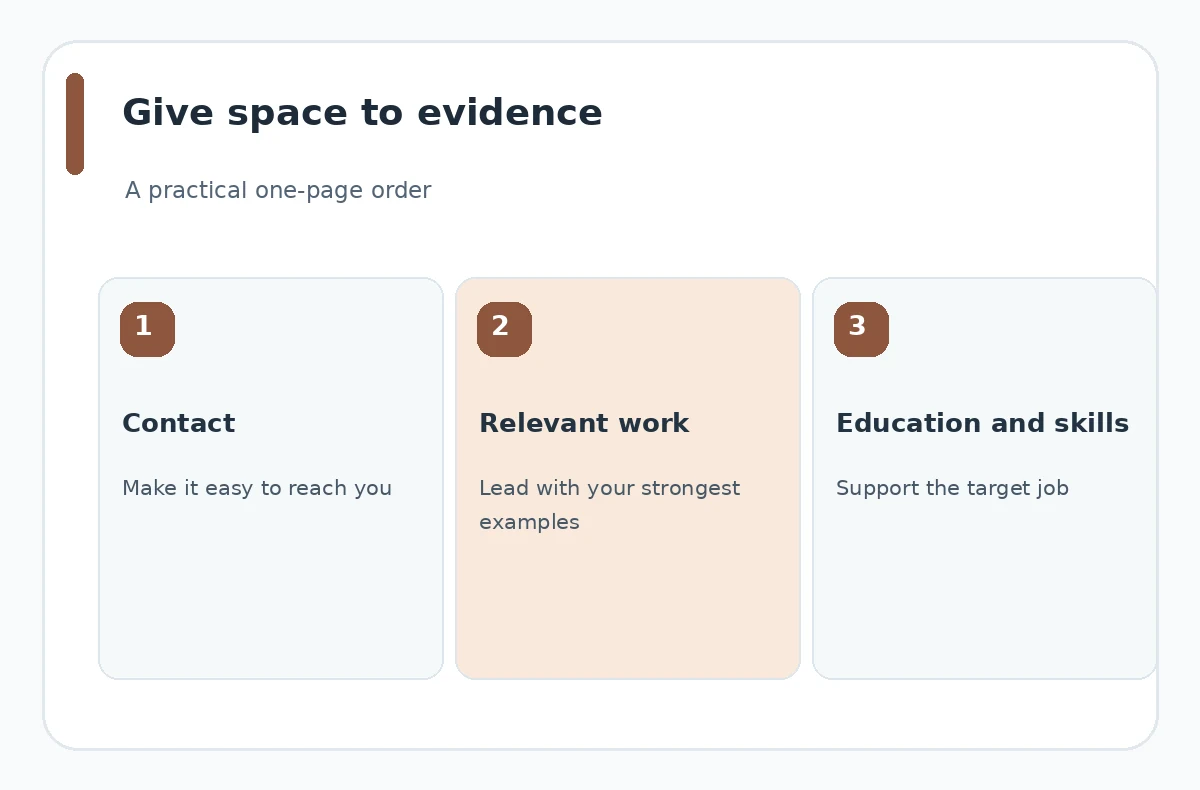
Divide the page conceptually into a clear contact line, a small introduction only when helpful, work or project evidence, education, and a compact skills area. Do not give each section an equal share by default. A career changer may need more room for dated experience than for a list of competencies; a recent graduate may lead with education and selected projects. The layout should communicate your strongest qualification quickly without distorting the record. To go further, our ATS-Friendly resume format guide shows how to build a clear document without guesswork.
UT Austin career services recommends keeping student resumes to one page and trimming a larger master resume to the most relevant items. That advice is aimed at its student audience. University of Washington Bothell notes that people with extensive relevant experience may reasonably use two pages. Treat those recommendations as a decision aid rather than competing rigid laws: audience, job requirements, and quality of content determine the better length.
Rank Every Line by Relevance and Proof
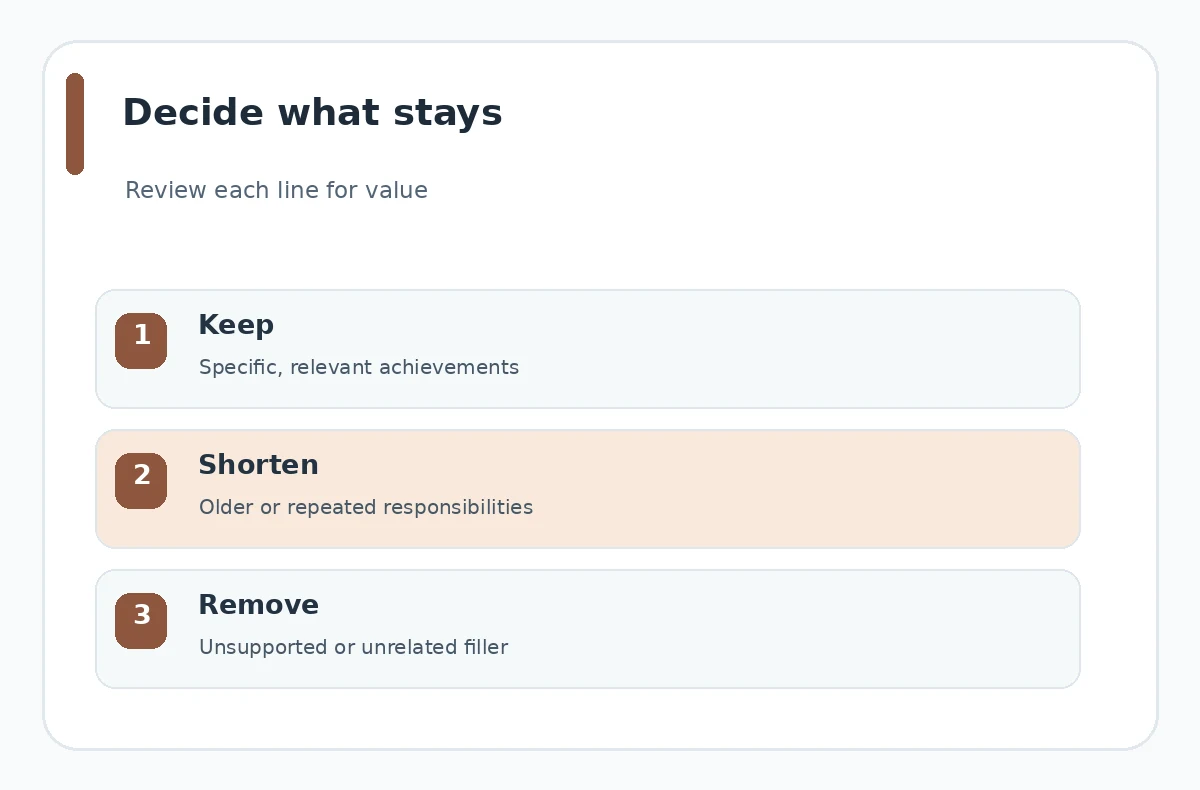
Write down the target job’s actual requirements. For each proposed resume line, mark whether it shows direct responsibility, a transferable result, a required credential, or background context. Keep the best-supported entries near the top. Compress older or less relevant experience into shorter descriptions. Remove material that does not help the reader understand your fit, unless it is needed to explain your timeline accurately.
Consider a hypothetical applicant who has worked in a campus library, organized a volunteer event, and completed a spreadsheet class. For an office assistant role, the real records, scheduling, and data-cleaning examples may matter more than a long paragraph about an unrelated hobby. The point is not to invent a polished outcome. It is to move relevant, defensible details ahead of less useful information and preserve the correct dates and labels.
Replace Repetition With Stronger Examples
Look for bullets that repeat the same duty with slightly different verbs. “Answered inquiries,” “responded to customer questions,” and “handled client requests” may describe overlapping work. If they are truly separate responsibilities, explain the distinction; otherwise combine them into one specific bullet. Keep the action, meaningful scope, and supported outcome, if known. You do not need a percentage for every line.
A hypothetical rewrite might replace “Helped with records; assisted with files; supported documentation” with “Organized incoming requests and updated a shared tracking log, following the team’s filing procedure.” This is a model sentence, not an observed accomplishment. Do not copy it as a fact unless your own work supports it. Cutting duplicate words creates room while improving accuracy, unlike shaving the margins until the document looks crowded.
| Decision | Check | Best next step |
|---|---|---|
| Keep | Recent, role-relevant proof | Accurate dates and qualifications |
| Compress | Repeated bullets and old detail | Long summaries with little evidence |
| Reconsider | Strong work lost to a page limit | Tiny type and packed paragraphs |
Set a Legibility Stop Rule
If fitting one page requires very small body text, disappearing whitespace, inconsistent dates, or long compressed paragraphs, stop. The page should be scannable on a normal screen and readable when printed. UT Austin advises a straightforward font around 10–12 points and margins of at least half an inch for its students. Other applications may require different specifications, so follow the posting if it supplies a layout standard.
Whitespace is not automatically wasted room. Space between roles, headings, and bullets helps the reader connect related facts. You can remove an unnecessary tagline, shorten a repetitive summary, or tighten a large blank gap. Do not turn every section into an undifferentiated block. When editing in Word or Google Docs, review the exported result too: a final stray line may push the document onto a second page after download. Our Google Docs resume template guide adds more detail on this.
Compare One Page Against a Strong Two-Page Draft
Keep a longer master resume containing all accurate accomplishments and a target-specific one-page draft. Compare what disappears when you compress it. If the removed material includes your strongest relevant project, major leadership work, or an essential certificate, the shorter version may be worse. If the second page merely repeats older duties and generic statements, the one-page version probably has greater focus. Our Microsoft word resume template guide adds more detail on this.
Do not evaluate length without considering context. Academic applications may request a CV; some specialized positions or substantial experience may warrant more detail. If the employer clearly requests a one-page document, respect the requirement and prioritize the strongest evidence. Otherwise choose the version that explains your fit clearly, taking reader expectations and your actual experience into account.
Complete a Five-Point Page Review
First, verify contact information and the exact position you are targeting. Second, check that the most relevant proof appears early. Third, connect every date with its organization or project. Fourth, check that the type is legible and the page breathes. Fifth, open the exact attachment to confirm it really contains one page, with no empty spillover sheet or broken header.
Ask a reviewer who has not seen the job posting to identify what role the document seems suited for. Then show the posting and ask which qualification is underexplained. That feedback is more useful than a universal claim that one page always wins. Preserve your longer master copy so the next application can be tailored without rebuilding your history or introducing new contradictions.

How We Research and Check This Guidance
We checked the linked sources on October 21, 2026. We distinguished technical product instructions from career-center recommendations and removed claims of guaranteed applicant-tracking outcomes. The decision tables and diagrams are original editorial aids, not screenshots from employer systems.
Sources, Limitations, and Affiliate Disclosure
Sources reviewed on October 21, 2026: career-center guidance supports: UT Austin recommends one-page targeted resumes for students while maintaining simple 10–12 point fonts and adequate margins. career-center guidance supports: University of Washington Bothell says one page often suits recent graduates and two pages can work for extensive relevant experience. CareerOneStop supports: CareerOneStop places resume length within a broader readability and experience-based formatting decision. These sources document general best practices and product steps; specific employers, departments, and applications may require different documents. The sources do not certify a resume template as universally compatible with hiring systems.
This page contains no confirmed affiliate promotion or paid recommendation. The 41 proposed JobAsk short links are not treated as live or approved. See the JobAsk affiliate disclosure for the site-wide policy. Internal links are informational next steps, not evidence of an endorsement.
More Resume and Cover Letter Guides
- Two-Column Resume Layout: When to Use It and How to Check It
- Two-Page Resume Format: Decide What Deserves Page Two
- Two-Page Resume Format: When Extra Space Makes Your Case Stronger
- Resume Layout for a First Job: Put Education and Real Proof First
- Executive Resume Layout: Show Leadership Scope Without Hype
No. One page is common for students and early-career applicants, but relevant experience and employer instructions can justify another length.
Consider shortening unrelated older roles first. Preserve an honest, understandable timeline where it matters.
Avoid sacrificing legibility just to hit a page count. Tighten repetitive content before changing readable typography.
Yes, when you label them accurately and they demonstrate skills relevant to the particular job.
Inspect line breaks, page breaks and spacing in the source file, then export again and confirm the final page count.