
To decline a job offer inside an employer’s application portal, sign in through a verified employer link, open the actual offer for the correct position, and look for a candidate-facing ‘Decline Offer’ action. Read any confirmation screen before submitting. Save the on-screen acknowledgment or confirmation message, then contact the recruiter directly if the portal provides no way to decline or the outcome is unclear. Do not confuse a status saying the employer ‘declined’ your application with a choice that you personally made.
Confirm that you are on the real offer screen
An application dashboard may display multiple requisitions, interview tasks, previous offers, or an employment agreement. Locate the correct job title, requisition identifier if provided, offer date, and version. A new revised offer may replace an older one. Do not act on a stale email attachment while a newer offer is pending. Use the employer’s official career site or a verified sign-in path; avoid entering credentials through an unexpected forwarded link that you cannot corroborate.
Online recruiting platforms do not present a universal interface. SAP SuccessFactors describes a ‘My Offers’ area where a candidate can review an online offer and choose accept or decline. Workday documentation says the candidate decline option can be enabled by the organization, meaning it may not be available in every employer configuration. Therefore, screenshots from a tutorial for another employer should not be treated as the instructions for yours. Read the real labels shown in your account.
Distinguish your decision from recruiter-side dispositions
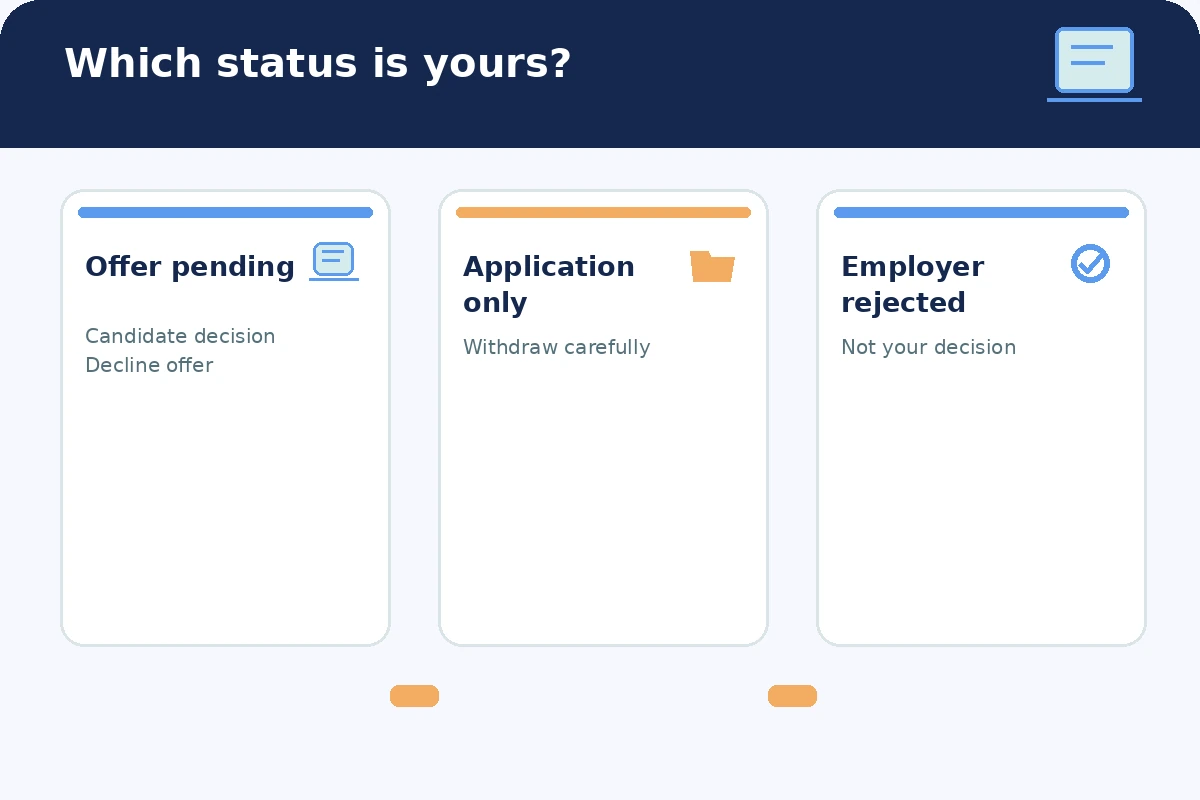
The same word ‘decline’ can refer to different actors. A candidate may decline an offer; a recruiter may reject a candidate at an earlier recruiting stage; or a candidate may withdraw an application before there is an offer. These are different events with different effects. Look for ‘Decline Offer’ attached to the offer you received rather than assuming a generic ‘Withdraw Application’ action means exactly the same thing.
Before submitting, inspect the screen for a confirmation step, an optional or required explanation, and the record that will change. SAP documentation says a comment is required for online offer declines in its documented configuration. A brief note can be sufficient: ‘Thank you for offering the Scheduling Assistant position. After reviewing the offer, I have decided to decline. I appreciate your consideration.’ That is a hypothetical example, not a universal platform requirement.
| Screen label | What to verify |
|---|---|
| Decline Offer | It is attached to your pending offer, not another application |
| Withdraw Application | Whether this removes your candidacy rather than records an offer decision |
| Declined / Not Selected | Whether it describes an employer decision already made |
Choose the latest valid offer and avoid accidental clicks
If the portal lists an original offer and an amended offer, compare the date and the version number before acting. SAP’s online-offer documentation says its supported ‘My Offers’ view can show multiple versions, with only the latest one available for acceptance. An employer may also send separate agreements or onboarding tasks. Do not sign an agreement just to unlock a decision screen, and do not treat a ‘Continue’ button as harmless without reading the prompt.
Make the decision only after you have concluded that you do not want the job. If you are uncertain about hours, location, or job duties, use the recruiter contact method and ask your questions instead. A decline action may end a hiring workflow and may not be reversible by the applicant. If you have already accepted an offer or signed an agreement, do not assume the same button is a substitute for reviewing your specific commitments. This page is for declining a pending, unaccepted offer.
Write a short reason if the form requires one
Form notes should be professional, factual, and free of confidential information. If a comment is required, a simple thank-you and direct statement of refusal usually communicates more than a long explanation. For example: ‘Thank you for offering me the Customer Operations role. I am declining the offer after consideration. I appreciate the interview team’s time.’ If you want to share a reason, use a broad description that is accurate, such as ‘the role does not match my current availability.’
Do not enter someone else’s name, competing compensation figures, sensitive identity data, or a request to negotiate when you have already decided to decline. Check the spelling of the title, use respectful punctuation, and avoid chat abbreviations. If the portal offers a dedicated ‘Email Recruiter’ option, it is distinct from clicking ‘Decline Offer.’ Depending on the organization, one or both channels may be useful; follow the provided workflow and then check what actually changed.

Confirm the new status rather than assuming the click worked
After submitting, look for a confirmation page, a timestamp, an acknowledgment email, or a clearly updated offer status. A click followed by a browser timeout is not proof that the system recorded the choice. Refresh cautiously and inspect the offer history or inbox rather than repeatedly submitting the same action. Keep a screenshot of the final confirmation if allowed by the platform and appropriate for your records; avoid capturing private HR data unrelated to your own application.
If the page still says ‘Pending’ or shows an error, send one concise message to the verified hiring contact describing what you attempted, without claiming that the decline was successfully recorded. If you have no response and the deadline is approaching, use another authorized channel. Be especially careful with no-reply emails: responding to the notification may not reach a person. A portal is a workflow, not a guarantee that someone read your decision immediately.
Escalate access problems without exposing personal data
If the decline button is missing, grayed out, or inaccessible, do not try random administrative links or share your account password with a recruiter. Describe the issue with the job title and general screen label, and ask which official path the employer wants you to use. If you are locked out, reply to the original verified recruiting address or use the employer’s published applicant support channel. Avoid sending government IDs or banking information to prove that you are the person declining.
Be explicit in your email: ‘I intend to decline the offer for [actual role]. The portal does not show a working decline action. Please advise whether you can record the decision or provide a secure method.’ This is not the same as asking the employer to ‘reject’ you. If your account has multiple active applications, specify which job offer you mean; do not accidentally withdraw from roles that you still wish to pursue.

Keep a small record of the final offer decision
Your application tracker needs only the employer, job title or requisition, date of your decision, channel used, and confirmation status. Note whether the employer acknowledged it or whether you need to follow up. Store that record privately and avoid sharing recruitment screenshots in public posts. You can be courteous without giving the employer a long personal history. The decision should be easy for an HR professional to match to their offer record.
If you later want to apply for another opening, treat that as a new decision. A previously declined offer does not, by itself, tell you whether a new requisition is open or whether the employer will consider you. Confirm through the normal career site rather than attempting to undo the recorded decision. When in doubt, the employer’s own portal instructions and an authorized human contact are the final reference points.
How We Research This Guide
This guide draws on these primary professional resources: SAP documents candidate online-offer screens, decline comments, and contact options.; Workday documentation explains that candidate decline actions depend on employer configuration.; UC Berkeley advises explicit and respectful offer-decline notices to employers.. We checked the linked resources on November 16, 2026 and compared the topic against the existing JobAsk collection to avoid duplicating a general job-offer refusal guide. The guidance is a decision and communication framework, not individualized legal, academic, or employment advice. Examples are hypothetical, and employer or program instructions may differ. No paid product, commercial link, or affiliate relationship is recommended. Our affiliate disclosure explains the site policy.
Related Workplace Guides
It depends on how the employer configured its candidate experience; a decline option may be enabled, but menus and labels vary.
Yes. SAP documents an online-offer flow that requires a brief comment; supply a factual professional note without private details.
Not necessarily. Verify which position and recruiting stage the action affects before submitting.
Check the offer history and email, then contact the verified recruiter with your decision and describe the technical issue.
Do not assume a self-service reversal exists. Contact the employer about any new application; availability and policies differ.