
If you are leaving an it support role, give a clear notice with your proposed final date, then handle the role-specific work separately. Your supervisor should confirm the employment date and decide who accepts unfinished responsibilities. This guide shows what to check, what to document, and which decisions belong to managers or specialist teams—not the departing employee. It is written for US readers; your employer policy, agreements, state rules and actual duties can change the correct process.
Start with a documented notice and a precise final day
A resignation letter should establish your decision; it does not need to settle every task, financial question, or equipment issue. Check the notice terms you actually agreed to and ask HR or your supervisor how the end date is recorded. There is no universal federal rule requiring every employee to give two weeks of advance notice; contracts, organizational policies, and state requirements may differ. Keep the message factual and preserve your own permitted record of the confirmation.
Make the resignation separate from system changes
Give a clear employment notice to your manager or HR. Do not combine it with changes to admin privileges, service accounts, monitoring rules, or help desk queues. Those changes are operational work that a designated owner must authorize. Name a proposed last working day and ask for the formal offboarding schedule, especially if you cover weekends or urgent incidents. Avoid assuming your access remains active until midnight on your final day.
An IT analyst can write: “I am resigning from my help desk role, with [date] as my proposed last day. I will prepare a status list of assigned tickets and current knowledge-base links for an approved handoff. Please identify the owner for access and device-return coordination.” This notice does not promise to keep supporting production systems after separation or to share passwords to ease the transfer.
Classify ticket work by urgency and ownership
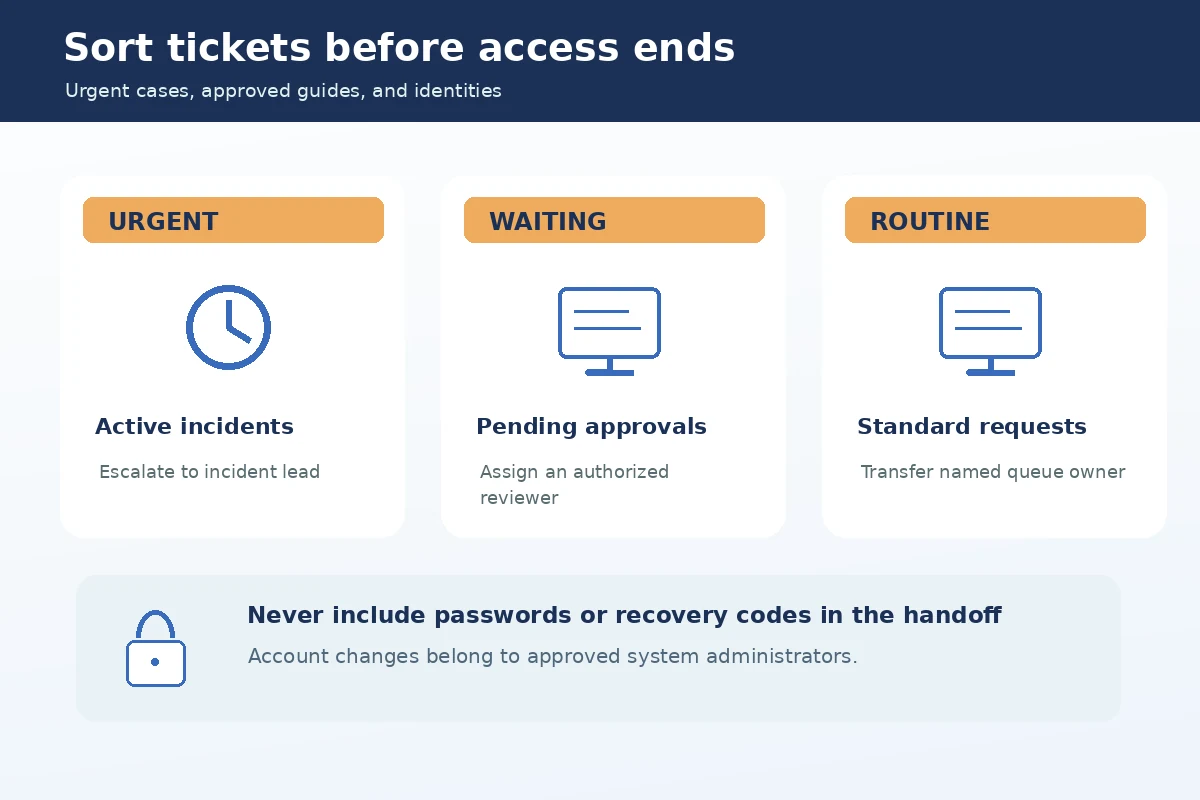
Export only an authorized summary from the service desk, or prepare the summary inside its existing reporting tools. Separate urgent incidents, time-bound access requests, and lower-priority maintenance. For each item, note ticket number, current status, dependency, next action, and assigned receiving team. Leave customer data, authentication secrets, and internal attachments in the managed platform; recipients can open them with their own permissions.
Consider three hypothetical tickets: a failed account unlock requiring identity verification; a printer issue pending a hardware visit; and a software request awaiting license approval. The handoff should say who may continue each task and what condition blocks closure. It should never tell the next analyst to bypass the identity-check step or grant a license outside their approved role.
Document procedures without exporting secrets
Useful runbooks explain where a sanctioned process lives, how to recognize an issue, which team owns it, and what escalation path to follow. They must not contain current passwords, recovery codes, private keys, personal account data, or copies of sensitive logs. The FTC recommends access limitations and keeping personal data only for legitimate business needs. Use internal document systems with an approved review path and version history.
For a recurring mailbox provisioning request, document the official intake form, manager approval requirement, fulfillment team, and verification step. Do not paste a privileged token into the guide or suggest a shared login so others can “pick up where you left off.” If a privileged credential appears in an old file, report it to the system owner for remediation rather than forwarding the file privately.

Assign the access-review owner before your last day
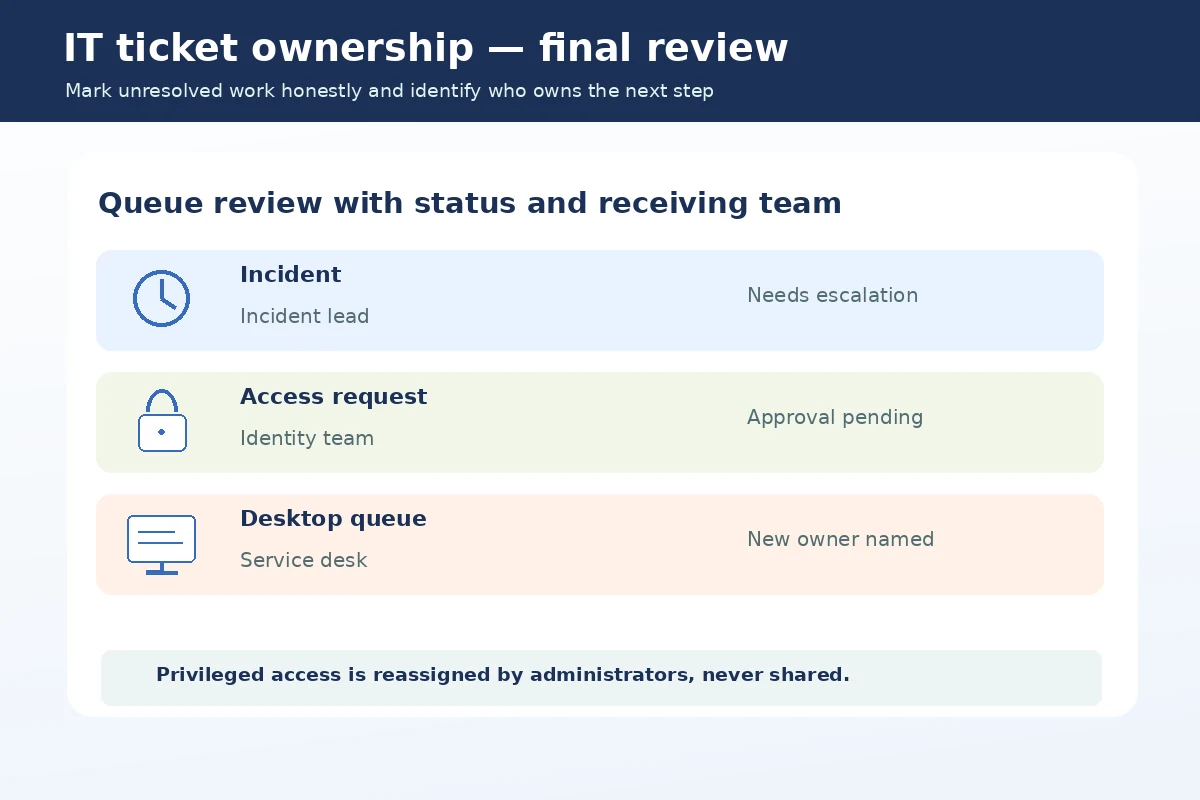
Identify the team responsible for disabling your identities, collecting physical tokens, reclaiming licenses, and transferring any named service ownership. NIST describes revoking credentials and retrieving security-related system property as part of organizational termination controls. The departing employee can help identify the systems involved, but should not self-approve privileged changes or create unofficial backdoor access for transition convenience.
A safe worksheet lists an identity or application category, the administrator responsible, and the intended review checkpoint. Examples include VPN, cloud admin console, issue tracker, building badge, on-call paging, and device management. Do not write “password shared with successor” as completion evidence. Instead use an approved administrative reassignment with auditable ownership changes.
Identify business continuity risks explicitly
Ask which scheduled deployments, license renewals, backups, maintenance windows, and critical contacts are at risk during the transition. Report unresolved conditions with measured language and a timestamp. If an outage is in progress, follow the current incident command structure; a resignation does not grant authority to make emergency infrastructure changes without approval. Escalation is often more useful than attempting a heroic last-minute fix.
A sample status entry is: “Endpoint update pilot paused pending change advisory approval; owner needed by Thursday; rollback guide is linked in the controlled change record.” That communicates responsibility and dependency. Avoid claims that the pilot is safe merely because no incidents have occurred yet. Another authorized engineer should confirm any transition before the departing worker closes related tickets.
| Item or deadline | Who decides or receives it | What to record |
|---|---|---|
| OPEN TICKETS | Supervisor or designated owner | Status and confirmed end date |
| ACCESS REVIEW | Authorized specialist or manager | Approval needed and next step |
| RUNBOOK | Receiving team or successor | Where approved records live |
| Personal employment record | HR or payroll contact | Permitted copy of notice or pay record |
Keep personal records separate from employer data
You may retain your own resignation correspondence and permitted employment records. Do not download ticket histories, user directories, customer contracts, privileged scripts, or monitoring dashboards to demonstrate future job accomplishments. If you need evidence of your work for a resume, describe role categories, approved training, and nonconfidential improvements without copying proprietary examples. Ask HR about references rather than relying on hidden records.
For example, a résumé bullet might say “Triaged incoming desktop issues and escalated identity-verification cases using documented procedures.” It does not need a ticket transcript with someone else’s personal information. Review confidentiality obligations and company policy before mentioning named clients or operational details. If uncertain, remove the identifier and ask for approval rather than making a personal backup.
Use a sign-off conversation to test readiness
Hold a short review with the receiving analyst, ticket queue manager, and access owner where appropriate. Walk through one urgent example, one ordinary request, and one outstanding dependency. Confirm which person can open the relevant systems under their own identity. Record who accepted each transfer and what remains unresolved; do not mark an item complete merely because you sent an email.
A useful acceptance line reads: “Printer support queue reassigned to workplace technology team; two unassigned tickets remain for service desk manager review.” The language distinguishes completed transfers from open work. If a colleague is unavailable, escalate to the manager for assignment. Your duty is to provide accurate notice and reasonable handoff within your authorized role, not to guarantee future SLA performance.
Finish with devices, tokens, and access confirmation
Before leaving, return the laptop, security key, phone, access badge, and any licensed hardware as instructed. Use the employer’s secure process for personal files and do not wipe managed devices on your own initiative. Confirm the name of the offboarding contact, the asset return receipt, and where any final wage or benefits correspondence will go. A private paper trail can be limited to dates and acknowledgment, without technical secrets.
A final sequence is: supervisor confirms date; ticket owner signs off; runbook links are reviewed; access administrator schedules revocation; assets are returned. If you discover an active personal admin account after separation, notify the security contact through approved means. Never sign back in “one last time” without authorization, even to finish a task that seems harmless.
How We Research Resignation and Handoff Guidance
We reviewed the following primary or authoritative US sources on November 7, 2026: nvlpubs.nist.gov (NIST personnel termination and account revocation safeguards). www.ftc.gov (FTC guidance on limiting and protecting personal information). www.shrm.org (SHRM offboarding practices for access and project handoff). These sources address specific employment, security, tax, or organizational practices, not a universal resignation form. Where policy or legal obligations differ, consult the actual employer terms and current state guidance. Illustrative examples are not real employee records or professional legal or tax advice.
This article contains no paid ranking of templates or confirmed commercial relationship. Read our affiliate disclosure. Do not expect a particular reference, paycheck date, or rehire outcome merely because you use this format. Accurate records and respectful communication are more useful than unsupported promises.
Explore Related Career Guides
Check your employer agreement, school or workplace handbook and applicable state rules. A two-week custom is not a universal federal requirement; obtain date confirmation from the appropriate office.
A concise dated email is often useful as a written record, but follow your employer’s actual notice process. Keep a permitted copy and ask the receiving manager to confirm the effective date.
No. Inform the designated supervisor or HR first. Let management decide who needs a role handoff and which external contacts should receive an approved notice.
Document the status, urgency, location of authorized records, and receiving owner. Do not mark unapproved or incomplete work as finished or keep personal access to complete it later.
Keep only employment records you are entitled to retain. Do not copy protected customer, donor, student, credential, or business information to personal accounts for reference or portfolio use.