
Resume section headings should tell the reader what information follows. “Work Experience,” “Education,” “Skills,” and “Projects” are usually clearer than creative names such as “My Journey” or “What I Bring.” Use the standard label that matches the evidence, then customize order and subheadings for the actual job. A meaningful heading helps a person scan the document and reduces avoidable ambiguity in document conversion; no heading can guarantee how a particular applicant-tracking system will behave.
Pick a heading based on the content beneath it
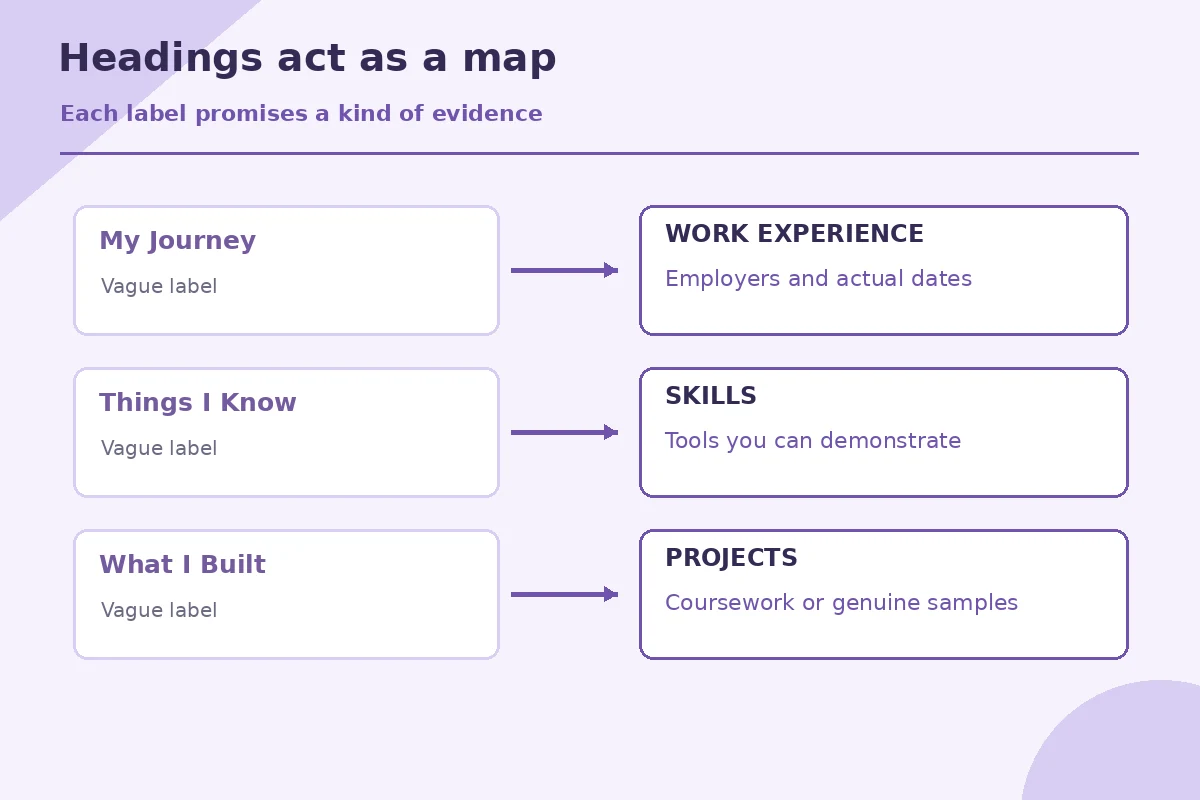
A heading is a promise about the material that follows. “Work Experience” should contain real work roles with employers or clients and dates; “Education” should identify a school, program or credential accurately; “Projects” should describe actual work samples or school assignments. Avoid moving a school project into “Professional Experience” solely to make it look like paid employment. Accurate section names prevent a reviewer from misreading how you gained a skill.
If a heading has only one item, ask whether that item is important enough to deserve a separate section. A single software tool might sit naturally inside “Skills,” while three substantial approved portfolio pieces can justify “Selected Projects.” The question is not how many headings you can fit on a page; it is whether a reader can find relevant evidence with minimal effort. UC Davis and Penn both emphasize clear organization and prioritization.
Use conventional names before inventing a clever label
Start with labels that appear in ordinary resumes and job-application forms: “Professional Summary,” “Work Experience,” “Education,” “Technical Skills,” “Certifications,” and “Volunteer Experience.” Not all are required. Replace vague branding such as “Impact,” “My Story,” or “Career Highlights & More” when it obscures the kind of record beneath. An elaborate label can make the recruiter pause to decode the design when they need a work date or qualification.
Consider a hypothetical candidate who titles a section “Things I Built” and lists a class spreadsheet, a volunteer event schedule, and a paid dashboard assignment. Those items differ in context. Renaming the group “Selected Projects” and labeling each entry “coursework,” “volunteer,” or “employment project” is more informative. There is no need to pretend every achievement belongs in paid employment. Good structure makes the actual contribution easier to trust.
Add specialized labels when they improve precision
A research applicant may legitimately need “Publications,” “Presentations,” or “Research Experience.” A design candidate may use “Selected Portfolio Projects,” and an educator may show “Teaching Experience” separately from “Other Employment.” These are not prohibited or necessarily confusing. The label should match the content and the field’s normal conventions, with dates and descriptions still visible. If a hiring form asks for an academic CV rather than a resume, follow that separate document convention.
Avoid turning a license that is still pending into a section called “Professional Licenses” without stating its status. “Licenses and Certifications” is appropriate when the listed items are accurately named with active status, issuer or dates as applicable. For an unfinished course, a different education description may be safer. The word at the top of the section should never promise authority that the entries do not prove.

Make the visual heading and document structure consistent
Use the same visual size, weight, capitalization pattern, and spacing for parallel section labels. Microsoft’s accessibility guidance recommends built-in heading styles and a logical heading hierarchy when authoring documents. In Word, styles can make the document easier to navigate and revise, but the final resume still needs a clean visual review. Do not create important information solely by placing text inside a floating shape or decorative image.
A common mistake is to use a huge bold line for a company name and a smaller line for “Experience,” leaving readers unsure what is a section versus an entry. Give the section label a consistent style; put each employer, title, and dates in a predictable pattern below it. If you use horizontal rules for separation, the heading must remain readable without those lines. Color can support emphasis, but the difference should also be apparent in weight and position.
| Situation | Action | Check |
|---|---|---|
| My Journey | Work Experience | Paid roles with employer and dates |
| What I Know | Skills | Tools and abilities you can demonstrate |
| Work I Made | Selected Projects | Clearly labeled sample or coursework |
| Learning Path | Education | Actual school, degree and status |
Test section names in a plain-text pass
Copy the resume content into a plain-text editor or inspect text extracted from the final PDF. Read only the section labels in order. Do they form a useful map of the document? Then read the first entry after each label to see whether the label is truthful. This simple test can reveal a heading inside a text box that exports unexpectedly, or skills that appear before the associated section name. It does not simulate every employer parsing tool.
If you are applying through an online form that separates education and work history into fields, keep the attached resume organized but enter all required information into the application’s designated fields. Headings are not a substitute for completing the employer’s questions. Check that the sections still make sense to someone unfamiliar with your school or employer names; spell out ambiguous acronyms on first use.

Choose what belongs first without changing what a heading means
A recent graduate may lead with education because that is the strongest relevant evidence; an experienced applicant may lead with work history; a portfolio-driven role might feature selected projects near the top. The heading names can stay conventional even when the order changes. Do not title a section “Experience” if it is actually only a list of tools you want to learn, and do not conceal a long employment gap using a misleading section heading.
Before sending, compare the job’s required qualifications with the first page. Can a reader locate your relevant experience and credentials quickly? Review spelling, alignment, and the section boundaries in the export. The best heading system often looks simple because it removes translation work. That simplicity is an editorial choice, not a promise of automated screening success.
How We Research Resume Layout and Export Requirements
We reviewed these primary university, government, and software documentation sources on November 7, 2026. Guidance varies across job sectors, and federal application rules have changed; always read the current employer announcement. The resume examples here are hypothetical and are not actual candidate records. careercenter.ucdavis.edu (UC Davis recommends clear section headings and reverse-chronological ordering within resume sections.) support.microsoft.com (Microsoft recommends built-in heading styles and logical heading levels for accessible documents.) help.usajobs.gov (USAJOBS asks federal applicants to show relevant work experience and qualifications clearly in their resume.) careerservices.upenn.edu (Penn Career Services explains how to organize education, experience, projects, skills, and leadership into relevant sections.)
These guides are informational and carry no paid template rankings or verified software partnerships. Read the site affiliate disclosure for how any commercial relationship would be identified. No layout technique guarantees screening results or an interview invitation.
More Resume and Cover Letter Guides
Work Experience, Education, Skills and Projects are widely understandable. Include only sections that match your real material.
Both can work, but describe unpaid placements or coursework truthfully. Use precise sublabels where the status might otherwise be misunderstood.
Yes. Research Experience, Publications, Technical Skills and Selected Projects are useful when the entries genuinely belong there.
That cannot be guaranteed. Clear labels can reduce ambiguity for people and software, but each employer system operates differently.
No. Review whether the content is relevant, accurately categorized, properly dated and readable in the final export.