
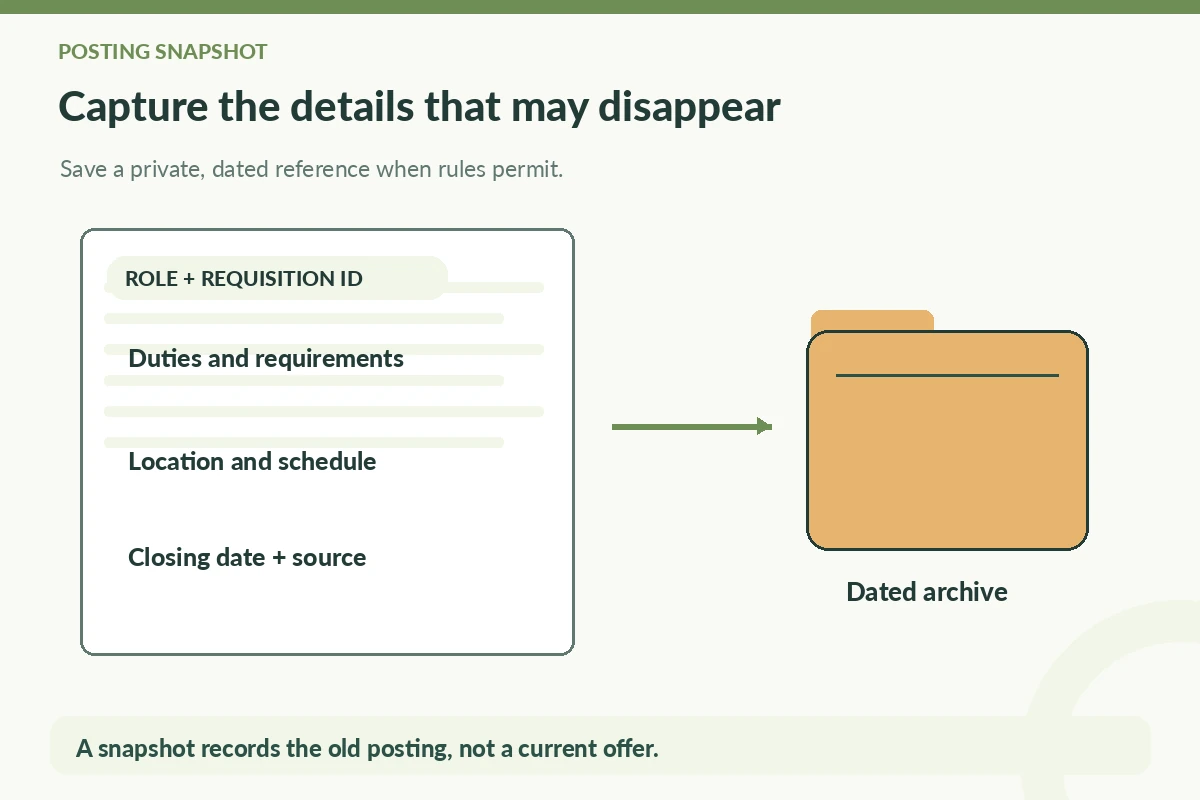
Save a useful copy of a job posting when you apply, not because a closed listing means rejection but because the description may disappear before an interview. Keep the employer’s name, exact title, location or work arrangement, requisition ID, core duties, qualifications, stated deadline, and the link you used. Where permitted, save a private PDF or screenshot of the posting for your own reference. Date the copy so you do not confuse the old advertisement with current hiring terms. The archived posting is a preparation tool, not proof that an opening is still active or that any compensation and conditions remain unchanged.
Capture the information an interviewer can ask about
Prioritize the actual responsibilities, required skills, reporting relationship if specified, and any application instructions. A bare URL can fail when a board removes the listing or an employer takes it down after the closing date. Nichols College explicitly recommends saving descriptions for later interviews. If you use a screenshot, verify that the full role description is visible; a screenshot of only the headline is unlikely to help you prepare. If the posting prohibits copying or includes restricted material, follow those rules and keep brief personal notes instead.
Create a small summary in your own words: ‘Role emphasizes inventory discrepancies, shift handoff and safe recordkeeping; questions to ask about training.’ Do not silently turn a preferred qualification into a required license. Distinguish duties in the advertised role from duties that you personally performed. A saved copy should make it easier to identify examples you can discuss honestly, not offer language to paste into your resume as if it were your own work.
Record what can change and what should not
Keep the capture date and the source address visible in your log. Work arrangement, location, schedules, pay ranges when stated, and closing dates can change in later revisions. When the employer posts an updated version, save the new version separately and note the difference rather than overwriting the old one. A current recruiter or official portal controls the real hiring terms; your private screenshot only shows what you saw on a particular day.
The requisition number is particularly useful when two positions share a title. For a fictional example, ‘Operations Assistant, Request OR-118’ and ‘Operations Assistant, Request OR-122’ may belong to different teams. Those identifiers are invented for instruction. Record an actual posting’s ID exactly as shown and avoid shortening a number that may contain meaningful letters or zeros. Do not claim a board’s own listing ID is necessarily the employer’s internal ID.
Organize an interview-ready evidence folder
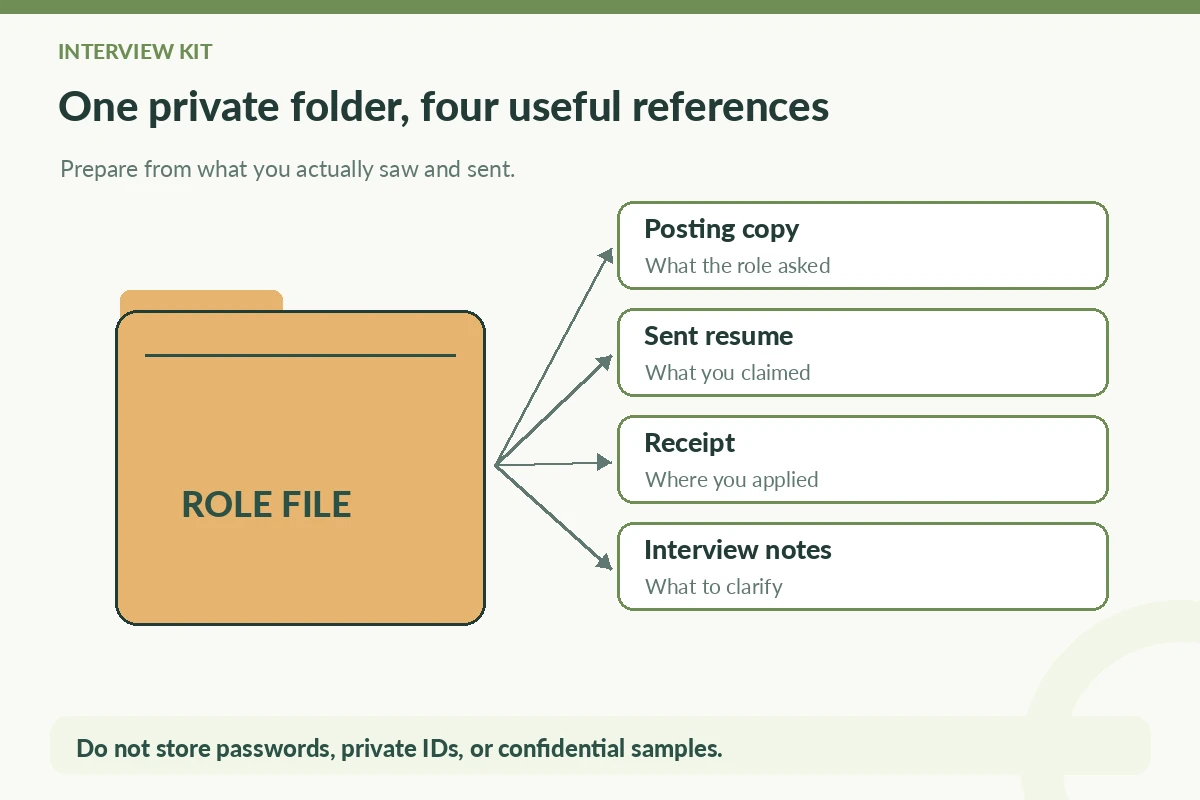
For each real application, make a folder with a posting snapshot or concise notes, the resume and cover letter actually sent, any receipt, and a short interview checklist. The folder name can be a safe short code rather than the employer and all personal details. Attach the folder’s local path to your application tracker. Store it somewhere you control, and be careful with sharing permissions if a cloud drive synchronizes it to multiple accounts.
Suppose your hypothetical posting requests customer issue triage, spreadsheet updates and handoff notes. Your checklist could ask: ‘Which personal example demonstrates accurate handoffs? Which tool did I actually use? What should I ask about the team’s escalation process?’ These are prompts, not invented achievements. You can create a small matrix matching each job requirement with a truthful example or an honest ‘learning goal’ when you lack experience.
Handle expired or broken listing links calmly
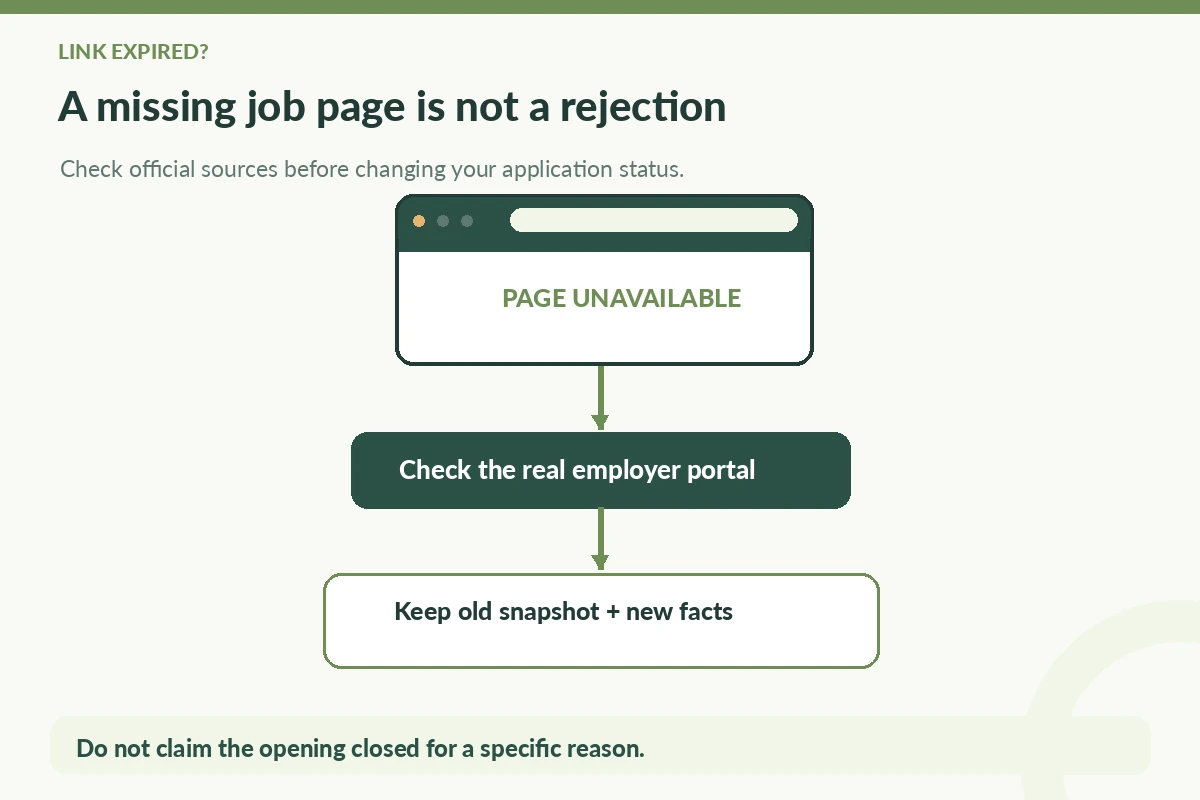
When the original link returns an error, do not mark the application rejected. Verify the employer’s real careers page and check any portal messages associated with your earlier submission. The listing may have closed, moved to a new URL, or been removed; your snapshot cannot establish which reason applies. If you received an interview request, use the genuine contact channel to confirm the position and interview arrangements if details conflict. Keep the old snapshot for what you originally applied to.
Avoid relying on a newly discovered mirror page that asks for account credentials or identity documents. Fraudulent job ads can imitate real company names. The FTC recommends independent verification rather than trusting a recruiter-supplied link. An official-looking logo in a stored screenshot does not prove the page was legitimate. If the link was suspicious from the start, flag the record and use the company’s verified contact information before further action.
| Keep | Use for | Do not assume |
|---|---|---|
| Exact job title + ID | Identifying the opening | A board ID equals an employer ID |
| Duties + qualifications | Interview examples | All terms remain unchanged |
| Capture date + source | Understanding what you saw | The opening is still active |
| Application receipt | Proving submission record | The employer has made a decision |
Turn saved duties into focused interview questions
Highlight the two or three responsibilities most central to the role. For each, write one real example from employment, coursework, volunteering or a personal project and accurately label its context. If the posting calls for a process you have not performed, prepare to explain adjacent skills and training needs rather than inventing familiarity. Read the team’s public information only after verifying the organization and keeping role-specific claims separate from broad company descriptions.
Use the saved posting to ask concrete questions: ‘Which types of customer cases are escalated?’, ‘How is the inventory discrepancy log reviewed?’, or ‘What training is provided for the scheduling system?’ These questions arise from the actual duties. If the recruiter later supplies an updated description, update your interview notes but keep both versions. That protects against preparing solely for an obsolete set of tasks.
Keep only relevant and appropriately stored records
A posting archive should not become a large collection of personal identities. Save the minimum needed for understanding the opening and your own application. Do not collect interviewer private phone numbers, publicize email addresses, or place confidential project samples inside an open folder. Set a periodic review date to remove irrelevant duplicates and close out old applications while retaining records you reasonably need.
Separate three claims in your notes: ‘advertised on captured date,’ ‘submitted on recorded date,’ and ‘confirmed by employer later.’ None implies the others. This distinction is why archiving pays off. If a job board cleans up saved postings, a lightweight independent archive still gives you the role details and the evidence for your next action, without relying on the platform to preserve everything forever.
How We Research Application Tracking Advice
We compared the specific, publicly available guidance linked here: primary career resource additional source platform or career guidance verification guidance. We treat tracker fields and file organization as practical planning methods, not employer obligations or guarantees of hiring outcomes. Sample employers, requisitions and dates in this article are explicitly hypothetical and are not real vacancies. Recheck platform instructions because interfaces can change. See our affiliate disclosure; this article does not claim sponsorship or an approved referral relationship.
Related Job Search Guides
No. A snapshot is a record of an advertisement. Log submission separately with a final-screen or portal confirmation when available.
Yes. Use a permitted private copy or your own role notes, then verify any changed details through the real employer or recruiter contact.
Record advertised terms with a capture date, but confirm current conditions with the employer. A snapshot is historical context, not a binding offer.
Compare the actual employer requisition numbers, locations and team descriptions. Keep separate snapshots for genuinely separate roles.
Respect site terms and copyright. A private, limited reference or your own concise notes is usually preferable to reposting an entire advertisement.