
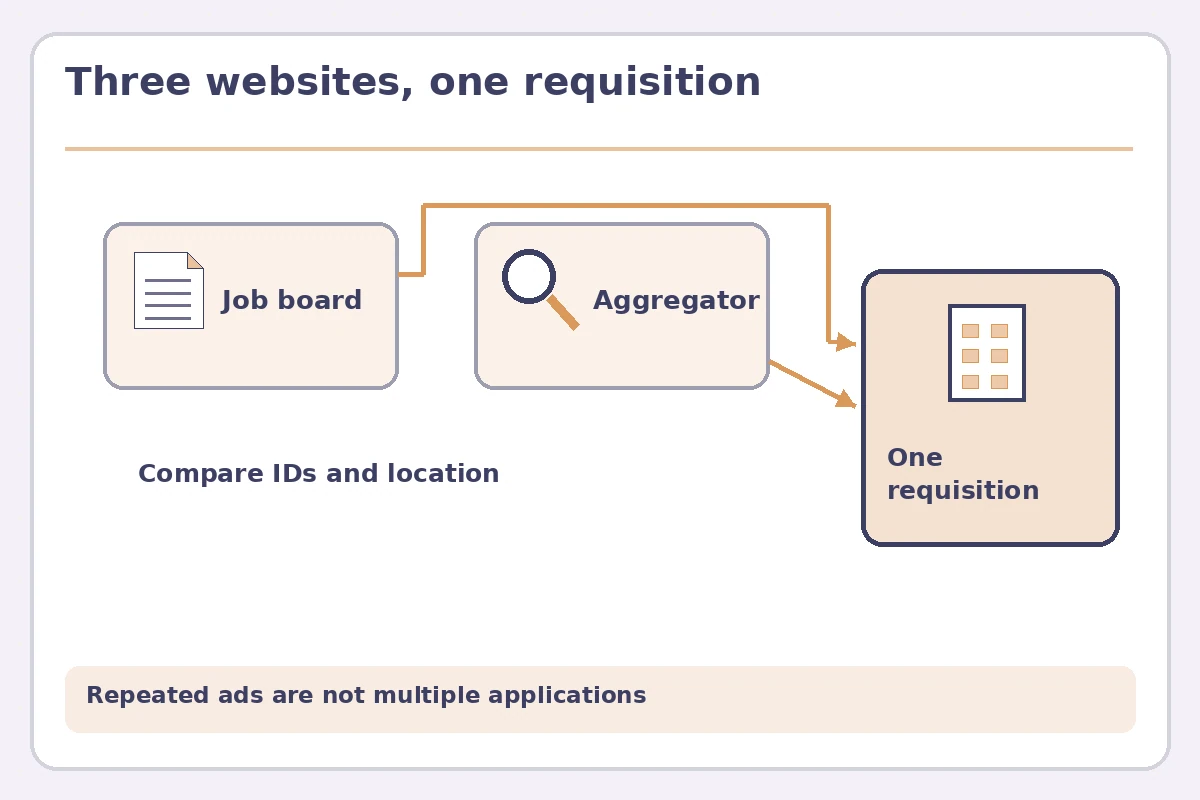
Duplicate job postings across sites can make one vacancy look like several opportunities. An employer may advertise directly, distribute the role through an applicant tracking system, and appear on search aggregators. A staffing agency may also advertise work that resembles a company role. Your goal is to identify whether the postings point to the same position and choose a legitimate application route—not simply submit your resume everywhere. Compare the employer or agency, location, role description, requisition number, contact domain, and submission instructions. Keep one master tracking entry unless the evidence shows the jobs are genuinely separate.
Compare more than the job title
Titles such as ‘Customer Service Associate’ can describe many openings. Start with the hiring employer, work location, department, shift, required qualifications, compensation structure if provided, and exact requisition identifier. Two links with the same employer and requisition number probably refer to one listing even if an aggregator edits the headline. Two openings with similar descriptions at different facilities or distinct identifiers might be separate. Do not merge them solely because they use the same template paragraph about teamwork or benefits.
For an illustrative table, suppose a manufacturer posts ‘Shipping Coordinator’ with reference ABC-01 on its careers page. A job board displays the same reference and points back to the official portal. Another site shows ‘Distribution Coordinator’ with reference ABC-02 at a different location. The first two likely describe one vacancy, whereas the third needs its own check. ABC identifiers here are fictitious examples. Always examine where each application button leads and whether duties and employment terms match.
Identify what each website actually does
A job board may host a listing and forward you to an external applicant system, allow a completed application within its own account, or simply index an employer’s public posting. These routes are different. LinkedIn describes both on-platform and external application paths, and USAJOBS explains that a federal application can require a continuation on an agency site. Don’t assume that selecting Apply or saving a vacancy means an application reached the hiring organization. Complete the specified workflow and preserve the actual confirmation.
Read the domain name and page context before uploading personal documents. If a board redirects to a recognizable employer or authorized application provider, compare the opening against the official careers page. If a page unexpectedly asks you to re-enter banking information, pay an application fee, or send identity documents to an unrelated address, stop and independently verify. A redirect itself is not suspicious; the combination of an unverifiable employer and inappropriate requests is the warning. Search results can display real-looking but altered vacancies, as FTC guidance explains.
Separate agencies from direct employer applications
Staffing firms may advertise the same type of position using generalized language, sometimes without naming the client. That does not make every such listing a copy of a direct opening, and it does not prove the agency has an exclusive contract. Ask a representative for the employing entity, work site if disclosable, assignment terms, and whether your profile will be submitted to a particular client. Do not let an agency represent that you approved a client submission if you have not consented to it.
If you have already applied directly, tell a verified staffing contact before they propose submitting you for what appears to be the same requisition. A useful question is: ‘Is this the same hiring team’s opening listed as reference ABC-01, and is your firm authorized to submit candidates for it?’ Avoid sharing your other recruiters’ private communications or copies of confidential agreements. If the agency declines to clarify material conditions, you can decide not to proceed. Do not infer which route has better odds without evidence from the actual employer.
Build one master job entry with source notes
Your tracking row should include employer, verified title, requisition, work site, employer application URL, source sites where you saw the listing, and one accurate status. For example: ‘Discovered on two boards; official employer site verified; submitted through employer portal; confirmation saved.’ Alternate links can stay in a notes field. Do not create a separate ‘applied’ record for every advertisement when only one submission occurred. If an employer operates multiple requisitions, create separate records and store their distinguishing facts.
Keep personal tracking files private and avoid embedding sensitive account tokens in saved URLs. When several advertisements use conflicting pay, schedule, or location information, treat the employer’s current official posting or written recruitment clarification as the authoritative description. If the difference materially changes your decision, ask before applying. Aggregators sometimes lag behind changes or summarize terms incompletely. Your goal is not to prove the aggregator wrong; it is to decide which conditions you could actually accept.

Choose a safe route and finish the submission
For a direct vacancy, the official employer’s specified route is often the clearest starting point. Some employers genuinely request an application through a particular board, staffing firm, or partner system; verify that instruction before overriding it. If your application begins on one site and ends on another, note the completion point. A draft, a saved listing, or an unfinished questionnaire is not a submitted application. Check the final confirmation screen and the contact channel for genuine follow-up.
Do not send duplicate resumes or repeated follow-up emails merely because the same job reappeared on another site. A repost can reflect routine distribution, a refreshed campaign, or a changed opening; only an identified new requisition or employer confirmation establishes a distinct route. If you find yourself with multiple accounts from the same employer, check which one holds the submitted application. Follow the employer’s correction process rather than using several portals to circumvent an eligibility rule.
Use the FTC verification checklist for suspicious copies
The FTC warns that scammers hijack legitimate job ads and send people to fabricated application sites. Verify a job by navigating independently to the organization’s official careers page, and check that the recruiter is authorized. Fake postings can mention real job titles, legitimate company names, and plausible duties. Avoid transfers of money, purchases of supposed equipment, or premature requests for banking credentials. An ad should not gain credibility simply because it appears on two well-known search websites.
If the source remains uncertain, don’t submit personal information just to ‘reserve’ a slot. Instead capture only the public reference and send a short inquiry through a verified employer contact. If a site displays a clear impersonation, report the listing and consult the FTC’s reporting guidance. A careful application record is useful even when you decide to pass: it tells you why you rejected that route and prevents the same copied advertisement from wasting your time next week.

How We Research and Verify the Guidance
We reviewed current instructions from the platforms and public agencies cited below, and compared this specific reader task against the topics in the supplied WordPress inventory and previous JobAsk batches. Product controls can change; website examples and identifiers in this page are illustrative rather than live job offers. Sources reviewed on 2026-11-10: FTC source on search and application verification — FTC warns about copied or altered job postings and advises confirming openings through official employer sites. FTC source on search and application verification — FTC advises verifying advertised positions directly with the employer rather than trusting unsolicited recruiters. LinkedIn source on search and application verification — LinkedIn distinguishes external Apply links from on-platform applications and provides job search information. USAJOBS source on search and application verification — USAJOBS explains that agency application steps may continue after a user leaves the job-search portal. The factual guidance describes platform features or public fraud prevention, not assurances of employment outcomes.
This page is independent educational guidance, not a representation of the named websites or an endorsement by a hiring organization. Review the affiliate disclosure. Verify the current platform interface, the actual job announcement, and the employer-approved application route before acting.
Related Job Search Guides
Usually not. First check whether the ads point to the same employer requisition and follow its legitimate instructions; one completed application may be sufficient.
They may represent different branches, shifts, or openings. Verify the employer, location, and current terms before combining them.
No. Agencies can be legitimate intermediaries. Verify the agency authorization and clarify whether it is submitting you for the same client opening.
Look for a final confirmation or valid employer acknowledgment. A saved posting, Apply click, or draft form is not enough.
No. Multiple copies may reflect distribution arrangements or reposting and do not establish urgency or hiring intent.