
A plain-text cover letter uses words, paragraph breaks and ordinary punctuation rather than a designed page. If a job portal provides a cover-letter text box, draft your message separately, paste it into the box, inspect what the system kept and submit only after confirming the rest of the application. Remove the decorative header when the form already collects your identity; keep the greeting, a short role-specific argument and a polite closing if the field allows.
Plain-text fields are not equivalent to PDF uploads. Some strip bold, indentation, bullet characters and links, while others retain limited formatting. The University of Nebraska–Lincoln specifically advises checking text-box versions after pasting. Treat the portal’s own instructions and limits as authoritative rather than assuming every system accepts the same characters.
Identify what the field actually requests
Read the label and help text closely. “Cover letter,” “statement of interest,” “Why do you want this job?” and “Additional information” may have different purposes. A request for a brief answer may not need a greeting or full letter; a dedicated cover-letter box often does. Look for a word or character limit, required keywords or an instruction not to repeat the resume.
Check whether the portal also asks for a separate PDF upload. Do not paste a letter into an unrelated notes box as a substitute for an explicitly required attachment. If the system provides no cover-letter field and says not to attach extra files, respect that process. Adding content in an unexpected place can obscure important answers.
Build a simple paste-safe outline
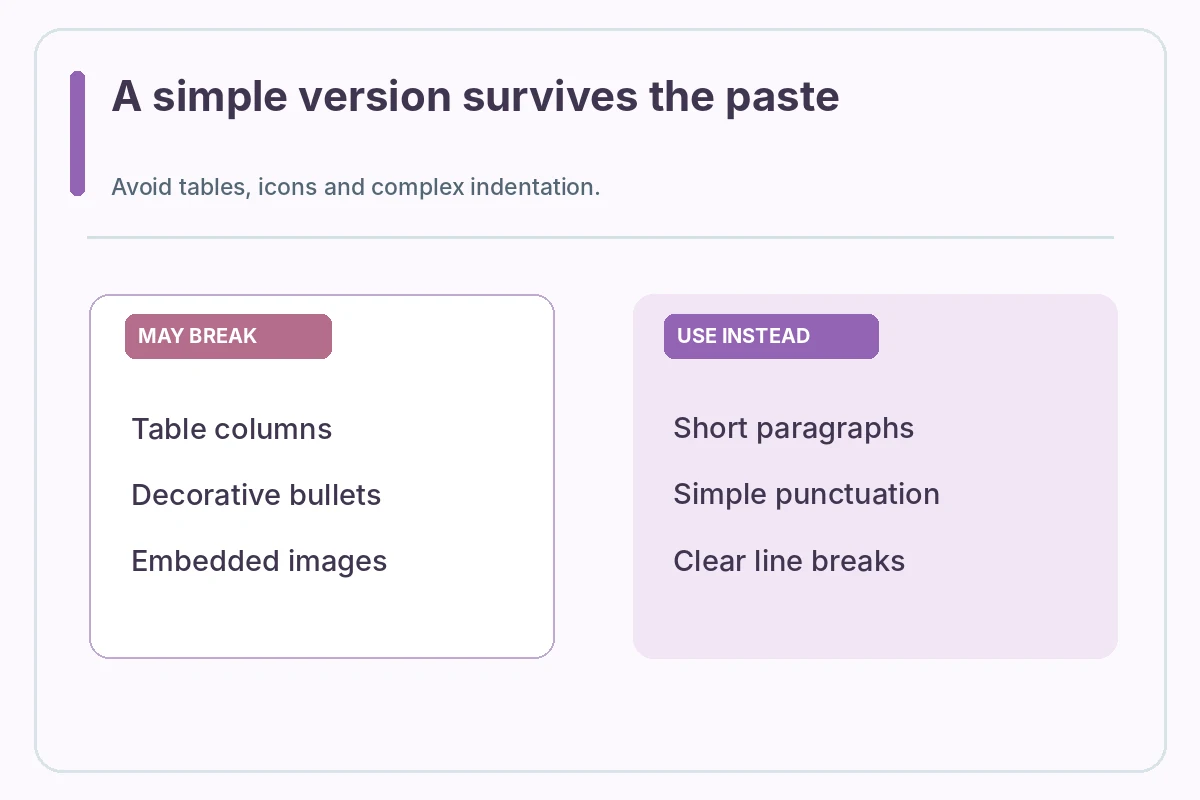
Start with a greeting if appropriate, followed by a short opening naming the role. Use one or two concise evidence paragraphs to connect your real tasks with the posting, and end with thanks and your typed name. Keep paragraph breaks as blank lines. Avoid decorative divider characters, tabs, tables and multiple columns.
For example, a hypothetical applicant might write: “Dear Hiring Team, I am applying for the scheduling assistant role. In a volunteer project, I tracked event sign-ups and confirmed changes with the organizer. I would welcome the chance to explain how that experience applies to your team. Sincerely, Morgan Lee.” This example is fictional; replace it with actual facts and the correct employer.
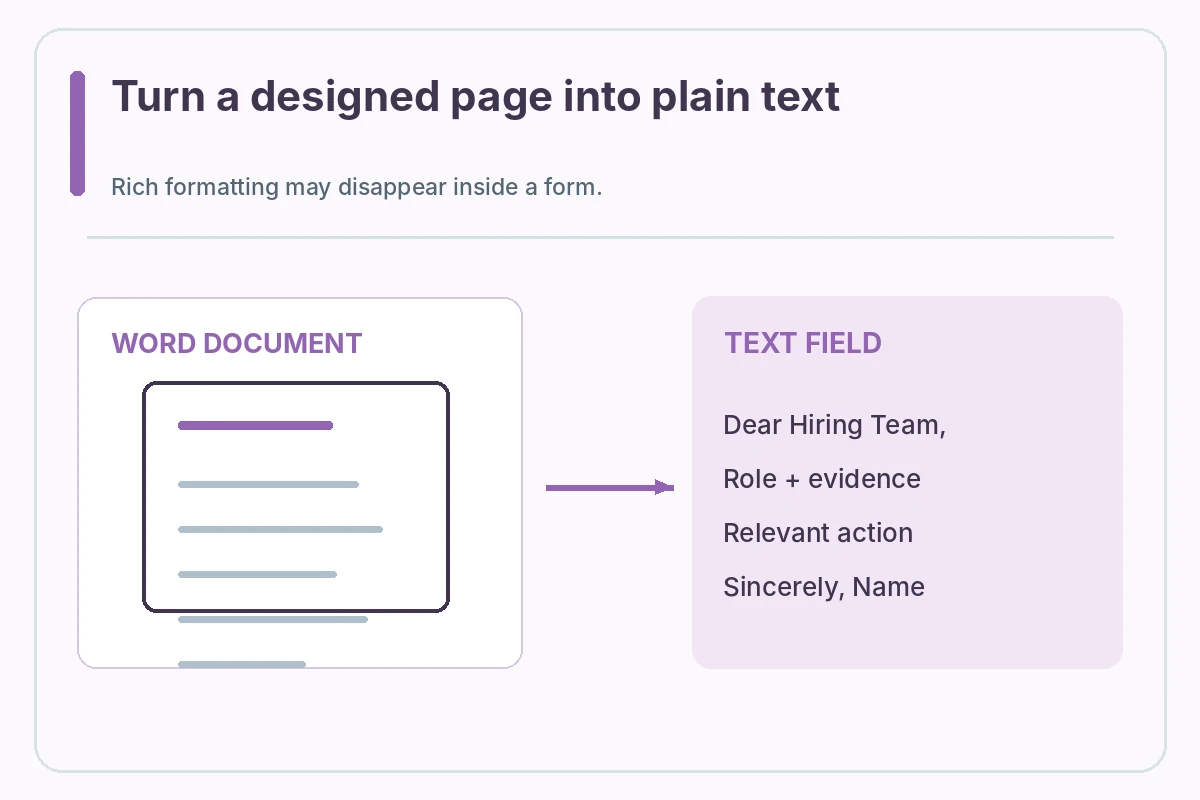
Remove formatting that does not travel
Copying from Word, Google Docs or a rich-text email can bring bullets, smart punctuation, nonbreaking spaces and invisible styling. When pasted, some characters may be changed or omitted. The Alberta career service notes that online fields may lose formatting. Use plain paragraphs and ordinary punctuation if the preview looks damaged.
A numbered list can be clearer than graphic bullets when a portal strips special characters. Do not overcorrect by turning the entire letter into a single run-on paragraph. If a linked portfolio is important, use the application’s link field when provided or a clean URL only if permitted. Verify that it is relevant and does not expose private work.
Check the limit and trim for meaning
A character limit may count spaces and line breaks; a word limit works differently. Check the portal’s displayed counter rather than estimating. If your draft is too long, remove generic compliments, repeated facts and background details before cutting the example that actually demonstrates fit.
Use the posting’s terms only when they accurately describe your experience. Copying every keyword into a cramped text box is not an alternative to evidence. An honest, compact statement showing one relevant action will usually read more clearly than ten unrelated skills separated by slashes. No length target guarantees an interview.
Paste, preview and proofread again
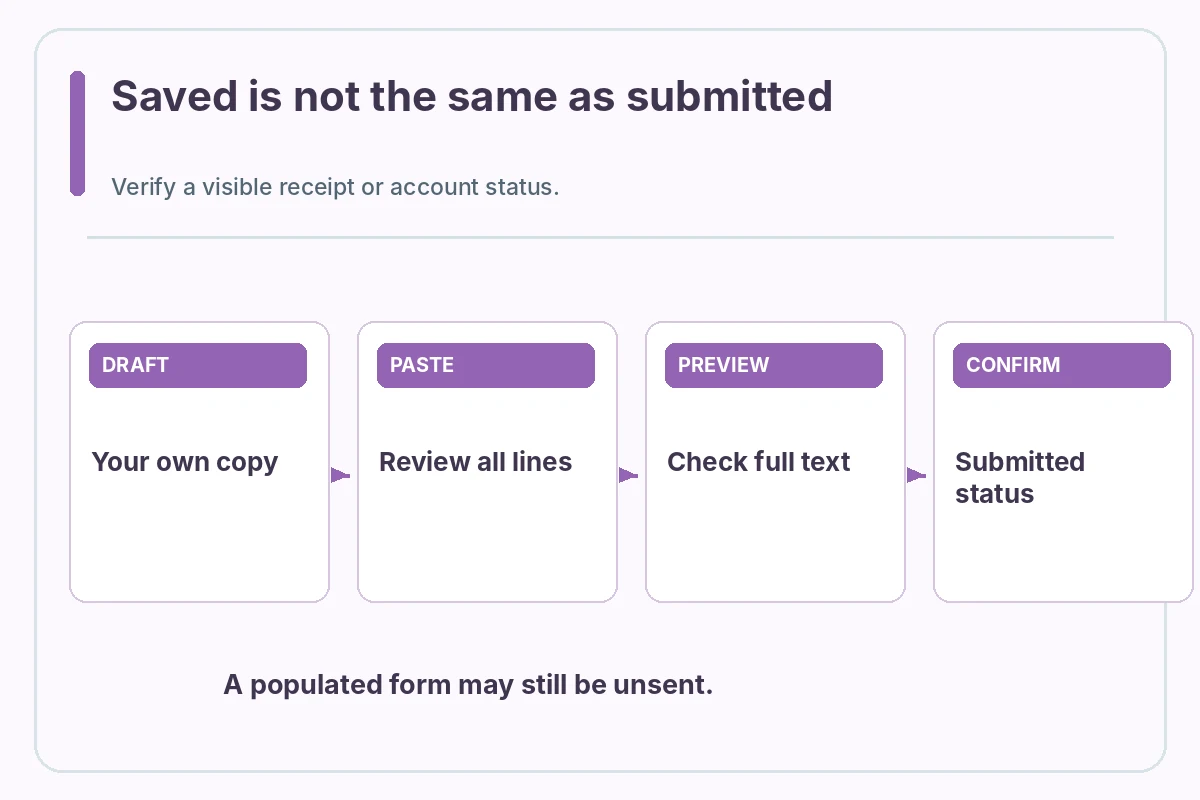
After pasting, scroll to the end of the field. Confirm that the greeting, all paragraphs and sign-off are present, that quotation marks and dashes display correctly, and that the employer and role are correct. If the form offers a preview, use it. Do not assume that text saved in your own notes was saved in the employer’s form.
If the system unexpectedly removes paragraph breaks, try simpler plain-text formatting and paste again. Do not use scripts, browser extensions or automated workarounds that might conflict with the site’s submission rules. Keep a separate copy so a browser timeout does not cost you your content.
Know the difference between saved and submitted
A message visible in a field may still be an unsent draft. Before clicking a final submission button, verify other required fields and attachments. Once submitted, look for a confirmation screen, account status or email according to the portal’s design. Absence of an email alone does not prove failure, because platforms handle notices differently.
Do not repeatedly submit the same application just because the browser pauses. First inspect the account record and any submission receipt. If an error occurs, use the platform’s supported help path when available. Keep the submission time and role title in your own application tracker rather than inventing a success status.
Protect confidential information in example paragraphs
When proving fit, describe processes and skills without pasting client records, protected health information, customer identifiers or nonpublic employer documents. Use a sanitized personal example that you can explain truthfully. Be especially careful when the online field has no way to retract text after submission.
If you are unsure whether a work sample is shareable, use a fictional demonstration and label it as such. Do not present a synthetic scenario as a paid client outcome. The cover letter is about why you are qualified, not a place to disclose employer files or prove authority that you did not have.
Worked Example: A Draft You Must Personalize
Hypothetical before/after: BEFORE—an ornate document header with columns, embedded icons, linked badges and a long bulleted inventory. AFTER—a greeting, three short paragraphs with one genuine relevant example, and “Sincerely, [your name].” Paste the after version into the employer field and inspect the final preview, not merely the source document.
Treat this example as a demonstration only. Do not copy fictional employment, names, credentials, results or contact information into a real application. Recheck each detail against your records and the employer posting. When a system does not show a submission receipt, do not claim that a saved document was delivered.
Verify This Letter in Its Actual Submission Format
Before sending, reread the headline question: plain text cover letter. Verify that the visible letter matches the employer and role, the claims describe things you actually did, the document or text is readable in the target channel, and no sample placeholders remain. A practical check has four steps: compare the posting, open the exact submission file, inspect its content or preview, and record the actual submitted status. Do not treat this guide as a promise of a recruiter response.
When you adapt the letter for another employer, repeat the check from the beginning. Employer-specific instructions outrank generic examples, and digital portals may behave differently. A clear application is valuable because it communicates your experience faithfully, not because a particular font, file name, software or page layout is universally approved.
How We Research This Guide
We compared first-party career-center cover-letter guidance, Microsoft Word documentation where relevant, and the JobAsk topic inventory on November 2, 2026. The guidance describes practical formatting options rather than mandatory US-wide hiring rules; real job postings and submission platforms take priority. Examples and names are fictional, not verified candidate outcomes. Read our affiliate disclosure.
Career guidance source: University of Nebraska–Lincoln explains printed-letter section order and adapting a cover letter to an application text box. Reviewed November 2, 2026.
Career guidance source: Alberta career service explains that plain-text online fields can strip document formatting. Reviewed November 2, 2026.
Career guidance source: CareerOneStop describes the purpose and usual sections of a concise, tailored cover letter. Reviewed November 2, 2026.
More Resume and Cover Letter Guides
Not automatically. When the portal already collects your identity, follow its instructions and consider starting with the greeting.
You can use simple hyphens if they display clearly, but short paragraphs are often more reliable.
Some fields strip rich formatting. Rebuild the message with plain punctuation and clear paragraph breaks.
No. Look for the portal’s submitted status or confirmation before assuming completion.
Prioritize the role, one or two truthful evidence points and a concise close; obey the actual limit.