
Before accepting an IT help desk job offer, identify which tickets the role owns, how incidents are escalated, what access will be granted and whether the schedule includes after-hours coverage. “Technical support” may mean internal desktop assistance, customer call queues or a first-line service desk; each requires a different workflow. Confirm the real written role and working arrangement before making a commitment. A job offer does not by itself grant administrator privileges or qualify a new employee to make production changes.
Confirm the Service Desk Model and Ticket Ownership
BLS describes computer user support specialists documenting problems, guiding users, troubleshooting devices and alerting managers to recurring issues. Ask whether the role supports internal staff, external customers or a mixed queue. What tools are used to log tickets, who owns updates, and when does a case move to another team? The words “Tier 1” or “help desk” may not be used consistently between companies; written examples of ordinary ticket categories provide better clarity.
Request the main contact channels: phone, chat, email or in-person support. Clarify whether the new hire is judged mainly on correct documentation and resolution within approved scope or expected to independently fix every technical problem. A useful question is, “Which incidents can I resolve using established procedures, and which require escalation?” That distinction protects users and avoids claiming that experience in a home lab is equivalent to administrator authorization.
Separate Job Duties From Privileged System Access
NIST defines least privilege as limiting system access to what is needed for assigned tasks. An offer should not promise unrestricted accounts merely because a support specialist might work with passwords, devices or network problems. Ask how identities are verified, accounts are provisioned and elevated privileges are approved. The employer should define the boundaries; applicants should never request shared credentials, bypass authentication or use personal tools to access a production environment.
Distinguish software installation, password-reset support and routine device checks from privileged server administration or security incident response. The named supervisor and escalation team should decide which changes a new hire can safely perform. If the job posting combines front-line support and infrastructure duties, request examples and clarify supervision. Do not include screenshots, credentials, user identifiers or confidential system diagrams in your job acceptance message.
Check Coverage Hours, On-Call Rules and Remote Support
Ask whether the advertised schedule means fixed shifts, a rotating service-desk queue, weekends or standby on call. If after-hours support is expected, confirm who receives alerts, how a rotation is published and what pay or time arrangements apply under the offer and applicable law. Do not assume the role pays for every hour away from the desk or that it guarantees no weekend work. The written arrangement matters more than the generic title.
For remote or hybrid help desk positions, confirm the authorized work location, equipment provision, secure support tools and how training is delivered. Ask whether customer-facing calls are monitored or recorded under company policy, and how schedule changes are communicated. If the employer expects you to use your own computer, request its exact security requirements before agreeing. Avoid paying an unverified vendor for equipment as part of a supposed onboarding process.
| Offer dimension | Verify in writing | Question before accepting |
|---|---|---|
| Tier 1 tickets | Document and resolve as approved | Escalation owner |
| Privileged access | Role-based approvals | Who authorizes changes? |
| After-hours | Actual rotation and pay basis | Coverage expectations |
| First-week tools | Approved support channels | Training contact |

Write a Clear IT Support Acceptance Message
Hypothetical email: “Subject: IT Help Desk Offer — Acceptance. Hello [Recruiter], Thank you for offering the [exact support title] role with [verified company]. I am pleased to accept the written offer dated [date], including the agreed start date and work schedule. Please let me know the reporting contact, service-desk orientation plan and secure account-setup process. I look forward to supporting users within the team’s approved procedures. Best, [Name].” This message confirms terms without claiming administrator rights.
If the offer still says “occasional on call” without an explanation and that term is material to your decision, ask what it means before you accept. If you have completed a troubleshooting course or certification, you may mention it only accurately; the acceptance email does not need to relist an entire resume. Verify the sender through the organization’s official hiring route before sharing identity or payroll information.
Plan the First Ticket, First Escalation and First Handoff
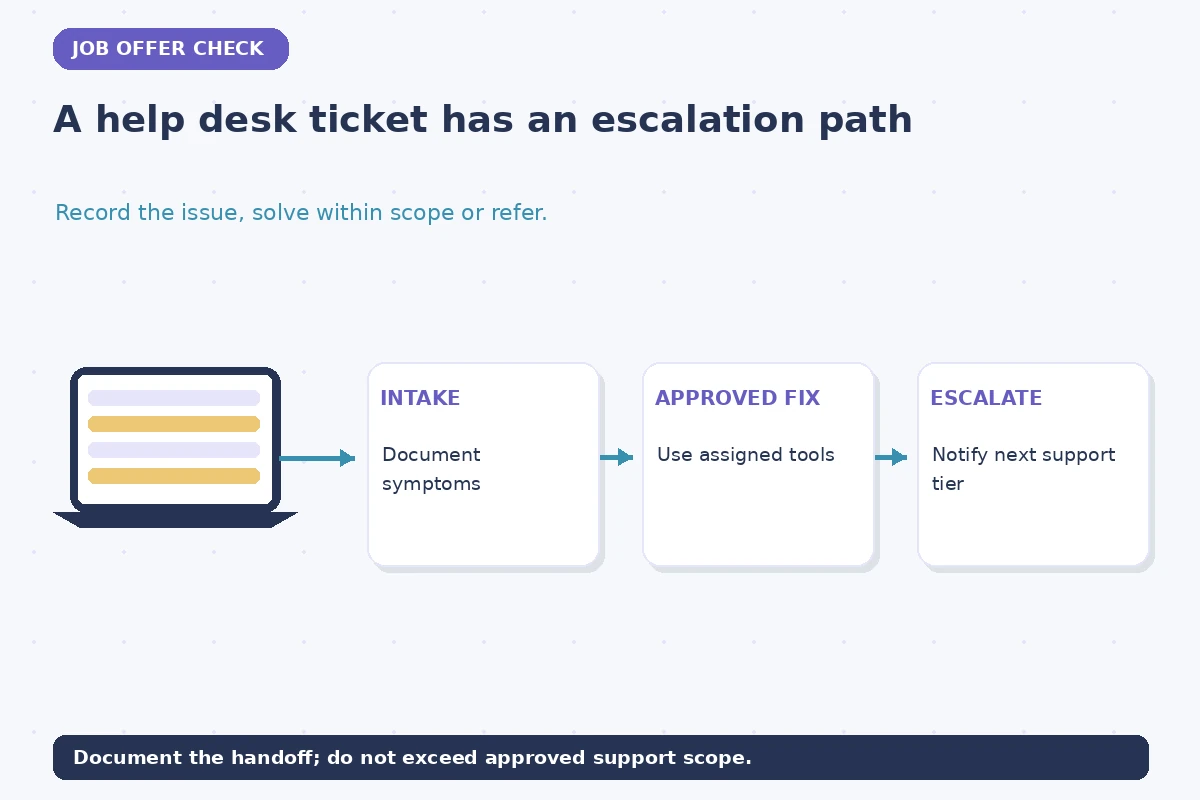
Ask where new hires find approved knowledge-base articles, ticket categories, service-level expectations and the communication standards for updates. A safe first-week training outline includes intake, identity verification policy, documentation, authorized troubleshooting, escalation and follow-up. The team’s actual tooling and security procedures govern each step. An attractive job description cannot substitute for an agreed owner of complex incidents or an authorized escalation contact.
Practice with hypothetical tickets rather than real credentials or private user records. One example might involve a recurring login problem: collect symptoms through the official ticket channel, follow approved verification steps and escalate if the reset process fails or requires rights not assigned to you. Confirm how the next technician receives the status and what to tell the user. The offer should give you enough clarity to judge whether the training and scope are appropriate.

Make the Final Decision From a Support-Scope Grid
Compare two possible roles: one has a clear first-line ticket queue, documented escalation and a fixed schedule; the other expects broader device support plus a defined on-call rotation. Neither arrangement is inherently better for everyone. Your existing skills, commute or remote setup, after-hours availability and training needs determine which is workable. Request written clarification of materially different duties instead of assuming a larger title means higher permissions.
Before the final yes, check the organization, exact title, start date, support population, ticket scope, access-approval process, escalation owner and on-call terms. If a recruiter’s summary conflicts with the formal offer, ask for one corrected version. A trustworthy acceptance reflects actual commitments and leaves technical permission decisions to the employer’s security and operations process.
How We Research and Maintain This Guide
This U.S.-focused guide was checked against employer-neutral primary and university career sources on 2026-11-13: University of Maryland Career Center Cornell Career Network U.S. Bureau of Labor Statistics NIST. Requirements differ by role, employer, location and applicable rules. All sample names, roles and emails are illustrative; confirm your own actual written offer before using a template. Read our affiliate disclosure. No hiring, credential or authorization outcome is promised.
Related Workplace Guides
Not automatically. System permissions should be provisioned for assigned duties through the employer’s controlled process.
Ask for a clear written description of the rotation, response expectations and pay or time arrangement before final acceptance.
No. Describe lab practice truthfully and follow the employer’s onboarding and authorization requirements.
Use only employer-approved tools, accounts and procedures for company or customer systems.
Request specific duties, training, reporting lines and permission boundaries in the written role description.