
Remote IT help desk jobs from home are not the same as unrestricted system administration. Most first-line support work involves understanding a user’s issue, following approved troubleshooting steps, documenting a ticket, and escalating work that requires higher privileges. Some positions support internal employees; others serve customers of a product or service. The BLS describes computer user support specialists as communicating through phone, chat, email, and other channels, with entry requirements varying by employer. To find a realistic opening, compare the systems you would support, the access you would receive, and the coverage schedule before focusing on the remote label.
Distinguish internal help desk from product support
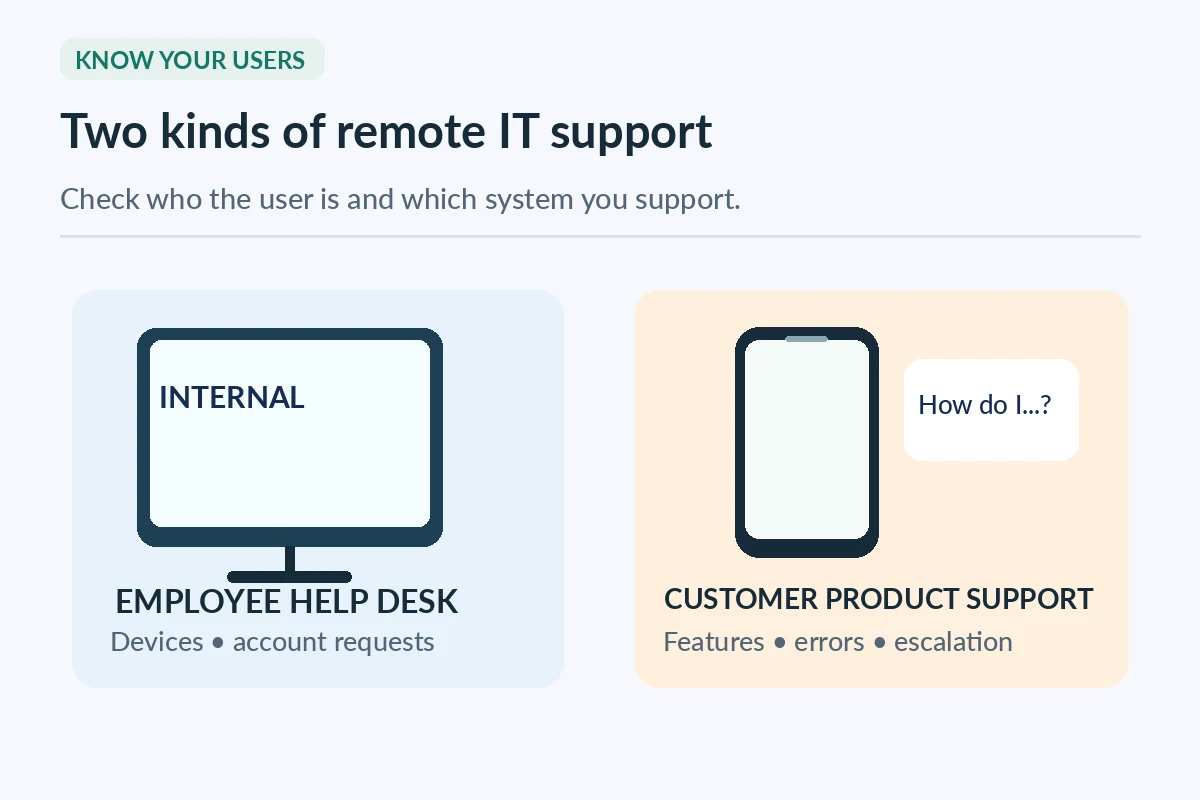
An internal help desk may handle employee login trouble, approved software setup, printers, devices, and account requests. A software vendor’s support team may troubleshoot one commercial product for external customers. Those roles can use different ticket tools, knowledge bases, authentication rules, and handoff procedures. Read the posting for keywords such as service desk, technical support, desktop support, product support, or tier one. None guarantees a work-from-home option. Ask whether any device pickup, on-site deployment, lab work, or field visits are required; a listing might include occasional in-person tasks even when its routine channel is remote.
Understand what tier one can safely do
Typical first-line tasks include collecting clear symptoms, checking known incidents, guiding users through permitted steps, and recording outcomes. They do not automatically include changing administrator settings, granting access, or disabling security controls. If the job description uses broad phrases such as “solve all problems,” ask what access levels are assigned and which requests need approval. An honest application emphasizes following a documented process and escalating when outside your rights. Practical judgment is demonstrated by respecting boundaries, not by claiming you can reset any account or bypass every restriction.
Show how you would work an example ticket
Consider a fictional employee who cannot sign in to a standard application. A safe practice response is to record the exact error and impact, confirm identity using the approved company procedure, check public service-status information where permitted, and follow the knowledge-base steps. If privileged changes are needed, document what was attempted and escalate to an authorized administrator. Never ask someone to tell you a password or share a one-time sign-in code. A good interview response explains which facts you confirmed and how you avoided unsafe shortcuts.

Assess the knowledge and training requirements
A hiring manager may value basic operating-system navigation, network concepts, device troubleshooting, ticket-writing, and clear communication. Some jobs prefer relevant coursework or IT certifications, while others teach product-specific tools. The BLS notes that entry requirements vary and that some candidates may qualify without a degree if they bring useful skills or credentials. Match the exact posting: an enterprise identity administrator role is not automatically an entry-level help desk. If a certification is requested, state whether you have completed it, are preparing for it, or simply took a related class.
Compare the communication channels
Phone support requires live listening and calm pacing; text chat requires concise written questions and timely context; email tickets need useful summaries and clear next steps. A remote role may combine all three. Ask whether calls are scheduled or queued, whether screen sharing is used, and whether you must support several users at once. The best channel for your skills matters more than the title. If the employer expects constant voice coverage, a workspace with frequent interruptions may not fit. Do not claim call-center experience if your actual background is retail or class-project collaboration; explain the transferable communication behavior instead.
Read the shift and on-call details carefully
IT support can operate outside regular business hours. The BLS describes some computer support work occurring at night or on weekends because systems and users need coverage. Ask whether the posting includes fixed shifts, rotating weekends, on-call response, holiday coverage, and escalation after hours. Distinguish a scheduled support shift from an unpaid expectation to answer every personal message. A remote job still needs realistic availability and a reliable place to take calls. Record the employer time zone and your own usable hours before applying.
Prepare a truthful technical skills inventory
Create a two-column list: skill or tool and example you can explain. A self-made troubleshooting notebook, a class lab, or help given to a community group can demonstrate method but is not corporate production experience. A hypothetical entry might read, “Documented a home-network troubleshooting exercise and compared configuration changes before and after testing.” If a lab involved your own router, say so. Do not list enterprise device-management software simply because you watched a video about it. Employers may probe each item and expect a step-by-step explanation of what you actually did.
| Issue type | First-line action | Escalate when |
|---|---|---|
| Login trouble | Verify via approved process and consult documented steps | Privileged access or security override required |
| Software error | Capture symptoms and known steps in a ticket | Persistent incident needs specialist diagnosis |
| Hardware trouble | Check permitted basic connections and user reports | Repair or onsite work is required |
| Suspected breach | Preserve facts and use incident route | Do not attempt unauthorized investigation |
Ask how tickets are reviewed and escalated
Find out whether the role has a published knowledge base, response priorities, a team lead, and a clear path for suspected security incidents. Ask how a user’s issue becomes a ticket, who can approve access changes, and what should be recorded when a problem cannot be resolved. Clear handoffs protect users and prevent repeated troubleshooting. Do not include sensitive user details in your portfolio. A redacted, fictional ticket example can demonstrate concise records: problem, impact, approved checks, outcome, next owner, and user update.
Protect the user while solving the issue
Help desk work often exposes workers to credentials, account details, and private business information. Follow approved identity-check and data-handling procedures rather than requesting passwords or moving screenshots to personal storage. If a caller asks you to disable a security safeguard, get the correct approval or escalate; friendly urgency is not authorization. On your own learning project, use dummy account names and test data. A genuine remote-support employer should explain company-device, secure connectivity, recording, and incident-reporting expectations during legitimate onboarding.
Search beyond broad tech-job keywords
Use targeted searches such as “remote tier 1 IT support,” “remote internal service desk trainee,” or “customer software support chat tickets” and check an employer’s actual career site. Filter by permitted state, country, time zone, schedule, and required experience. Keep a record of platform, specific products supported, ticketing system, and listed on-site responsibilities. Some “remote IT” results are software engineering or infrastructure administration jobs and do not match a first-line support objective. Reject a posting that lacks a recognizable employer or specific support functions rather than chasing every generic high-pay advertisement.

Verify the recruiter and equipment process
Remote help desk scams can impersonate technology employers, asking applicants to buy devices through a fake vendor or to send sensitive information before any real interview. The FTC recommends independent verification of openings and warns against fake-check arrangements and upfront job fees. Navigate to the company site yourself, confirm the position, and use a published contact method if needed. A realistic technical screening might ask how you troubleshoot a common error; it should not ask you to compromise your own computer or transfer someone else’s funds. Protect your identity until the employer and onboarding channel are verified.
Use a one-page fit decision
Compare the systems supported, ticket authority, required skills, channels, approved location, shift, equipment, and training. Rate each as known, needs clarification, or not a fit; do not turn unknown details into reassuring guesses. If you lack a required certification, find a different posting or build a specific learning plan. If the employer expects administrator access without training or a clear review chain, ask why. The best next application is one where you can explain a real troubleshooting process, can work the scheduled hours, and can identify when escalation is safer than improvisation.
How We Research These Remote Job Options
We reviewed these original public sources on 2026-11-07: www.bls.gov (BLS describes computer user support tasks, help-desk communication channels, education variation and possible night/weekend coverage.); consumer.ftc.gov (FTC explains verification steps to detect remote recruiter and equipment purchase scams.). Sources describe occupations, hiring cautions, or general rules; they do not verify any specific vacancy, recruiter, compensation offer, or individual candidate. The sample situations and application lines on this page are hypothetical teaching examples. Compare each listing with its current official employer description and the terms offered to you.
JobAsk provides independent educational information and does not claim an affiliate relationship with the organizations cited. We do not promise employment, earnings, placements, or acceptance by any employer. See our affiliate disclosure. Never include private customer or student records as evidence for a public application.
Related Job Search Guides
Some are suitable for candidates with coursework and demonstrable troubleshooting knowledge; other postings require years of tools or enterprise experience.
Possibly. Support services may require continuous coverage, so review the actual shift and on-call rules.
No. Account changes require the employer’s identity-verification and authorization procedures.
It can show listening, clear explanations, and ticket-like follow-through, but do not label it professional IT experience without real technical work.
Confirm the job through the employer’s independently located career or contact pages. Never pay for a job or follow fake-check equipment instructions.